How to operate this unit
7
How to operate this unit
1.
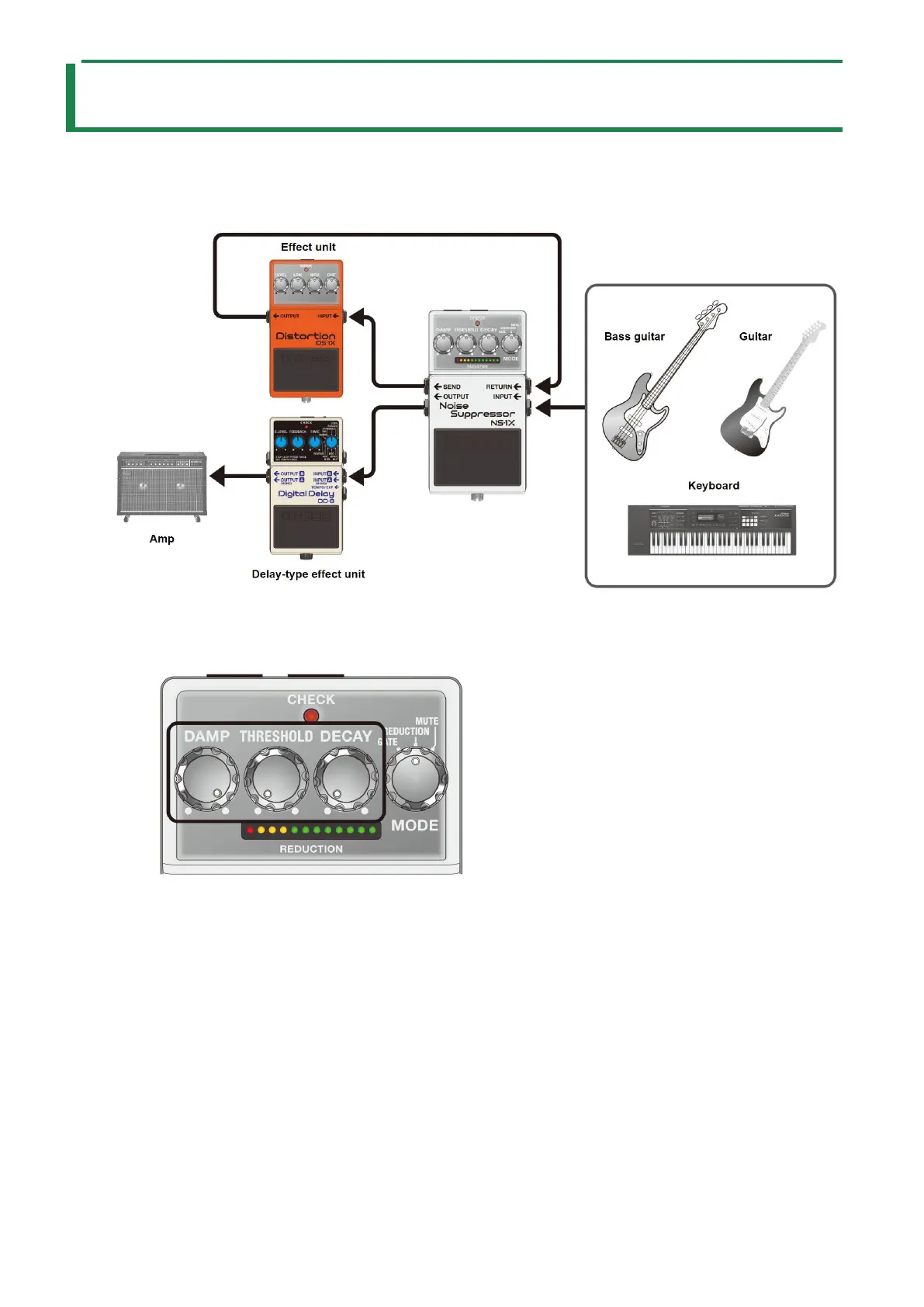
Connect each of the effect units.
Although you can connect this unit as the last effect unit in the signal chain, the effect works better when you connect the
SEND and RETURN jacks as shown in the illustration.
2.
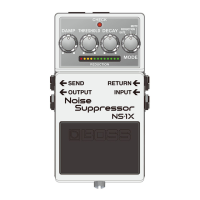
Set the knobs as shown in the illustration.
3.
Press the pedal switch to make the CHECK indicator light up (effect on).
The CHECK indicator goes dark only in mute mode.
4.
Activate the effect unit for which you want to remove noise.
5.
When you aren’t playing, the REDUCTION indicator lights up. Adjust the [THRESHOLD] knob until the
noise disappears.
The trick is to adjust the knob so that the sound naturally attenuates right around when it stops.


 To Next Page