3
Deutsch
Français Italiano Español
Português
Nederlands
EnglishEnglish
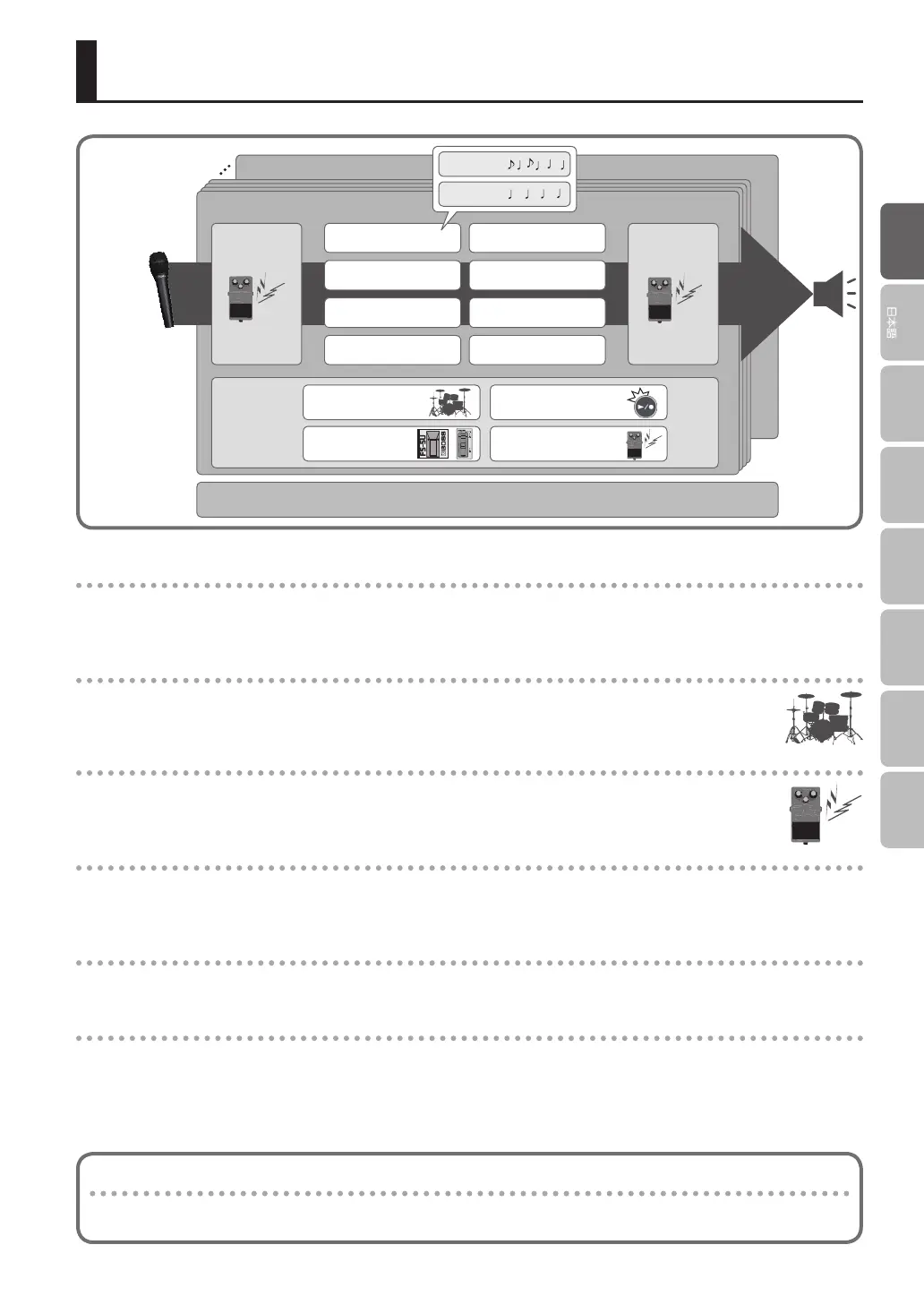
Overview of the RC-202
Bank 1
Bank 8
How the RC-202
is organized
System settings (settings that are common to the entire RC-202)
Input FX Track FX
Bank settings
Phrase memory 1
Phrase memory 2
Phrase memory 3
Phrase memory 4
Phrase memory 5
Phrase memory 6
Phrase memory 7
Phrase memory 8
Track 1
Track 2
Rhythm
External pedals
Looper
Eects
What are tracks 1 and 2 (p. 11) and phrase memories?
The RC-202 lets you record instrumental or vocal sounds on two “tracks” and play them back.
A set of these two tracks is called a “phrase memory.” Up to eight phrase memories can be saved in each bank.
What is a rhythm? (p. 4)
In addition to the playback of the two tracks, the RC-202 can play “rhythms.” You can record while sounding a
rhythm at the tempo you specify.
What is the Input FX and Track FX? (p. 11)
You can apply eects to the input sound and to the sound of the tracks.
These eects are referred to as “Input FX” and “Track FX.”
What is a bank?
A bank contains phrase memories, input FX settings, track FX settings, and bank settings.
The RC-202 has eight banks.
What are bank settings? (p. 12)
These are each bank’s settings for the rhythm, looper, external pedals, and eects.
What are system settings? (p. 13)
Settings that are common to the entire RC-202 such as auto-o (automatic power-o ), USB, and MIDI are called “system
settings.”
“Recording” versus “Overdub”
In this manual, we refer to the act of recording to an empty track for the rst time as “recording.” Any subsequent
recordings that are made, which are added on top of the existing recording, we refer to as “overdub.”


 To Next Page