Various Settings
6
Various Settings
Turning the Direct Sound Output On/Off
You can turn the output of the direct sound off when you want to output only the effect’s sound, such as when you’re connecting
this unit to the send/return of a mixer.
1.
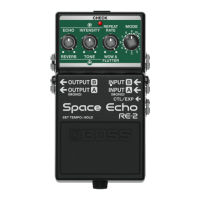
With the power turned off (nothing should be plugged into the INPUT A jack), set the [MODE] knob to
“7”.
2.
While holding down the pedal switch, turn on the power (by connecting a plug to the INPUT A jack).
3.
Turn the [ECHO] knob to select either on or off.
All the way counterclockwise
Outputs the direct sound.
Does not output the direct sound.
4.
Press the pedal switch to exit the settings.


 To Next Page