EasyManua.ls Logo

Boss SDE-3000EVH - User Manual

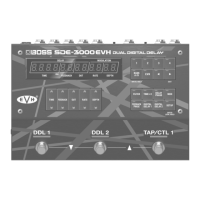
Boss SDE-3000EVH
47 pages
Print Icon
To Next Page IconTo Next Page
Loading...
Reference Manual
© 2023 Roland Corporation
01
EVH, the EVH logo, and the Stripe Design © used under license from EVH Brands, LLC
Question and Answer IconNeed help?

Do you have a question about the Boss SDE-3000EVH and is the answer not in the manual?

Summary

Getting Ready

Attaching Rubber Feet

Instructions for attaching the included rubber feet for stability.

Connecting Equipment

Guidance on connecting audio and control cables to the unit.

Powering On the Unit

Steps for safely turning the unit on and connecting devices.

Panel Descriptions

Top Panel Overview

Detailed description of the SDE-3000EVH's top panel controls and displays.

Play Screen Display Modes

Input Level Meter Display

Visual indication of the input signal level and peak detection.

Parameter, BPM, and Bank;Memory Displays

Displays for various operational parameters, tempo, and memory status.

EVH Memory Information

Details on the internal, locked EVH memory presets.

Panel Layout and Connections

Rear Panel Connectivity

Explanation of all jacks, switches, and ports on the rear panel.

Side Panel Ports

Description of MIDI and USB ports located on the side panel.

Configuring External Controls

Footswitch Mode Settings

Configuration options for footswitch operation modes (Manual, Memory).

Memory Selection via Foot Control

Methods for selecting memories using footswitches.

Footswitch Memory Selection Modes

Wait Mode Operation

How to select memories using the wait mode with footswitches.

Manual Mode Operation

How to select memories sequentially using manual mode with footswitches.

Input;Output Configuration

Adjusting Input Level

Procedure for setting the input level using the level meter.

Adjusting Output Gain

Procedure for adjusting the overall output level.

EVH Sound Settings

Connecting Preamp via Send;Return

Setting up the unit using the four-cable method with a preamp.

EVH Output Configurations

Three Amps (1-in, 3-out) Setup

Configuration for outputting dry, wet L, and wet R signals to three amps.

Hum Noise Reduction

Ground Lift Cable and Switch Usage

Methods to reduce hum noise using ground lift features.

Noise Suppressor Function

Using the built-in noise suppressor to minimize unwanted noise.

Amp Connection Structures

Serial vs. Parallel Delay Connections

Switching between serial and parallel connection structures for delays.

Amp Connection Scenarios

Single Amp (1-in, 1-out) Setup

Connecting the unit to a single amplifier for mono output.

Multi-Amp Connection Scenarios

Two Amps (1-in, 2-out) Setup

Connecting the unit to two amplifiers for stereo output.

Separate Dry;Wet Sound Output

Series and Parallel Output Methods

Configuring outputs for separate dry and wet signal routing.

Stereo Input;Output Configuration

Stereo Input;Output (2-in, 2-out)

Setting up stereo input and output for keyboards or audio players.

Using Send;Return Effects Loop

Send;Return Settings and Preferences

Configuring the send/return function and preference parameters.

Noise Suppressor Configuration

Noise Suppressor Parameters

Setting the threshold and release time for the noise suppressor.

Foot Volume Control Configuration

Foot Volume Parameters

Configuring the expression pedal for volume control.

Playing and Selecting Memories

Selecting a Memory

Procedure for selecting and activating stored memories.

Editing Delay Parameters

Configuring Delay Sound (Top Panel)

Adjusting delay parameters directly from the top panel controls.

Other Delay Parameters (DDL 1, DDL 2)

Detailed parameter settings for Digital Delay 1 and Digital Delay 2.

Editing Left;Right Delay Times

Linking Delay Times (Time Link)

Function to link or unlink delay times between left and right channels.

Displaying Left;Right Delay Times

Switching Left;Right Time Display

How to switch between viewing left and right channel delay times.

Editing Advanced Parameters

Carryover and Master Settings

Configuring carryover effects and master parameters.

Tempo (BPM) Setting

Setting the tempo for delay time calculations.

Useful Editing Functions

Note Length;Time Display Switching

Switching delay time display between note length and time.

Large Delay Time Adjustments

Making significant changes to delay time values.

Switching DDL 1;DDL 2 on Parameter Screen

Navigating between DDL 1 and DDL 2 parameter screens.

Memory Management

Saving and Swapping Memories

Procedures for saving current settings and exchanging memories.

Memory Initialization

Initializing Selected Memory

Procedure for resetting specific memories to their default state.

Preventing Accidental Operation

Panel Lock Functionality

Enabling or disabling panel lock to prevent unintended changes.

External Controller Configuration

Connecting Footswitches and Expression Pedals

Instructions for connecting external footswitches and expression pedals.

Configuring Control Functions

CTL Function Assignments

Assigning functions to CTL switches and external controllers.

Assigning Controller Functions

Assign Settings Overview

Setting up assignments for switches and pedals.

External Controller Connections

GA-FC Connection and Settings

Connecting and configuring the GA-FC foot controller.

GA-FC Controller Setup

GA-FC Switch and Settings

Enabling and configuring the GA-FC controller.

GA-FC Pedal Jack Configuration

GA-FC Pedal Jack Functions

Assigning functions to the GA-FC's pedal jacks.

External Controller Functions

Bypass Circuit Diagram

Diagram illustrating the bypass circuit with external controllers.

MIDI Device Connectivity and Configuration

MIDI Settings and Operations

Connecting and configuring external MIDI devices.

MIDI Communication Parameters

MIDI Clock Sync and Message Sources

Configuring MIDI clock synchronization and message sources.

MIDI Controller Number Specifications

Mapping MIDI controller numbers to functions.

Memory Program Change Mapping

Configuring Program Change Map

Customizing memory correspondence to program change messages.

Computer Connectivity

USB and MIDI Port Connections

Connecting the unit to a computer via USB or MIDI.

System Settings

Foot Pedal Memory Range Configuration

Setting the selectable memory range for the foot pedal.

EXP Pedal Setting Inheritance

Configuring EXP pedal setting inheritance between memories.

Restoring Factory Settings

Factory Reset Procedure

Step-by-step guide to restoring the unit to factory default settings.

Main Specifications

General Specifications

Summary of technical specifications like sampling rate and bit depth.

Connectors, Power, and Dimensions

Details on physical connections, power requirements, and unit size.

Controls, Accessories, and Options

List of unit controls, included accessories, and optional items.

Preset List Overview

EVH Presets (3-Amp and Stereo)

Overview of the four EVH presets for different output configurations.

Preset List: Basic DDL 1 Delays

Preset A.01: Sixteenth Note Delay

Example preset demonstrating DDL 1 with a sixteenth note delay.

Preset A.02: 400 msec Delay

Example preset demonstrating DDL 1 with a 400 msec delay.

Preset List: DDL 1 Variations

Preset A.03: 450 msec Delay

Example preset demonstrating DDL 1 with a 450 msec delay.

Preset A.04: 380 msec Delay

Example preset demonstrating DDL 1 with a 380 msec delay.

Preset List: DDL 1;DDL 2 Combinations

Preset B.01: Mixed Delay Times

Preset combining DDL 1 and DDL 2 with different delay times.

Preset B.02: Spacious Delay Effect

Preset utilizing DDL 1 and DDL 2 for a spacious sound.

Preset List: Delay Structures

Preset B.03: Series Delay for Spacious Sound

Preset using series connection for a spacious delay sound.

Preset B.04: Eighth;Quarter Note Series

Preset combining eighth and quarter note delays in series.

Summary

Getting Ready

Attaching Rubber Feet

Instructions for attaching the included rubber feet for stability.

Connecting Equipment

Guidance on connecting audio and control cables to the unit.

Powering On the Unit

Steps for safely turning the unit on and connecting devices.

Panel Descriptions

Top Panel Overview

Detailed description of the SDE-3000EVH's top panel controls and displays.

Play Screen Display Modes

Input Level Meter Display

Visual indication of the input signal level and peak detection.

Parameter, BPM, and Bank;Memory Displays

Displays for various operational parameters, tempo, and memory status.

EVH Memory Information

Details on the internal, locked EVH memory presets.

Panel Layout and Connections

Rear Panel Connectivity

Explanation of all jacks, switches, and ports on the rear panel.

Side Panel Ports

Description of MIDI and USB ports located on the side panel.

Configuring External Controls

Footswitch Mode Settings

Configuration options for footswitch operation modes (Manual, Memory).

Memory Selection via Foot Control

Methods for selecting memories using footswitches.

Footswitch Memory Selection Modes

Wait Mode Operation

How to select memories using the wait mode with footswitches.

Manual Mode Operation

How to select memories sequentially using manual mode with footswitches.

Input;Output Configuration

Adjusting Input Level

Procedure for setting the input level using the level meter.

Adjusting Output Gain

Procedure for adjusting the overall output level.

EVH Sound Settings

Connecting Preamp via Send;Return

Setting up the unit using the four-cable method with a preamp.

EVH Output Configurations

Three Amps (1-in, 3-out) Setup

Configuration for outputting dry, wet L, and wet R signals to three amps.

Hum Noise Reduction

Ground Lift Cable and Switch Usage

Methods to reduce hum noise using ground lift features.

Noise Suppressor Function

Using the built-in noise suppressor to minimize unwanted noise.

Amp Connection Structures

Serial vs. Parallel Delay Connections

Switching between serial and parallel connection structures for delays.

Amp Connection Scenarios

Single Amp (1-in, 1-out) Setup

Connecting the unit to a single amplifier for mono output.

Multi-Amp Connection Scenarios

Two Amps (1-in, 2-out) Setup

Connecting the unit to two amplifiers for stereo output.

Separate Dry;Wet Sound Output

Series and Parallel Output Methods

Configuring outputs for separate dry and wet signal routing.

Stereo Input;Output Configuration

Stereo Input;Output (2-in, 2-out)

Setting up stereo input and output for keyboards or audio players.

Using Send;Return Effects Loop

Send;Return Settings and Preferences

Configuring the send/return function and preference parameters.

Noise Suppressor Configuration

Noise Suppressor Parameters

Setting the threshold and release time for the noise suppressor.

Foot Volume Control Configuration

Foot Volume Parameters

Configuring the expression pedal for volume control.

Playing and Selecting Memories

Selecting a Memory

Procedure for selecting and activating stored memories.

Editing Delay Parameters

Configuring Delay Sound (Top Panel)

Adjusting delay parameters directly from the top panel controls.

Other Delay Parameters (DDL 1, DDL 2)

Detailed parameter settings for Digital Delay 1 and Digital Delay 2.

Editing Left;Right Delay Times

Linking Delay Times (Time Link)

Function to link or unlink delay times between left and right channels.

Displaying Left;Right Delay Times

Switching Left;Right Time Display

How to switch between viewing left and right channel delay times.

Editing Advanced Parameters

Carryover and Master Settings

Configuring carryover effects and master parameters.

Tempo (BPM) Setting

Setting the tempo for delay time calculations.

Useful Editing Functions

Note Length;Time Display Switching

Switching delay time display between note length and time.

Large Delay Time Adjustments

Making significant changes to delay time values.

Switching DDL 1;DDL 2 on Parameter Screen

Navigating between DDL 1 and DDL 2 parameter screens.

Memory Management

Saving and Swapping Memories

Procedures for saving current settings and exchanging memories.

Memory Initialization

Initializing Selected Memory

Procedure for resetting specific memories to their default state.

Preventing Accidental Operation

Panel Lock Functionality

Enabling or disabling panel lock to prevent unintended changes.

External Controller Configuration

Connecting Footswitches and Expression Pedals

Instructions for connecting external footswitches and expression pedals.

Configuring Control Functions

CTL Function Assignments

Assigning functions to CTL switches and external controllers.

Assigning Controller Functions

Assign Settings Overview

Setting up assignments for switches and pedals.

External Controller Connections

GA-FC Connection and Settings

Connecting and configuring the GA-FC foot controller.

GA-FC Controller Setup

GA-FC Switch and Settings

Enabling and configuring the GA-FC controller.

GA-FC Pedal Jack Configuration

GA-FC Pedal Jack Functions

Assigning functions to the GA-FC's pedal jacks.

External Controller Functions

Bypass Circuit Diagram

Diagram illustrating the bypass circuit with external controllers.

MIDI Device Connectivity and Configuration

MIDI Settings and Operations

Connecting and configuring external MIDI devices.

MIDI Communication Parameters

MIDI Clock Sync and Message Sources

Configuring MIDI clock synchronization and message sources.

MIDI Controller Number Specifications

Mapping MIDI controller numbers to functions.

Memory Program Change Mapping

Configuring Program Change Map

Customizing memory correspondence to program change messages.

Computer Connectivity

USB and MIDI Port Connections

Connecting the unit to a computer via USB or MIDI.

System Settings

Foot Pedal Memory Range Configuration

Setting the selectable memory range for the foot pedal.

EXP Pedal Setting Inheritance

Configuring EXP pedal setting inheritance between memories.

Restoring Factory Settings

Factory Reset Procedure

Step-by-step guide to restoring the unit to factory default settings.

Main Specifications

General Specifications

Summary of technical specifications like sampling rate and bit depth.

Connectors, Power, and Dimensions

Details on physical connections, power requirements, and unit size.

Controls, Accessories, and Options

List of unit controls, included accessories, and optional items.

Preset List Overview

EVH Presets (3-Amp and Stereo)

Overview of the four EVH presets for different output configurations.

Preset List: Basic DDL 1 Delays

Preset A.01: Sixteenth Note Delay

Example preset demonstrating DDL 1 with a sixteenth note delay.

Preset A.02: 400 msec Delay

Example preset demonstrating DDL 1 with a 400 msec delay.

Preset List: DDL 1 Variations

Preset A.03: 450 msec Delay

Example preset demonstrating DDL 1 with a 450 msec delay.

Preset A.04: 380 msec Delay

Example preset demonstrating DDL 1 with a 380 msec delay.

Preset List: DDL 1;DDL 2 Combinations

Preset B.01: Mixed Delay Times

Preset combining DDL 1 and DDL 2 with different delay times.

Preset B.02: Spacious Delay Effect

Preset utilizing DDL 1 and DDL 2 for a spacious sound.

Preset List: Delay Structures

Preset B.03: Series Delay for Spacious Sound

Preset using series connection for a spacious delay sound.

Preset B.04: Eighth;Quarter Note Series

Preset combining eighth and quarter note delays in series.

Boss SDE-3000EVH Specifications

General IconGeneral
TypeDigital Delay
Sampling Frequency96 kHz
AD/DA Conversion32 bits
Processing32-bit floating point
Nominal Input Level-10 dBu
Input Impedance1 M ohm
Nominal Output Level-10 dBu
BypassBuffered Bypass
A/D Conversion32 bits
D/A Conversion32 bits
Output Impedance1k ohm
Recommended Load Impedance10 k ohms or greater
ControlsDelay Time, Feedback
DisplayGraphic LCD
Connectors1/4-inch phone type, MIDI, USB
Power SupplyAC adaptor
Delay Time0.1 ms–3000 ms

Related product manuals