Once you have completed the previous section (Mount Your Footplate):
Step 1. Feed the RJ45 Cable and DC Output from the Power Supply
through the bottom rear opening of the Test Stand Pole. Pull the cables
through the pole and out the top rear opening.
Step 2. Connect the RJ45 Cable and Ground Cord to the footplate.
Step 3. Connect the ring terminal of the Ground Cord to a known good
ground.
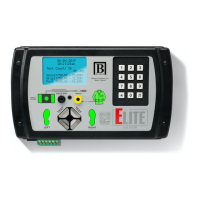
Step 4. Connect the DC Output and RJ45 Cable into the bottom of the
ELITE tester.
Step 5. Connect the Power Supply into a 120V AC outlet.
WIRING
YOUR
FOOT
PLATE
P11


 To Next Page