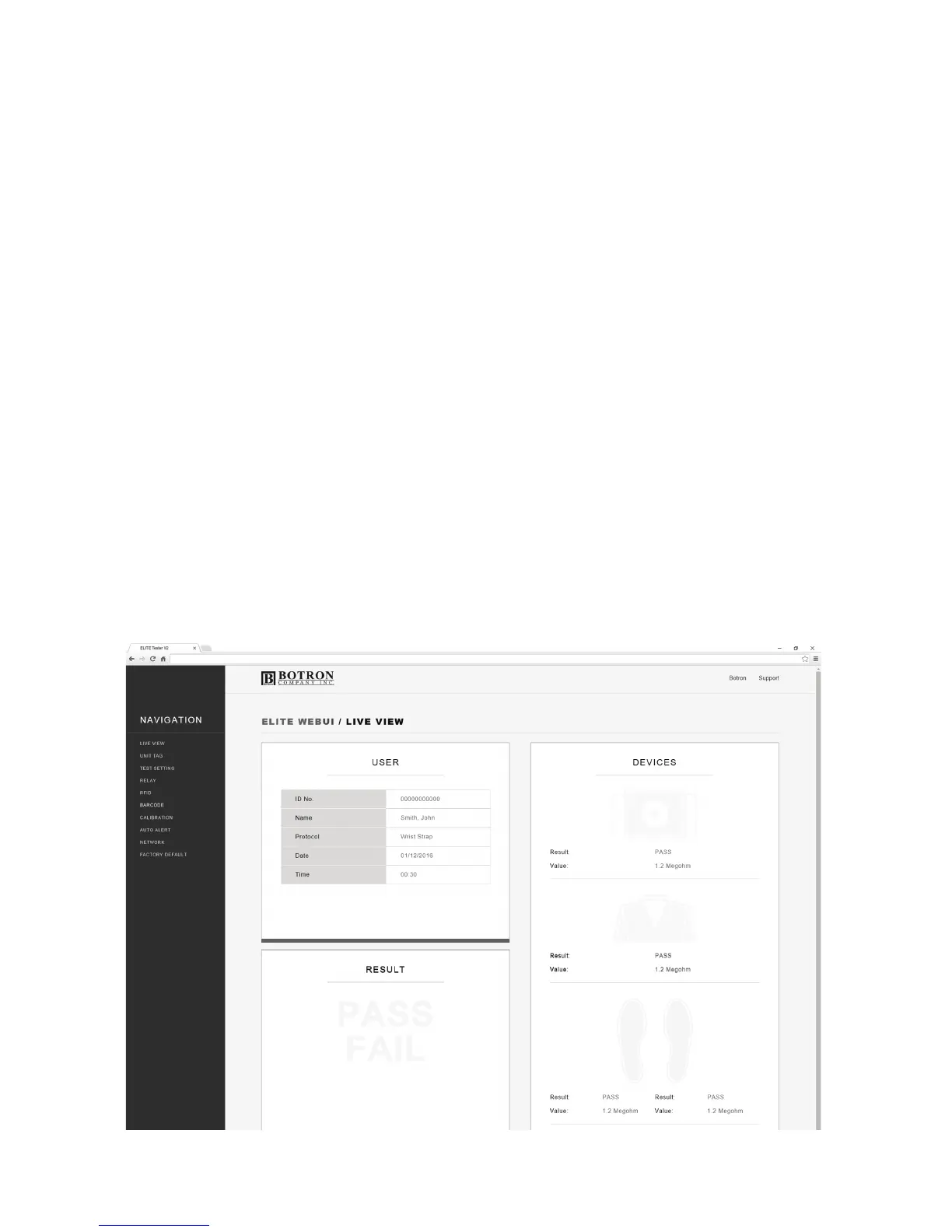
LIVE VIEW
The Live View screen displays realtime information about the personnel
interacting with the equipment.
There are 3 tiles: User, Result and Devices.
The User information tile will update the ID number, Name, Protocol (Test
Requirement) as each user inputs their ID.
The Result tile will light up PASS in Green, or FAIL in Red depending on
the test outcome.
The Device tile is also interactive. Grayed out icons will change to either
Green, Red, or Yellow depending on the test result. It also displays the
resistance value for each device.
P3


 To Next Page