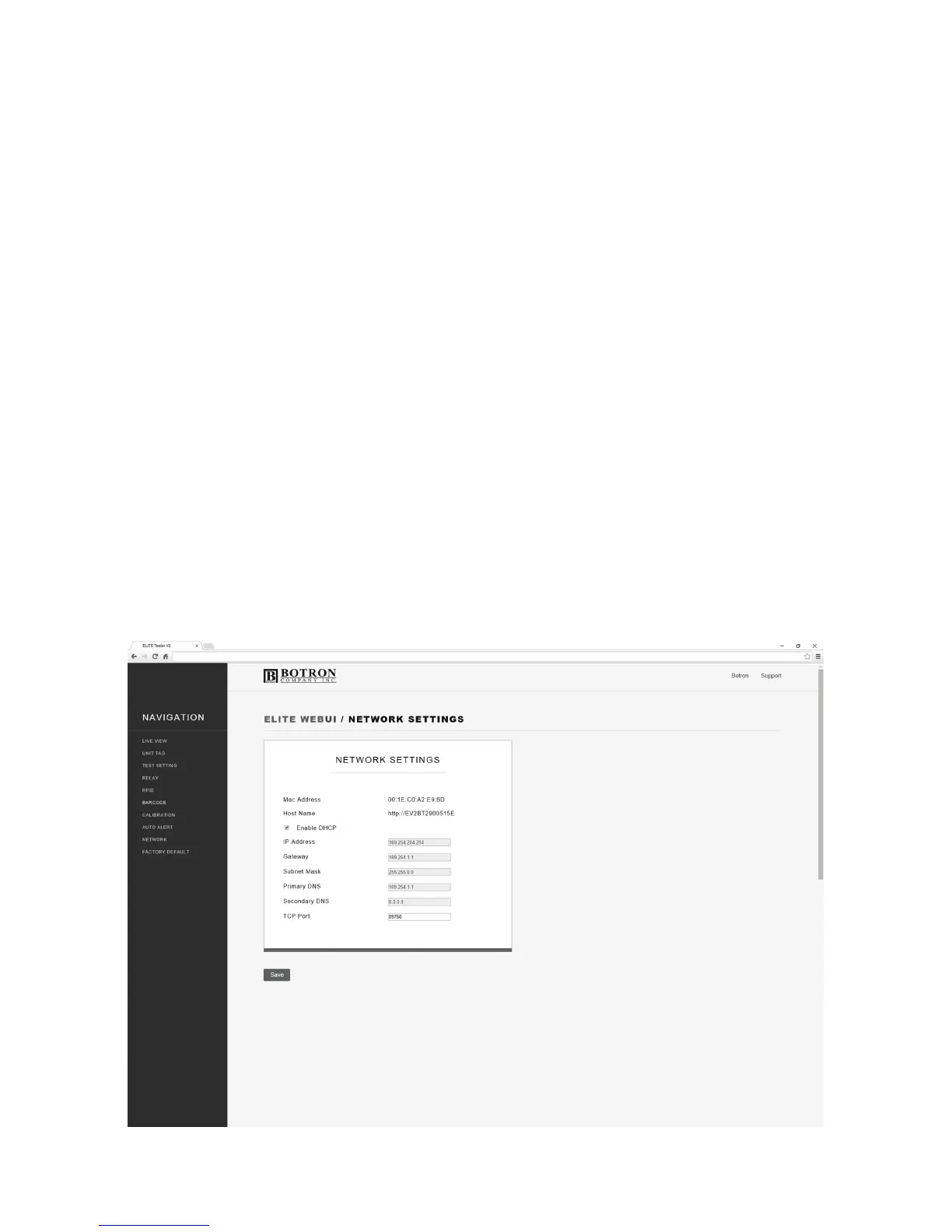
NETWORK
When connected to a PC by the Ethernet cable, the ELITE Tester will
configure it’s Local Area Network (LAN) settings. Assuming you are on the
network, this screen will have stored all the network information regarding
this device.
When Dynamic Host Configuration Protocol is enabled the ELITE Tester's
network settings will be assigned by the network router. By disabling DHCP,
you may manually configure the ELITE Tester's network settings.
P9


 To Next Page