As you will notice, the wall plate comes with pre-cut wire channels for cable
management.
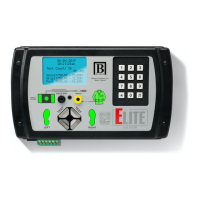
Step 1. Using the wire channels, connect the DC Output and RJ45 cable to
their respective ports on the bottom of the ELITE Tester.
Step 2. Connect the other end of RJ45 cable to the footplate.
Step 3. Grounding Your Footplate
3.1 Using the supplied Ground Cord, insert the banana plug into the
footplate.
3.2 Connect the ring terminal for the footplate ground to a known good
ground connection.
Step 4. Once you have connected your cables and wires, plug in the ELITE
Tester Power Supply (the ELITE will automatically turn on).
WIRING
YOUR
WALL
PLATE
P7


 To Next Page