107
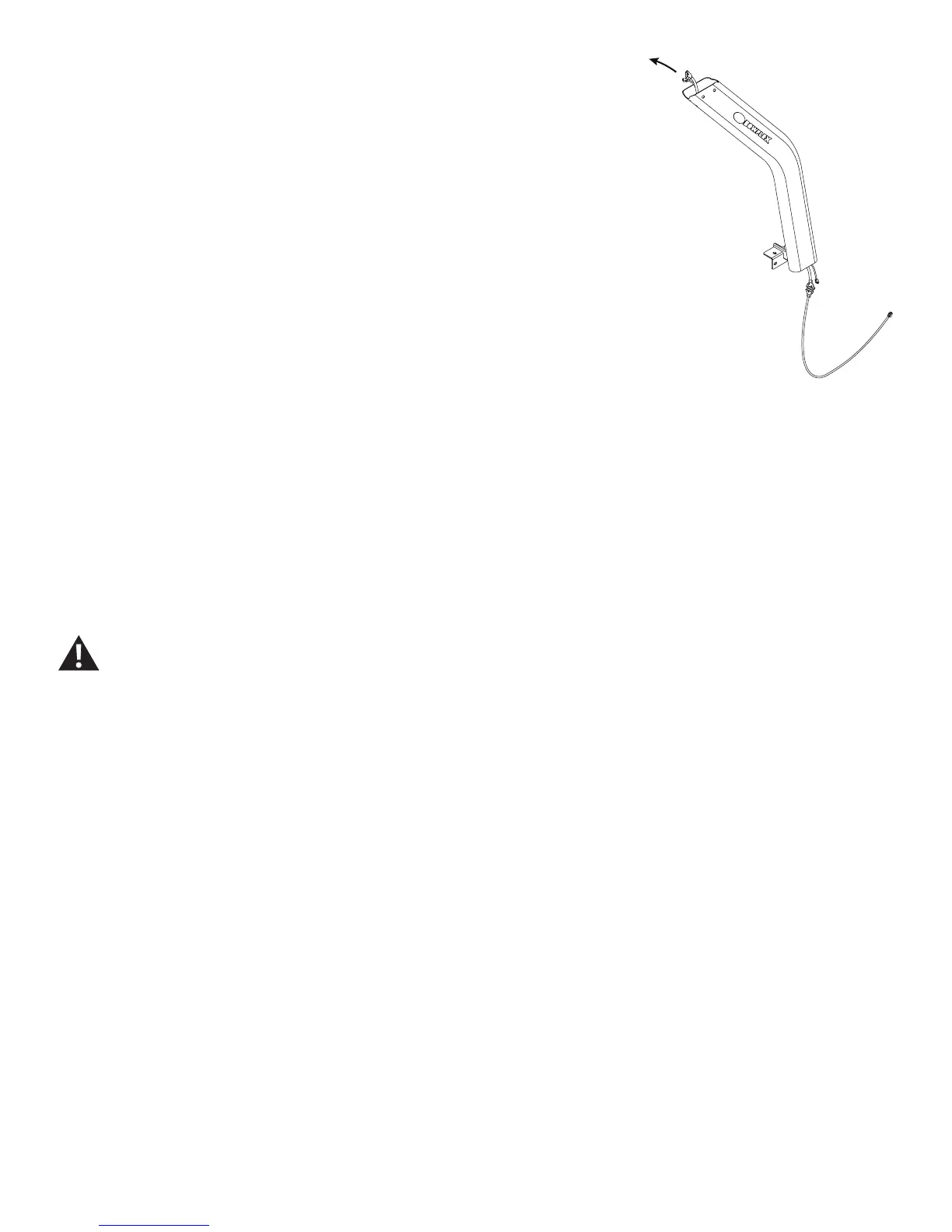
14. Using some cable or string, attach the upper connector of the new
Middle I/O Cable to the lower connector of the old Middle I/O Cable.
15. Gently pull the old I/O Cable from the Right Upright. This will pull out
the old I/O Cable and place the new I/O Cable.
Note: Be sure the cable does not crimp when being routed.
16. Connect the Cables and attach the new Right Upright to Frame As-
sembly
Note: This step may take two people to safely hold the Right Upright while
the Cables are connected. Do not crimp the Cables. Do not fully tighten
the Hardware until the Console and Handlebar Assembly has been at-
tached.
17. Re-install all remaining parts that were removed in reverse order.
18. Final Inspection
Inspect your machine to ensure that all hardware is tight and components
are properly assembled.
Do not use until the machine has been fully assembled and
inspected for correct performance in accordance with the
Owner’s Manual.














 To Next Page