EasyManua.ls Logo

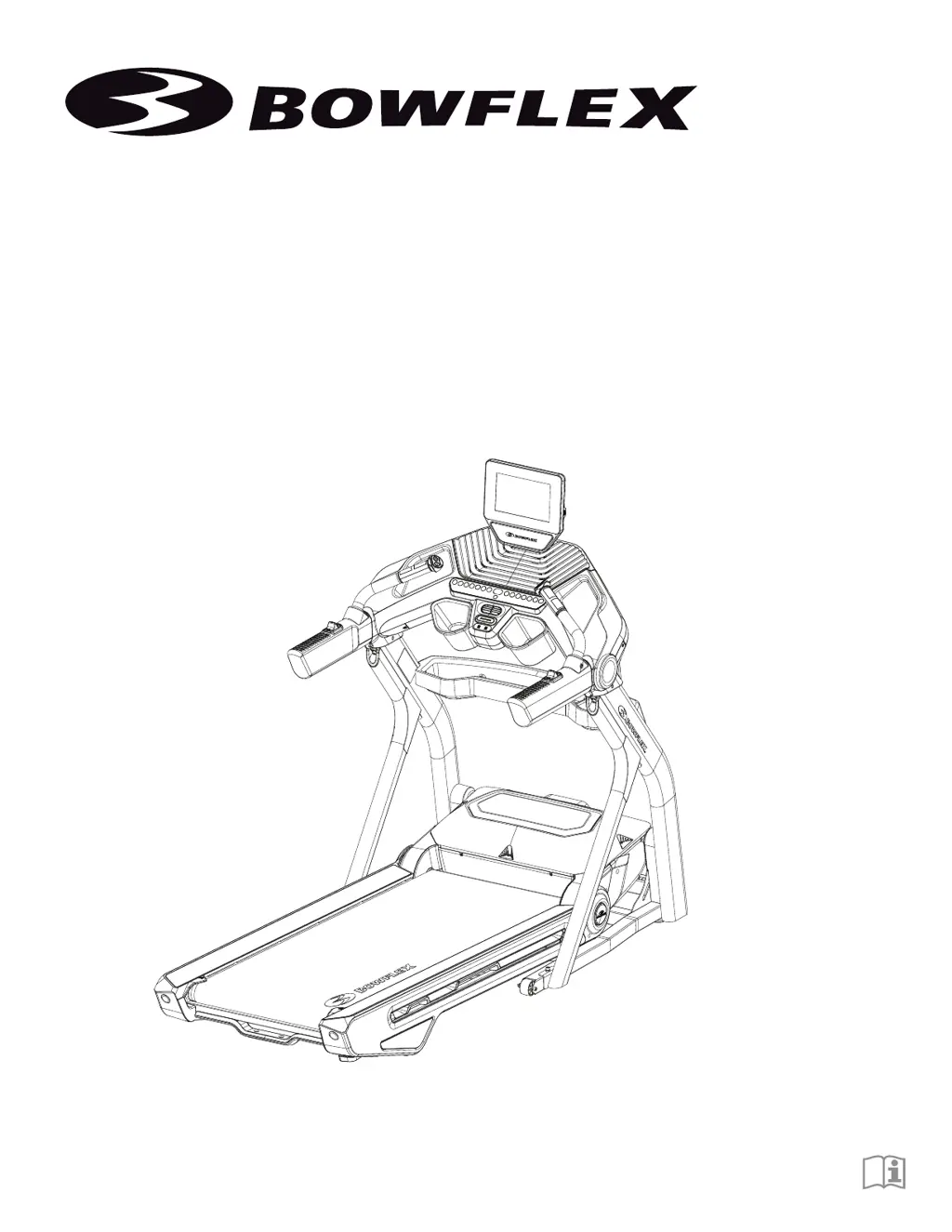
Bowflex Treadmill 10 - User Manual

Bowflex Treadmill 10
66 pages
Print Icon
To Next Page IconTo Next Page
Loading...
Treadmill 10
/ Treadmill 25
ASSEMBLY / OWNER’S MANUAL

Other manuals for Bowflex Treadmill 10

Questions and Answers

Summary

Safety Instructions

General Safety Warnings

Key safety precautions and warnings for operating and assembling the machine.

Additional Operational Safety

Further warnings for safe operation, including user weight limits and environmental considerations.

Safety Warning Labels and Serial Number

Warning Label Identification

Locates and describes various warning labels on the machine for user safety and information.

Grounding and Earthing Instructions

Electrical Connection Requirements

Details proper grounding and earthing procedures for safe electrical connection of the treadmill.

Emergency Stop Procedure

Using the Safety Key

Explains how to use the safety key for emergency stops and securing the machine.

Specifications and Pre-Assembly

Machine Specifications

Lists technical details such as power requirements, weight limits, and dimensions of the treadmill.

Basic Assembly Guidelines

Provides fundamental steps and considerations before starting the assembly process.

Parts Identification

Component List

A detailed list and diagram of all parts included with the treadmill for assembly.

Hardware and Tools

Hardware and Tools Included

Lists and illustrates the screws, washers, and tools required for assembly.

Treadmill Assembly Process

Attaching Uprights and Frame

Connects uprights, crossbar, and pivot shrouds to the base frame.

Console and Handlebar Integration

Attaches handlebars, console base, and mast assembly, including cable routing.

Final Assembly and Setup

Covers final component attachment, machine setup, and initial console configuration.

Moving and Storing the Machine

Folding and Transporting the Treadmill

Instructions on how to fold, move, and position the treadmill safely.

Unfolding the Machine

Lowering the Walking Deck

Step-by-step guide on safely unfolding the treadmill's walking deck.

Leveling the Machine

Adjusting Foot Levelers

How to adjust the machine's feet to ensure it is level and stable.

Treadmill Belt Maintenance

Belt Noise and Wear

Explains initial belt noise and wear-in period for the walking belt.

Treadmill Features Overview

Component Identification

Labels and identifies key parts and controls of the treadmill.

Console Operation

Console Display Navigation

Explains the layout and navigation of the console display, including tabs and functions.

Just For You Tab

Details the "Just For You" tab for personalized workout recommendations.

Workout Program Tabs

Describes the Programs, Explore The World, Videos, Favorites, and Learn tabs.

Workout Logging and Profile

Explains the Journal and Profile sections for tracking and user management.

Console Controls and Functions

Control Panel Layout

Identifies and explains the function of various control buttons on the console.

Workout Metrics and Zones

Understanding Burn Rate and Zones

Explains the Burn Rate meter, benefit zones, and workout profile visualization.

Target Ranges and Intervals

Details interval time, max burn rate, and target ranges for workouts.

Metrics Bar and Control Operation

Metrics Bar Explanation

Defines the data displayed on the metrics bar, such as incline, time, distance, and speed.

Incline and Speed Control Operation

Describes how to use the incline and speed controls located on the handlebars.

Connectivity and Accessories

Bowflex JRNY App Integration

Guide to using the JRNY app with the treadmill for enhanced features.

Bluetooth Heart Rate Monitoring

Instructions for using Bluetooth HR monitors and armbands with the machine.

Bluetooth Audio Functionality

Explains the capability to play audio via Bluetooth connection.

Contact Heart Rate Sensors

Details the function and usage of the handlebar-mounted heart rate sensors.

Heart Rate Guidance

Understanding Target Heart Rate Zones

Illustrates target heart rate zones for fat burning based on age.

Fitness Basics and Preparation

Workout Frequency and Consistency

Guidelines for establishing a regular exercise routine and maintaining motivation.

Proper Apparel and Warm-up

Recommendations for appropriate clothing and dynamic stretching before workouts.

Warm-up Stretches

Lower Body Dynamic Stretches

Demonstrates stretches for legs and hips to prepare for exercise.

Workout Types and Techniques

Steady State vs. Interval Training

Explains the differences and benefits of steady state and interval training workouts.

Workout Schedule Recommendations

Sample Fitness Level Schedules

Provides sample weekly workout plans for different fitness levels.

Workout Logging

Tracking Your Progress

A template for logging workout data like date, distance, time, and calories.

Cool-Down Stretches

Post-Workout Flexibility Exercises

Demonstrates relaxing stretches for recovery and flexibility.

Initial Console Setup and Operation

Console Power-Up and Wi-Fi Connection

Steps for powering on the console and connecting to Wi-Fi for setup.

Getting Started with the Machine

Initial checks, belt alignment, power connection, and first use guidelines.

Machine Operation

Power-Up Mode and Incline Control

Explains console power-up and how to adjust incline levels.

Belt Speed Adjustment and Workout Control

How to change belt speed, pause, stop, and restart workouts.

Powering Off and Restarting the Machine

Procedures for safely turning the machine off and back on.

Routine Maintenance Schedule

Daily and Weekly Maintenance Tasks

Recommended checks and cleaning procedures performed daily and weekly.

Monthly and Quarterly Maintenance

Lubrication and bolt tightening schedules for long-term care.

Belt Adjustment and Alignment

Adjusting Belt Tension

How to tighten the walking belt if it starts to slip.

Aligning the Walking Belt

Steps to center the walking belt on the treadmill deck.

Lubricating the Walking Belt

Instructions for applying silicone lubricant to the walking belt.

Maintenance Parts Identification

Treadmill Component Diagrams

Visual guide to identifying various parts of the treadmill for maintenance.

Base Assembly Component Diagrams

Visual guide to identifying parts of the treadmill's base assembly.

Troubleshooting Common Issues

Display and Power Problems

Solutions for issues like no display or unit not turning on.

Speed, Incline, and HR Issues

Addresses problems with speed/incline adjustment and HR display.

Fan, Leveling, and Belt Noise Issues

Resolves problems with fan operation, machine leveling, and belt noise.

Body Weight Loss Guide

Guide Introduction and Goals

Overview of the weight loss guide and its benefits for health and energy.

Results, Tips, and Usage Guide

Expected results, long-term success tips, and how to utilize the guide.

Sample Meal Structure Overview

Visual representation of an ideal daily meal and snack breakdown.

Meal Plan Options

Provides specific meal and snack ideas for breakfast, lunch, and dinner.

Maintaining Weight Loss and Resources

Tips for Sustained Weight Loss

Strategies for maintaining weight loss and managing plateaus.

Support Resources and Recipes

Lists website resources, online logs, and support contacts.

Warranty Information

Warranty Coverage and Terms

Details what is covered, warranty terms, and exclusions for US/Canada purchases.

Obtaining Warranty Service

Explains the process for getting warranty service and contacting Nautilus.

Summary

Safety Instructions

General Safety Warnings

Key safety precautions and warnings for operating and assembling the machine.

Additional Operational Safety

Further warnings for safe operation, including user weight limits and environmental considerations.

Safety Warning Labels and Serial Number

Warning Label Identification

Locates and describes various warning labels on the machine for user safety and information.

Grounding and Earthing Instructions

Electrical Connection Requirements

Details proper grounding and earthing procedures for safe electrical connection of the treadmill.

Emergency Stop Procedure

Using the Safety Key

Explains how to use the safety key for emergency stops and securing the machine.

Specifications and Pre-Assembly

Machine Specifications

Lists technical details such as power requirements, weight limits, and dimensions of the treadmill.

Basic Assembly Guidelines

Provides fundamental steps and considerations before starting the assembly process.

Parts Identification

Component List

A detailed list and diagram of all parts included with the treadmill for assembly.

Hardware and Tools

Hardware and Tools Included

Lists and illustrates the screws, washers, and tools required for assembly.

Treadmill Assembly Process

Attaching Uprights and Frame

Connects uprights, crossbar, and pivot shrouds to the base frame.

Console and Handlebar Integration

Attaches handlebars, console base, and mast assembly, including cable routing.

Final Assembly and Setup

Covers final component attachment, machine setup, and initial console configuration.

Moving and Storing the Machine

Folding and Transporting the Treadmill

Instructions on how to fold, move, and position the treadmill safely.

Unfolding the Machine

Lowering the Walking Deck

Step-by-step guide on safely unfolding the treadmill's walking deck.

Leveling the Machine

Adjusting Foot Levelers

How to adjust the machine's feet to ensure it is level and stable.

Treadmill Belt Maintenance

Belt Noise and Wear

Explains initial belt noise and wear-in period for the walking belt.

Treadmill Features Overview

Component Identification

Labels and identifies key parts and controls of the treadmill.

Console Operation

Console Display Navigation

Explains the layout and navigation of the console display, including tabs and functions.

Just For You Tab

Details the "Just For You" tab for personalized workout recommendations.

Workout Program Tabs

Describes the Programs, Explore The World, Videos, Favorites, and Learn tabs.

Workout Logging and Profile

Explains the Journal and Profile sections for tracking and user management.

Console Controls and Functions

Control Panel Layout

Identifies and explains the function of various control buttons on the console.

Workout Metrics and Zones

Understanding Burn Rate and Zones

Explains the Burn Rate meter, benefit zones, and workout profile visualization.

Target Ranges and Intervals

Details interval time, max burn rate, and target ranges for workouts.

Metrics Bar and Control Operation

Metrics Bar Explanation

Defines the data displayed on the metrics bar, such as incline, time, distance, and speed.

Incline and Speed Control Operation

Describes how to use the incline and speed controls located on the handlebars.

Connectivity and Accessories

Bowflex JRNY App Integration

Guide to using the JRNY app with the treadmill for enhanced features.

Bluetooth Heart Rate Monitoring

Instructions for using Bluetooth HR monitors and armbands with the machine.

Bluetooth Audio Functionality

Explains the capability to play audio via Bluetooth connection.

Contact Heart Rate Sensors

Details the function and usage of the handlebar-mounted heart rate sensors.

Heart Rate Guidance

Understanding Target Heart Rate Zones

Illustrates target heart rate zones for fat burning based on age.

Fitness Basics and Preparation

Workout Frequency and Consistency

Guidelines for establishing a regular exercise routine and maintaining motivation.

Proper Apparel and Warm-up

Recommendations for appropriate clothing and dynamic stretching before workouts.

Warm-up Stretches

Lower Body Dynamic Stretches

Demonstrates stretches for legs and hips to prepare for exercise.

Workout Types and Techniques

Steady State vs. Interval Training

Explains the differences and benefits of steady state and interval training workouts.

Workout Schedule Recommendations

Sample Fitness Level Schedules

Provides sample weekly workout plans for different fitness levels.

Workout Logging

Tracking Your Progress

A template for logging workout data like date, distance, time, and calories.

Cool-Down Stretches

Post-Workout Flexibility Exercises

Demonstrates relaxing stretches for recovery and flexibility.

Initial Console Setup and Operation

Console Power-Up and Wi-Fi Connection

Steps for powering on the console and connecting to Wi-Fi for setup.

Getting Started with the Machine

Initial checks, belt alignment, power connection, and first use guidelines.

Machine Operation

Power-Up Mode and Incline Control

Explains console power-up and how to adjust incline levels.

Belt Speed Adjustment and Workout Control

How to change belt speed, pause, stop, and restart workouts.

Powering Off and Restarting the Machine

Procedures for safely turning the machine off and back on.

Routine Maintenance Schedule

Daily and Weekly Maintenance Tasks

Recommended checks and cleaning procedures performed daily and weekly.

Monthly and Quarterly Maintenance

Lubrication and bolt tightening schedules for long-term care.

Belt Adjustment and Alignment

Adjusting Belt Tension

How to tighten the walking belt if it starts to slip.

Aligning the Walking Belt

Steps to center the walking belt on the treadmill deck.

Lubricating the Walking Belt

Instructions for applying silicone lubricant to the walking belt.

Maintenance Parts Identification

Treadmill Component Diagrams

Visual guide to identifying various parts of the treadmill for maintenance.

Base Assembly Component Diagrams

Visual guide to identifying parts of the treadmill's base assembly.

Troubleshooting Common Issues

Display and Power Problems

Solutions for issues like no display or unit not turning on.

Speed, Incline, and HR Issues

Addresses problems with speed/incline adjustment and HR display.

Fan, Leveling, and Belt Noise Issues

Resolves problems with fan operation, machine leveling, and belt noise.

Body Weight Loss Guide

Guide Introduction and Goals

Overview of the weight loss guide and its benefits for health and energy.

Results, Tips, and Usage Guide

Expected results, long-term success tips, and how to utilize the guide.

Sample Meal Structure Overview

Visual representation of an ideal daily meal and snack breakdown.

Meal Plan Options

Provides specific meal and snack ideas for breakfast, lunch, and dinner.

Maintaining Weight Loss and Resources

Tips for Sustained Weight Loss

Strategies for maintaining weight loss and managing plateaus.

Support Resources and Recipes

Lists website resources, online logs, and support contacts.

Warranty Information

Warranty Coverage and Terms

Details what is covered, warranty terms, and exclusions for US/Canada purchases.

Obtaining Warranty Service

Explains the process for getting warranty service and contacting Nautilus.

Bowflex Treadmill 10 Specifications

General IconGeneral
Max User Weight400 lbs
Running Surface22" x 60"
Incline Range-5% to 15%
Speed Range0.5 to 12 mph
Display10" interactive touchscreen
ConnectivityBluetooth
Dimensions39.6" W x 65.3" H
Heart Rate MonitoringBluetooth heart rate enabled
FoldingYes
ProgramsCustomizable with JRNY Subscription

Related product manuals