EasyManua.ls Logo

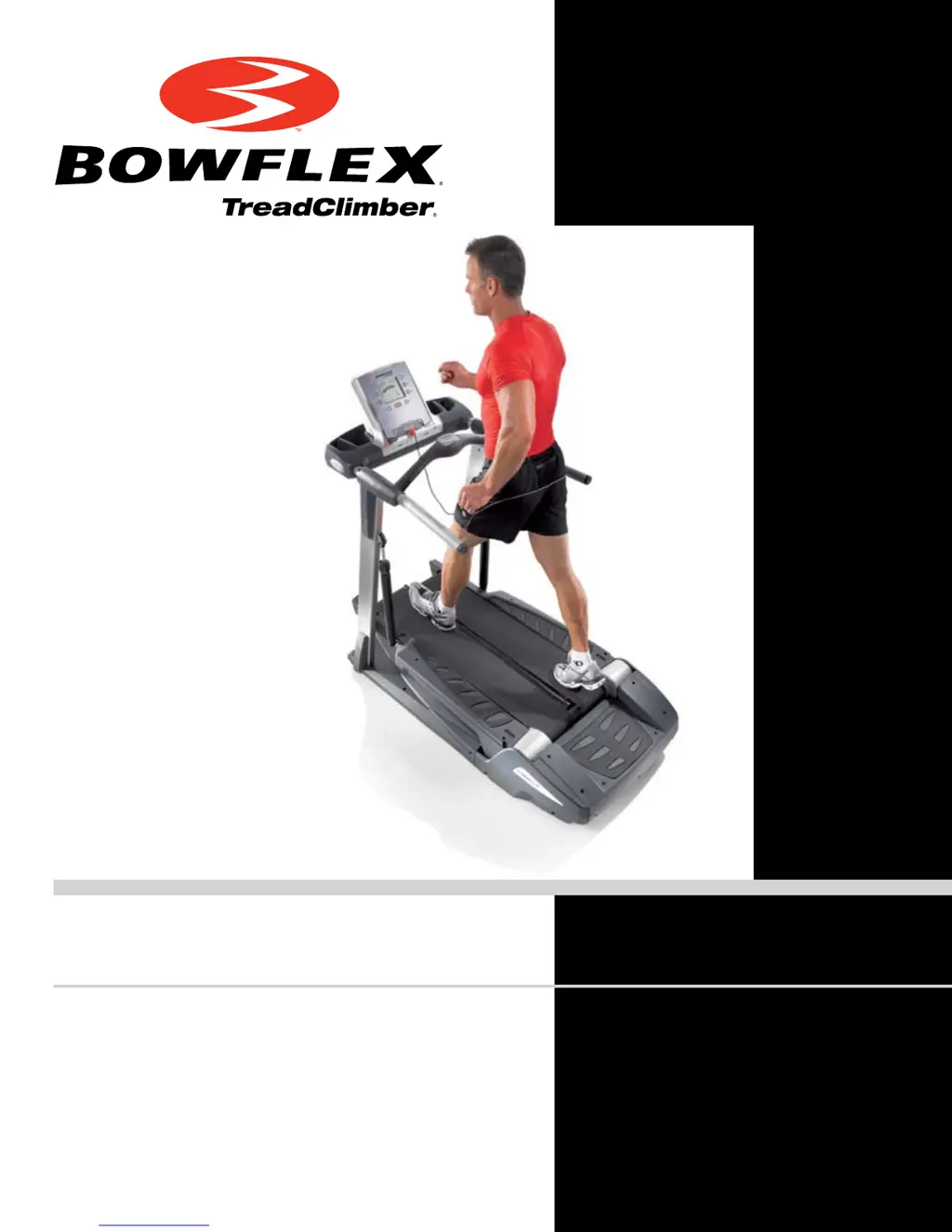
Bowflex TC5300 - User Manual

Bowflex TC5300
52 pages
Print Icon
To Next Page IconTo Next Page
Loading...
TC5300 TC6000
Service Manual
P/N: 001-6890 Rev B (06/2007)

Questions and Answers

  • B
    Beth FletcherAug 21, 2025
    Bowflex TC5300 Treadmill won't start: is the safety key the problem?
    • L
      Lindsay SuttonAug 21, 2025
      If your Bowflex Treadmill won't start, the safety key could indeed be the issue. Ensure the safety key is properly plugged into the magnetic safety key location on the display. If it is, the magnet itself might be faulty. Try another magnet, like a refrigerator magnet, to see if the treadmill starts. If it does, you'll need to replace the safety key.
  • T
    Tasha HoffmanAug 27, 2025
    How do I check the power switch on my Bowflex TC5300 Treadmill?
    • K
      Karen RuizAug 27, 2025
      To check the power switch on your Bowflex Treadmill, locate the switch at the rear of the unit and ensure it is in the “ON” position. This is a common reason why the treadmill might not be receiving power.
  • C
    clarkjoseOct 31, 2025
    What to do if my Bowflex TC5300 Treadmill won't power up?
    • T
      Tina ElliottOct 31, 2025
      If your Bowflex Treadmill isn't powering on, there are several things to check: * First, ensure the outlet is working correctly by plugging in another device. * Verify the power cord is firmly connected to both the A/C inlet on the treadmill and a non-GFI wall socket. * Confirm the power switch at the rear of the unit is in the “ON” position. * Make sure the safety key is properly inserted into the magnetic safety key location on the display. * If available, try using a different magnet to test the safety key functionality. If the treadmill works with a different magnet, replace the safety key. * Check the diagnostic LEDs on the motor controller board, paying attention to LEDs B & G. If neither is lit, disconnect the unit from the power source and inspect the wiring between th...
  • J
    Juan HoganNov 5, 2025
    How to fix a Bowflex Treadmill that won't start?
    • C
      Catherine MitchellNov 5, 2025
      To fix a Bowflex Treadmill that won't start, you can try the following: 1. Ensure the outlet is working by testing it with another device. 2. Check that the power cord is securely plugged into both the treadmill and the wall. 3. Verify the power switch at the back of the treadmill is in the 'ON' position. 4. Confirm the safety key is properly inserted. 5. Test the safety key magnet with another magnet. 6. Check the LED diagnostics on the motor controller board. If neither B nor G LEDs are lit, check the wiring between the A/C inlet and the motor controller board. If light G is lit but light B is not lit, replace the motor controller. 7. Inspect the I/O cables for damage and connection issues. If no visible damage, check continuity using a multi-meter; if a multi-meter is not availa...
  • D
    dorisrangelNov 10, 2025
    What to do if Bowflex TC5300 doesn't turn on even when plugged in?
    • A
      Ashley PalmerNov 10, 2025
      If your Bowflex Treadmill doesn't turn on even when plugged in, consider these steps: * Verify the outlet's functionality with another device. * Ensure the power cord is firmly connected to both the treadmill and the wall outlet. * Check the power switch on the rear of the unit to ensure it is in the 'ON' position. * Make sure the safety key is correctly inserted into its location. * Try a different magnet to test the safety key. * Inspect the diagnostic LEDs on the motor controller board. If neither B nor G are lit, check the wiring between the A/C inlet and the motor controller board. If light G is lit but light B is not lit, replace the motor controller. * Examine the I/O cables for damage and connection issues. If no visible damage, check continuity using a multi-meter; ...
  • C
    christopherbrownNov 14, 2025
    Why is my Bowflex TC5300 not getting power?
    • C
      Cynthia RomeroNov 15, 2025
      If your Bowflex Treadmill isn't getting power, check these potential causes: * The outlet might not be working; test it with another device. * The power cord could be loose at either the treadmill or the wall. * The power switch at the back of the unit may be off. * The safety key might not be properly connected. * The safety key magnet might be faulty; try a different magnet. * LED diagnostics on the motor controller board may be needed. If neither B nor G LEDs are lit, check the wiring between the A/C inlet and the motor controller board. If light G is lit but light B is not lit, replace the motor controller. * The I/O cables could be damaged or disconnected. If no visible damage, check continuity using a multi-meter; if a multi-meter is not available, replace all three ca...

Summary

Product Features

TC5300 Console Display

Overview of the console display features for the TC5300 model.

TC6000 Console Display

Overview of the console display features for the TC6000 model.

Transport Handles, Power Plug, and Switch

Details on transport handles, power plug, and main power switch.

Rear Step and Moving Wheels

Description of the rear step and rear moving wheels.

Product Specifications

Physical Dimensions

Specifications detailing the physical dimensions of the TreadClimber® fitness machine.

System Capacities

Overview of system capacities including weight and speed limits.

Component Specifications

Details on the specifications of various machine components.

Regulatory Certifications

Information on regulatory certifications met by the fitness machine.

Patent Information

Details regarding patent information for the TreadClimber®.

Important Safety Precautions

Safety Warning Labels

Details and locations of safety warning labels on the TreadClimber®.

Emergency Stop Procedures

Instructions for using the safety key and emergency stop feature.

Mechanical Service Guide

Replacement of AC Inlet

Procedure to replace the AC inlet on the TreadClimber® fitness machine.

Replacement of Console with Handlebars

Procedure to replace the console and handlebars assembly on the fitness machine.

Replacement of Upper Console

Instructions for replacing the upper console unit of the TreadClimber® fitness machine.

ROC Cable Replacement (TC6000 only)

Specific instructions for replacing the ROC cable on TC6000 model.

Replacement of Internal Wire in Right Upright

Steps to replace the internal wire located in the right upright of the fitness machine.

Replacement of Speed Sensor

Guide for replacing the speed sensor component on the TreadClimber® fitness machine.

Replacement of Step Sensor

Detailed procedure for replacing the step sensor on the fitness machine.

Replacement of Motor Belt

Instructions on how to replace the motor belt for the TreadClimber® fitness machine.

Replacement of Hydraulic Cylinders

Steps for replacing the hydraulic cylinders on the fitness machine, must be done in pairs.

Replacement of Belts

Procedure for replacing the belts on the TreadClimber® fitness machine.

Replacement of Virtual Pivot Assembly

Guide for replacing the virtual pivot assembly on the TreadClimber® fitness machine.

Locking Mechanism Adjustment

Instructions on how to adjust the locking mechanism for treadle rotation.

Replacement of Lock-Out Lever

Steps for replacing the lock-out lever on the TreadClimber® fitness machine.

Electrical and Mechanical Troubleshooting Guide

Unit will not power up;turn on;start

Troubleshooting steps for when the fitness machine fails to power up or start.

Speed displayed is not accurate

Solutions for inaccurate speed readings on the console display.

Heart rate not displayed

Steps to resolve issues with heart rate not being displayed from a chest strap.

Walking belt misalignment

Guidance on how to correct walking belt misalignment and tracking issues.

Hesitation or belt slipping

Troubleshooting belt hesitation or slipping during operation.

Knocking; squeaking noises

Steps to diagnose and resolve knocking or squeaking noises during machine operation.

Belts stop turning; err LS or err OS

Troubleshooting error codes 'err LS' or 'err OS' related to belts not turning.

Floors Climbed Display not updating

Solutions for when the 'Floors Climbed' display is not updating correctly.

Console keys wont function

Troubleshooting steps when the console keys are not functioning.

TC5300;TC6000 Diagnostics

Accessing the LED Board

Instructions on how to access the lower LED board for diagnostic purposes.

LED Diagnostics

Explanation of LED indicators and their meaning for diagnostics.

Appendix 1 - Wiring Schematic

Appendix 2 - Walking Belt Adjustment

Misalignment Test and Resolution

Procedure to test and resolve walking belt misalignment issues.

Appendix 3 - Calibration Procedures

Appendix 4 - Walking Belt and Deck Lubrication

Important Contact Numbers

Bowflex TC5300 Specifications

General IconGeneral
BrandBowflex
ModelTC5300
CategoryTreadmill
LanguageEnglish

Related product manuals