26
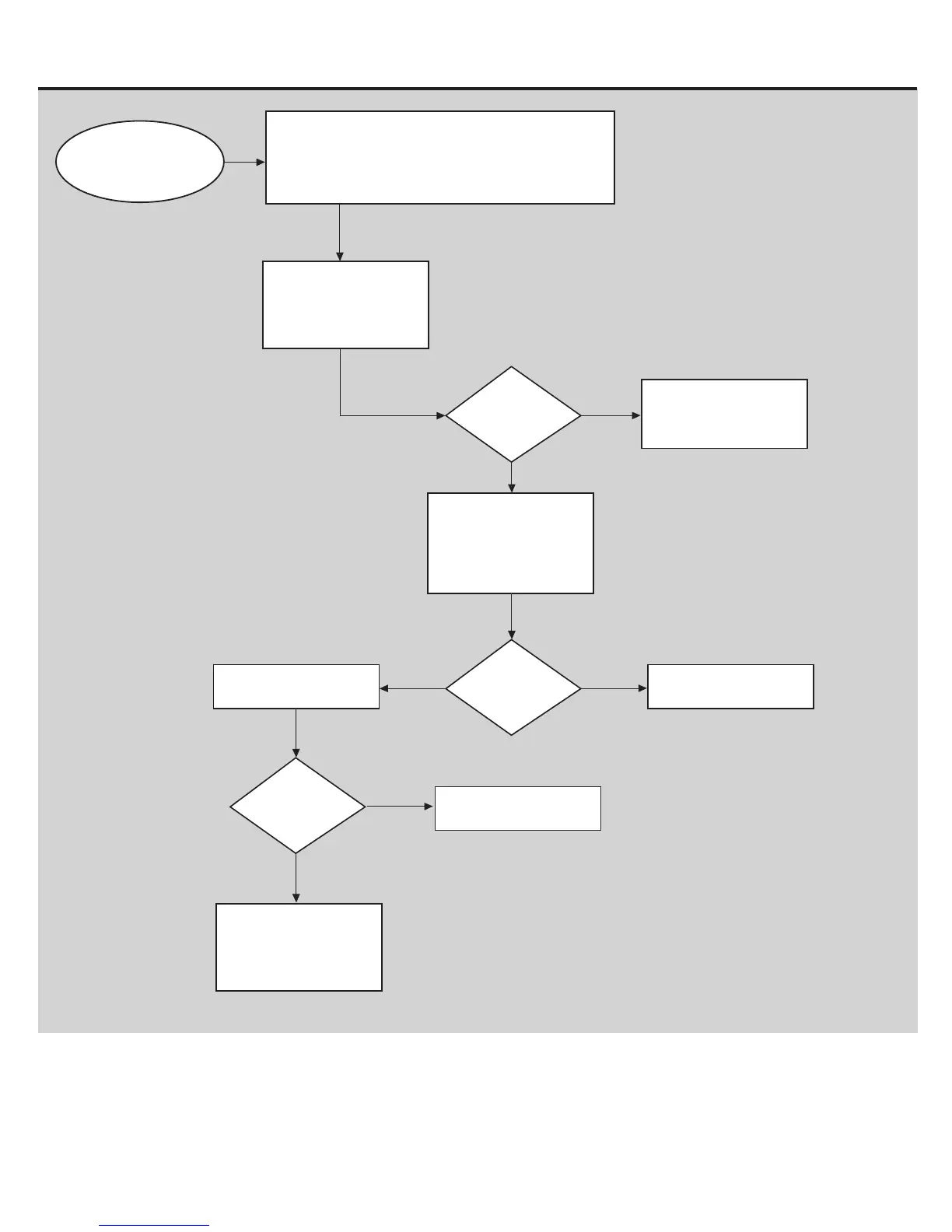
Buttons Do Not Respond
Is the display
blank?
NO
YES
Check and re-seat the I/O
cable connections at
MCB, base of Upright, and
top of Upright.
Refer to “NoPower”
troubleshooting procedure
Cycle the power off/on. If
the issue persists
continue on with the
troubleshooting.
Is the issue still
present?
YES
NO
Replace I/O Cables
Issue resolved
Issue resolved
Is the issue still
present?
NO
YES
Contact
Tech Support at
800.861.7401
for further assistance.
If the Console powers up and :
- the Start button beeps or causes the Display to change,
then the Console is NOT defective.
- the Start button does not make a beep, follow Service
Mode Procedure 5 to test the buttons.
BEGIN HERE














 To Next Page