28
TO RESET THE CONSOLE
Hold STOP key for 3 seconds.
FINISHING YOUR WORKOUT
When your workout is complete, the unit will beep. Your workout information will stay displayed on the console for 60 seconds and then
reset.
BLUETOOTH HEART RATE MONITORING
This machine is equipped with multi-channel Bluetooth which enables you to wirelessly connect compatible Bluetooth heart rate monitoring
devices. You will need to ensure that your wireless heart rate monitoring device is Bluetooth 4.0 compatible and is also “open” to sharing
data. Non-“open” or “closed” devices typically only share data with their proprietary apps. This machine needs an “open” device to receive
data from the device. You may need to consult with your device’s owner’s manual or the manufacturer to confirm if it is an “open” device.
To use the Bluetooth HR monitor without a tablet, press and hold the Bluetooth button to enable the console to communicate with the
receiver. When paired with the Bluetooth HR monitor the console will not pair with a tablet/mobile phone. To enable tablet mode press
and hold the Bluetooth button for 5 seconds or reset power.
USING YOUR MUSIC DEVICE
The machine will connect and stream music form your compatible music device. This includes many smart phones and traditional mp3
players.
Your machine comes equipped with Bluetooth speakers. Bluetooth compatible devices can stream music wirelessly from your device to the
speakers. You can also connect your music device via an audio cable and stream music through the speakers. Instructions for both types of
audio connection are detailed below.
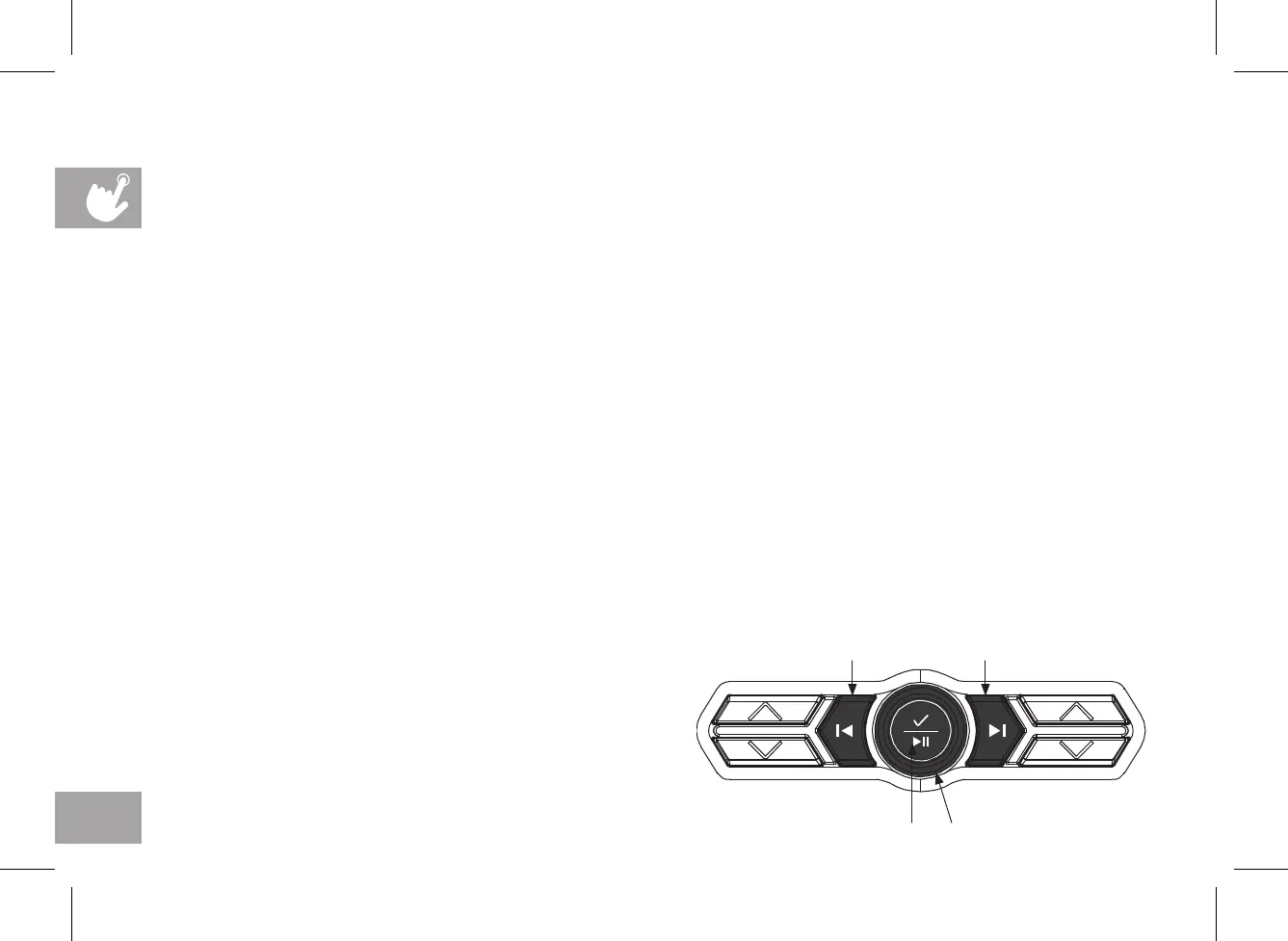
CONSOLE AUDIO CONTROLS
A) MEDIA SKIP BUTTONS: Used to skip to previous or next audio
track.
B) SELECT/PLAY/PAUSE BUTTON: Used to make selection or pause/
play media.
C) WORKOUT KNOB: controls speaker volume during workout.
Ensure your device volume is turned up.
A A
B C












 To Next Page