21
Bowflex® TreadClimber® Assembly and Owner’s Manual
ASSEMBLY PROCESS
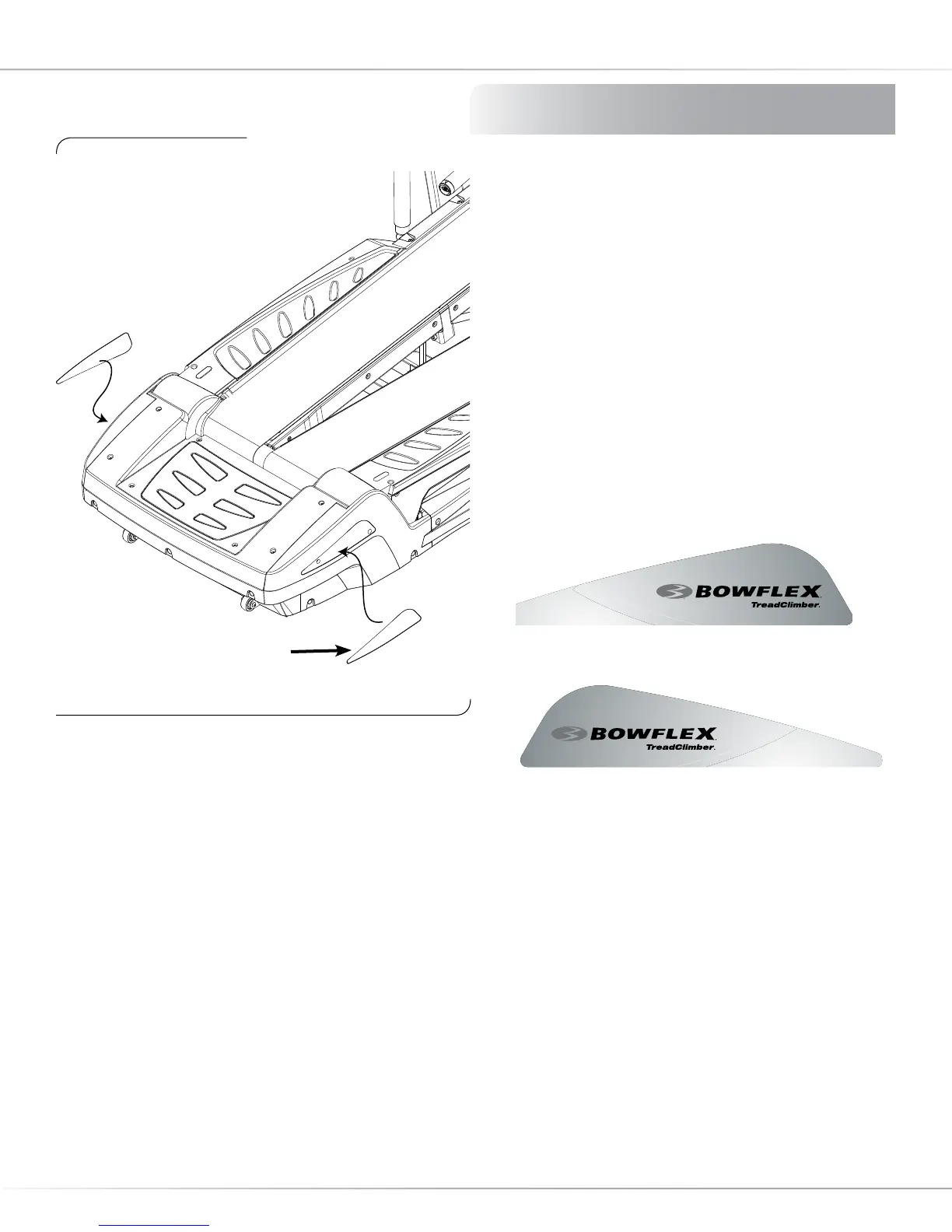
Step 7: Installing Rear Cover Decals
Locate the following for this step:
Parts:
• Assembly from Step 6
• Right Rear Plastic Cover Sticker
• Left Rear Plastic Cover Sticker
7-1 Wipe area on the Right Rear Plastic Cover with
clean dry cloth.
7-2 Carefully adhere the decal sticker (see Illustration
1 below) to the area and rub to remove any air
bubbles.
7-3 Repeat process on Left Rear Plastic Cover.
Figure 7: Installing Decals
Right Decal
Illustration 2: Left Rear Plastic Cover Decal
Illustration 1: Right Rear Plastic Cover Decal














 To Next Page