4
BY-R2 TX: Wireless Transmitter
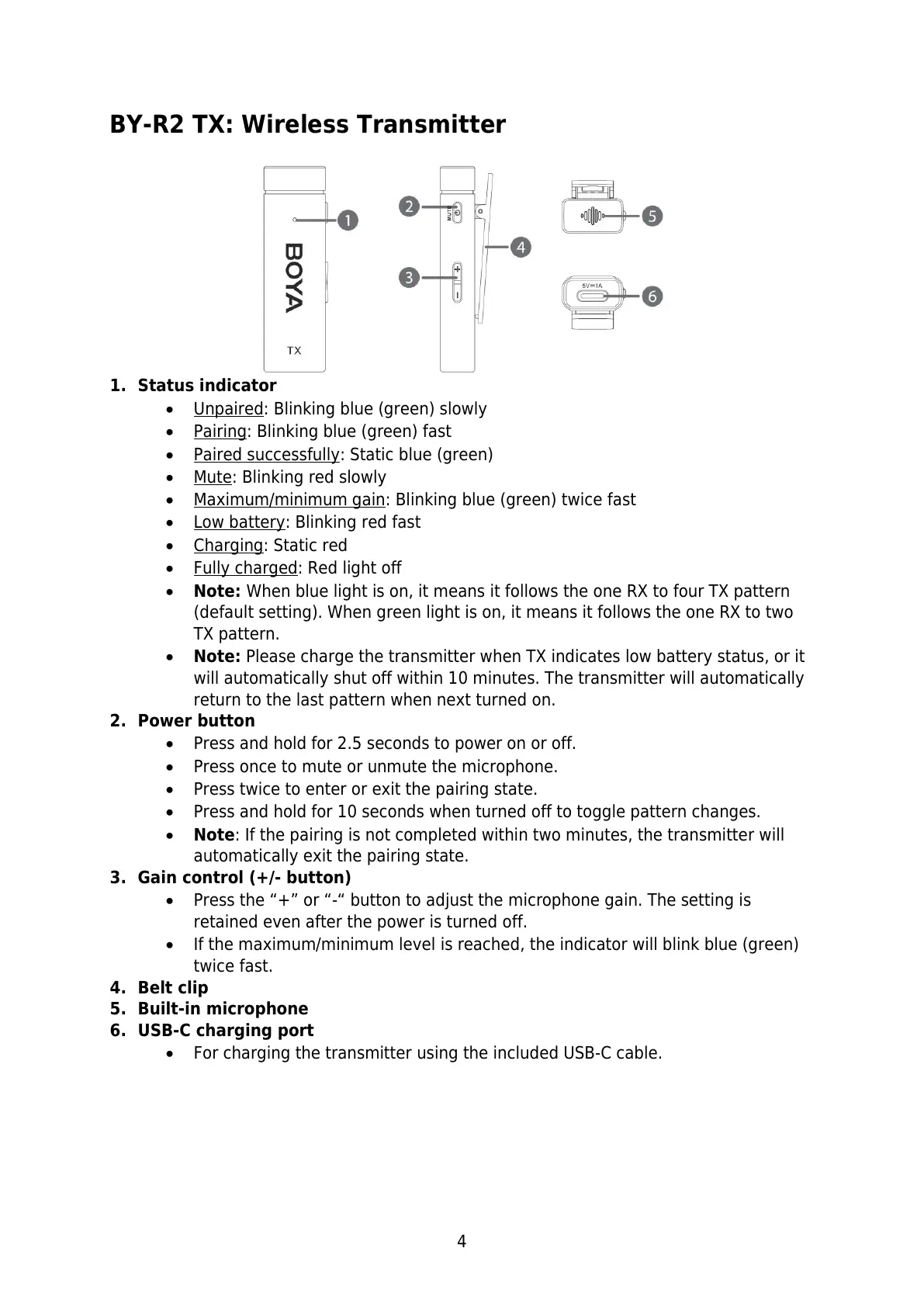
1. Status indicator
Unpaired: Blinking blue (green) slowly
Pairing: Blinking blue (green) fast
Paired successfully: Static blue (green)
Mute: Blinking red slowly
Maximum/minimum gain: Blinking blue (green) twice fast
Low battery: Blinking red fast
Charging: Static red
Fully charged: Red light off
Note: When blue light is on, it means it follows the one RX to four TX pattern
(default setting). When green light is on, it means it follows the one RX to two
TX pattern.
Note: Please charge the transmitter when TX indicates low battery status, or it
will automatically shut off within 10 minutes. The transmitter will automatically
return to the last pattern when next turned on.
2. Power button
Press and hold for 2.5 seconds to power on or off.
Press once to mute or unmute the microphone.
Press twice to enter or exit the pairing state.
Press and hold for 10 seconds when turned off to toggle pattern changes.
Note: If the pairing is not completed within two minutes, the transmitter will
automatically exit the pairing state.
3. Gain control (+/- button)
Press the “+” or “-“ button to adjust the microphone gain. The setting is
retained even after the power is turned off.
If the maximum/minimum level is reached, the indicator will blink blue (green)
twice fast.
4. Belt clip
5. Built-in microphone
6. USB-C charging port
For charging the transmitter using the included USB-C cable.



 To Next Page