13
SCHM-001
Rev 2
Model: S2601 & S2605 Chairs
Programming Instructions:
1. Read these instrucons completely before you begin programming.
2. Using the motor controls, posion the chair as desired.
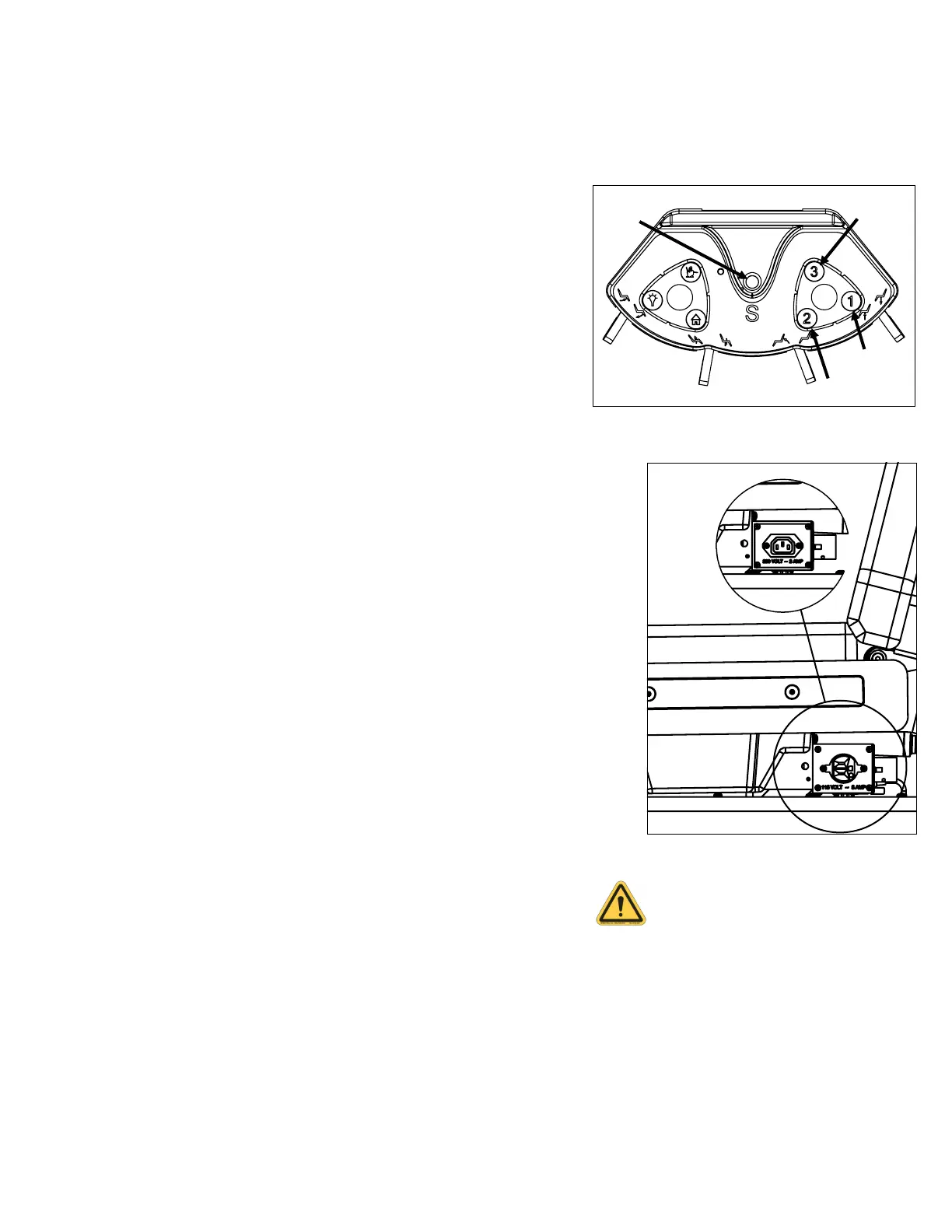
3. Wait at least three (3) seconds and push and hold the save (S) buon for
four (4) seconds. The system will issue a confirmation beep. Within two
(2) addional seconds, push the buon of the desired posion (i.e.
“1”,”2”,”3”). The system will issue a second confirmation beep. This will
automacally replace any pre-programmed posion.
4. Reposion chair and recall that posion to ensure that it has been
programmed correctly.
5. Repeat steps 2, 3, and 4 unl all desired posions are programmed. You
can save up to three (3) posions.
6. HOME is a preset posion that cannot be changed.
The programmed posions can be aained at any me and from any posion.
General Operating Instructions:
1. Before operang chair, watch for any obstrucons under chair.
Do not allow small children to play on, around, or underneath
chair or base.
Do not allow service animals on or underneath chair or base.
Any obstrucon that may hinder normal movement of any part of
the chair should be cleared away before inializing any
posioning of the chair.
Check to be certain that all people are clear of the chair before
operang chair funcons.
2. Chair should be turned OFF at main power switch (C1) any me it is not
being used.
Operang Instrucons
Outlet for use with Boyd Light Accessory
Only and may not be repositioned.
Improper use could lead to injury or
equipment damage.
Foot Control
Save
Posion 2
Posion 3
Position 1
230V
Outlet
115V
Outlet
Outlet Locaon



 To Next Page