Bradyprinter 200MVP and 300MVP User’s Guide 23
&XWWHU0RGH
(Cutter option required)
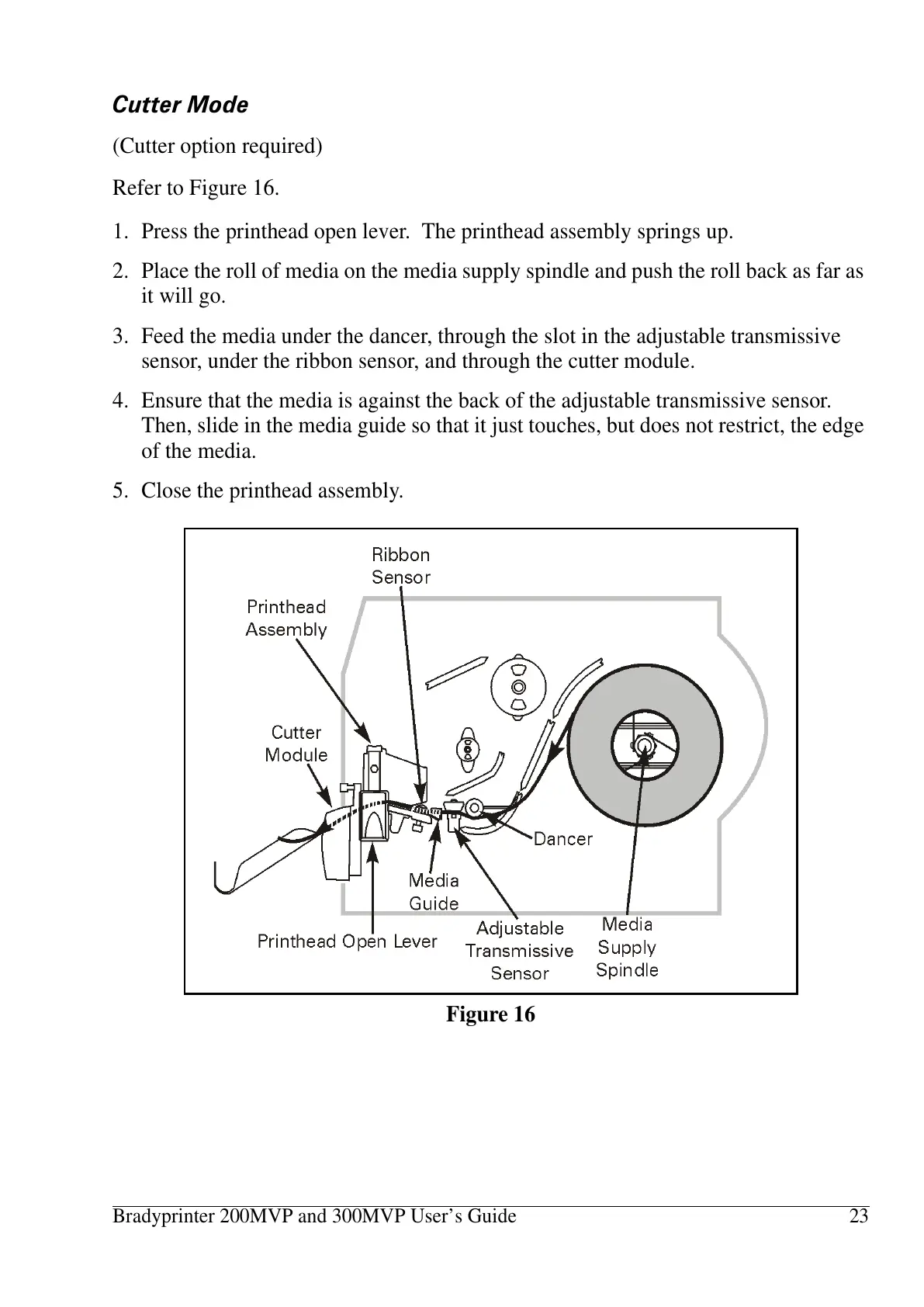
Refer to Figure 16.
1. Press the printhead open lever. The printhead assembly springs up.
2. Place the roll of media on the media supply spindle and push the roll back as far as
it will go.
3. Feed the media under the dancer, through the slot in the adjustable transmissive
sensor, under the ribbon sensor, and through the cutter module.
4. Ensure that the media is against the back of the adjustable transmissive sensor.
Then, slide in the media guide so that it just touches, but does not restrict, the edge
of the media.
5. Close the printhead assembly.
Figure 16















 To Next Page