1
English
Unpacking
Verify that the following are in the box.
Safety
IMPORTANT: Before operating the printer, be sure to read important safety information in the User’s
Manual located on the Documentation CD.
Components
Installation & Setup
Connect Power
1. Plug in power cord.
2. Flip the power switch on the back of the printer.
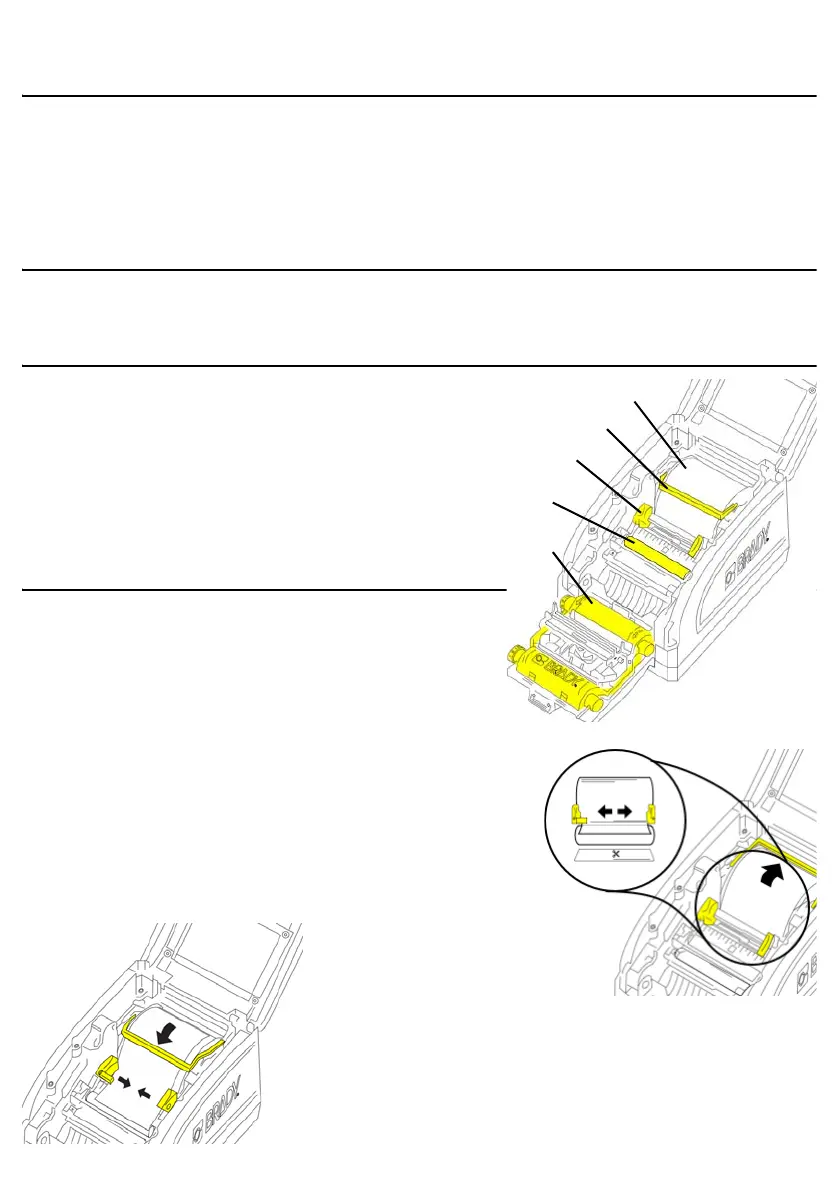
Install Label Supply
1. Open the supply guides and lift supply wiper as shown.
2. Insert supply roll and feed the labels so that the leading edge
of the supply sits just past the black rubber roller.
3. Close the guides until the arrow on the left guide aligns with
the edge of the supply.
4. Lower the supply wiper if using continuous label supply;
leave up if using die-cut label supply.
• Printer • USB Cord
• Power Cord
• Quick Start Guide
• Documentation CD
• Cleaning Kit
A Label Supply Roll
B Supply Wiper
C Supply Guides
DRoller
E Ribbon



 To Next Page