EasyManua.ls Logo

Brady IDXPERT - User Manual

Brady IDXPERT
61 pages
Print Icon
To Next Page IconTo Next Page
Loading...
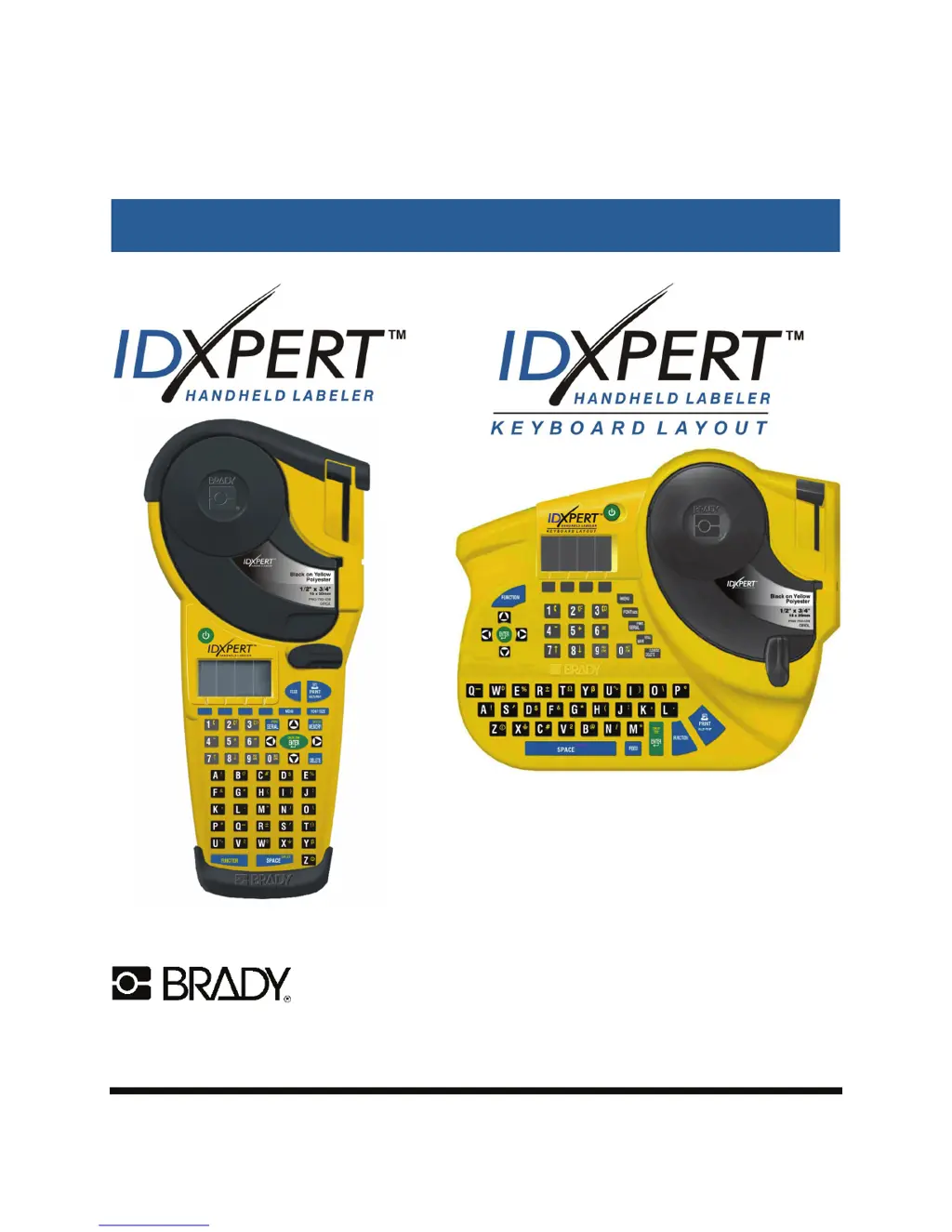
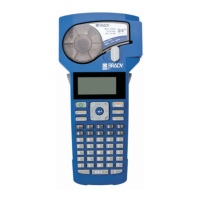
IDXPERT
USER MANUAL
For quick start-up information, please
refer to the IDXPERT
TM
Handheld
Labeler Quick Start Guide.
www.bradyid.com/idxpert
www.bradyeurope.com
6555 West Good Hope Road, Milwaukee, WI 53201
1-888-BRADYGO (1-888-272-3946)

Table of Contents

Questions and Answers

  • M
    Michael ChoiAug 17, 2025
    Why is my Brady IDXPERT printing poorly?
    • A
      ashley12Aug 18, 2025
      If your Brady Label Maker prints poorly, several factors could be responsible: * The print head and platen roller might be dirty. In this case, cleaning the printer is required. * Low battery power can also cause this issue. Replacing the batteries should resolve it. * Wrinkled media might be the problem. Press the button.
  • T
    Tracy RiveraAug 20, 2025
    What to do if my Brady IDXPERT does not power up?
    • T
      Tracy Massey MDAug 20, 2025
      If your Brady Label Maker fails to power up, there are a few potential reasons: * The batteries might be dead. Replacing them should solve the problem. * There might be no batteries installed. Ensure batteries are properly inserted. * If you're using an A/C adapter, it might not be correctly plugged in. Check that the adapter is connected to a functioning outlet.
  • S
    smithpaulaAug 22, 2025
    How to fix poor quality printing on Brady IDXPERT Label Maker?
    • C
      Christina SantiagoAug 22, 2025
      The 'Poor quality printing' issue with your Brady Label Maker can be due to a dirty printhead and platen roller. Clean the printer to resolve this. Low battery power can also cause this issue, so replace the batteries.
  • K
    Kathryn TaylorAug 25, 2025
    What to do if Brady Label Maker shows error 'Cannot Fit'?
    • N
      Nicole BradyAug 26, 2025
      The 'Cannot Fit' error message on your Brady Label Maker indicates that the information you're trying to print won't fit on the current label. You can either reduce the font size or use a larger label size. Also, this message may appear if the currently installed label is too small for legend retrieval. In this case, install a cartridge containing larger labels.
  • J
    Jason BerryAug 27, 2025
    Why does my Brady Label Maker say 'Invalid Character'?
    • H
      Howard LynchAug 28, 2025
      If your Brady Label Maker is displaying the 'Invalid Character' error, it means that the character you are trying to use is not supported in the current printer mode. For example, you can't use a symbol when in barcode mode. Try using a different character or switch the printer mode. For example, toggle out of barcode mode.
  • R
    Richard MartinAug 30, 2025
    What to do if Brady IDXPERT Label Maker shows 'Out of Labels' error?
    • L
      Lisa WeaverAug 30, 2025
      The 'Out of Labels' error message on your Brady Label Maker indicates that the label cartridge is empty. Install a new label cartridge to continue printing.
  • M
    Michael ZamoraSep 1, 2025
    How to fix 'Head Open' error on Brady IDXPERT?
    • R
      robinharperSep 1, 2025
      The 'Head Open' error message on your Brady Label Maker indicates that the printer head mechanism is not engaged. Make sure to lock the cartridge locking lever.
  • D
    Dennis DavidsonSep 4, 2025
    Why won't my Brady IDXPERT Label Maker feed labels?
    • S
      saundersbernardSep 4, 2025
      The 'Printer will not feed labels' issue on your Brady Label Maker can occur if the leading edge of the media roll is uneven or torn. Use scissors to cut a straight leading edge on the marker roll. Also, low battery power can cause feeding problems, so replace the batteries.
  • K
    Kara WilliamsSep 6, 2025
    What does 'Invalid Label' mean on Brady IDXPERT?
    • J
      Jessica KingSep 7, 2025
      The 'Invalid Label' error message on your Brady Label Maker indicates that the printer cartridge is not valid. Install a new label cartridge.
  • M
    Melissa CoxSep 9, 2025
    Why my Brady IDXPERT Label Maker does not turn on?
    • P
      Paul AdkinsSep 9, 2025
      The 'Printer does not power up when turned on' issue with your Brady Label Maker is likely due to dead batteries. Replace the batteries to resolve this.

Summary

Printer Components

Material Cartridges

Details the types of label cartridges available and their applications.

Getting Started

Setting up the printer

Step-by-step guide to install batteries, replace cartridges, and power on.

Creating Labels Using the General ID Menu

Creating a Basic Label

Step-by-step guide to create and print a basic label.

Fonts

Information on available font sizes and how to change them.

Symbols

How to select and print various symbols available on the labeler.

Printing Labels

Instructions for printing single or multiple copies of labels.

Creating Labels Using the DataComm & T-Block Menu

Patch Panel Labels

Guide to creating labels for patch panels using the DataComm menu.

Terminal Block Labels

Guide to creating labels for terminal blocks using the DataComm menu.

66-Block Labels

Guide to creating labels for 66-Block devices using the DataComm menu.

110-Block Labels

Guide to creating labels for 110-Block devices using the DataComm menu.

BIX-Block Labels

Guide to creating labels for BIX-Block devices using the DataComm menu.

Desi Strips

Guide to creating labels for Desi Strips using the DataComm menu.

Horizontal Serialization

How to perform sequential numbering on labels.

Advanced Features

Barcode Labels

How to create Code 39 and Code 128 barcode labels.

Memory

Troubleshooting

Troubleshooting Guide

Guide to diagnosing and resolving common printer issues.

Error Messages

Explains common error messages and their corrective actions.

Brady IDXPERT Specifications

General IconGeneral
Print TechnologyThermal Transfer
Print Resolution300 dpi
CutterAutomatic
DisplayLCD
Label TypesContinuous, Die-cut
Barcodes SupportedCode 39, Code 128, Interleaved 2 of 5, UPC, EAN
Power SourceAC adapter
Power Supply100-240V AC adapter

Related product manuals