Chapter 4 Using the Display Screen, Menus, and Keypad
This chapter provides information about the display screen, the General ID Menu and the
DataComm & T-Block Menu. It also provides information about the keys found on the IDXPERT
TM
Handheld Labeler and their corresponding functions.
The Display Screen
When the Power button is pressed, the start-up display screen appears.
Start-Up Display Screen
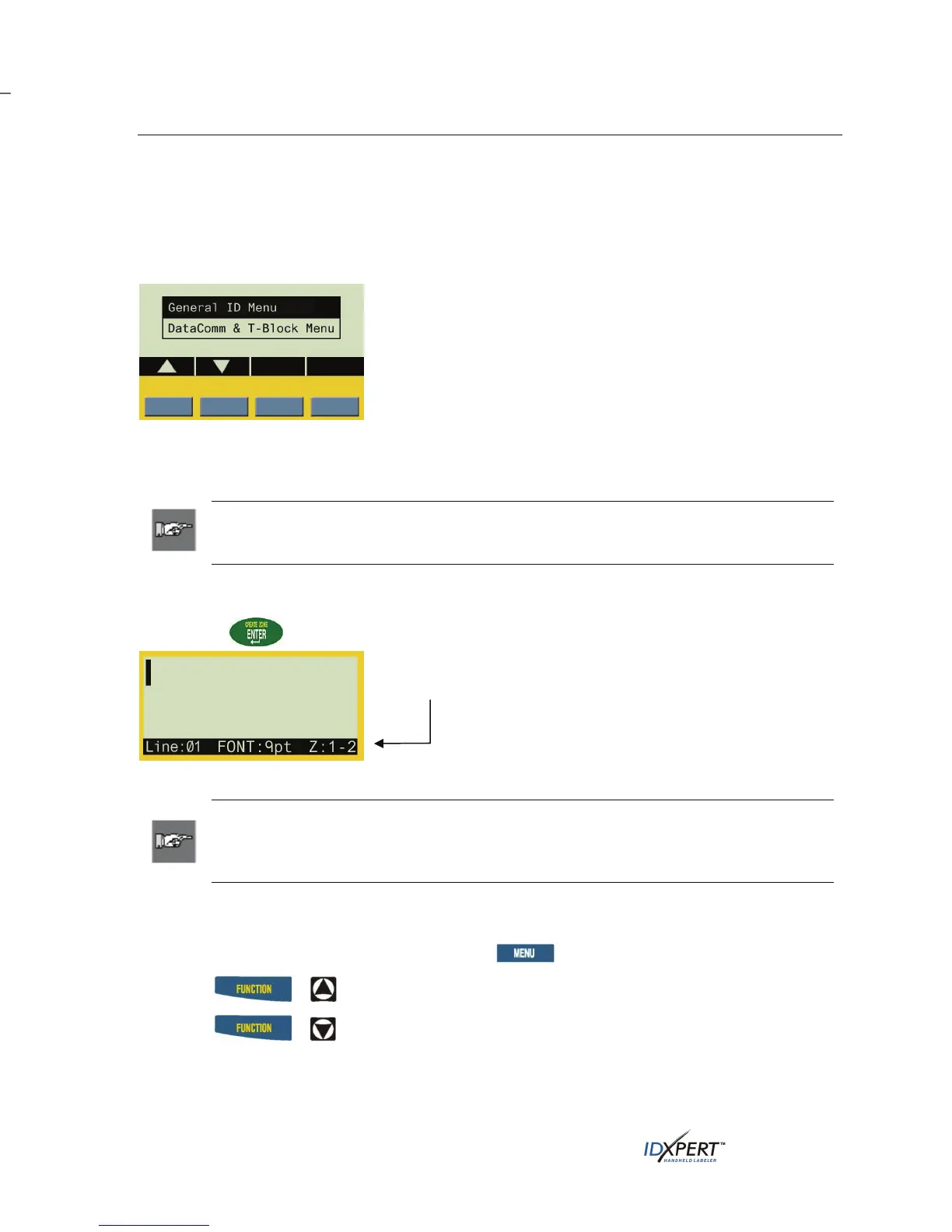
The start-up display screen allows you to choose between the
General ID menu options or the DataComm & T-Block menu
options (use the blue softkeys beneath the up/down arrows to
toggle between the two). The General ID Menu is highlighted
by default.
When using either menu, the display allows you to see up to
three lines of text and 16 characters per line. The display auto-
scrolls when you enter more than the maximum displayed lines
or characters. Use the arrows on your keypad to navigate the
screen.
Note: The DataComm & T-Block Menu becomes available only when a dedicated
datacomm part is inserted in the printer; otherwise, the start-up display screen opens
directly to the General ID Menu.
The General ID Menu
Press ENTER to select the General ID Menu.
General ID Menu Screen
The status bar, located on the bottom of the display screen,
indicates the current text line, font size, and label format.
Note: If the label you are using allows for multiple zones, the label format will display
as the zone number and total number of zones, for example Z:1-2 (Zone 1 of 2 total
zones); otherwise, the label format will be indicated as either Gen for general or Wire
for wiremark.
Contrast Control
In order to change the contrast on the display, press and then:
• Press
+ to darken.
• Press
+ to lighten.
8 User Manual



 To Next Page