Zones on Labels
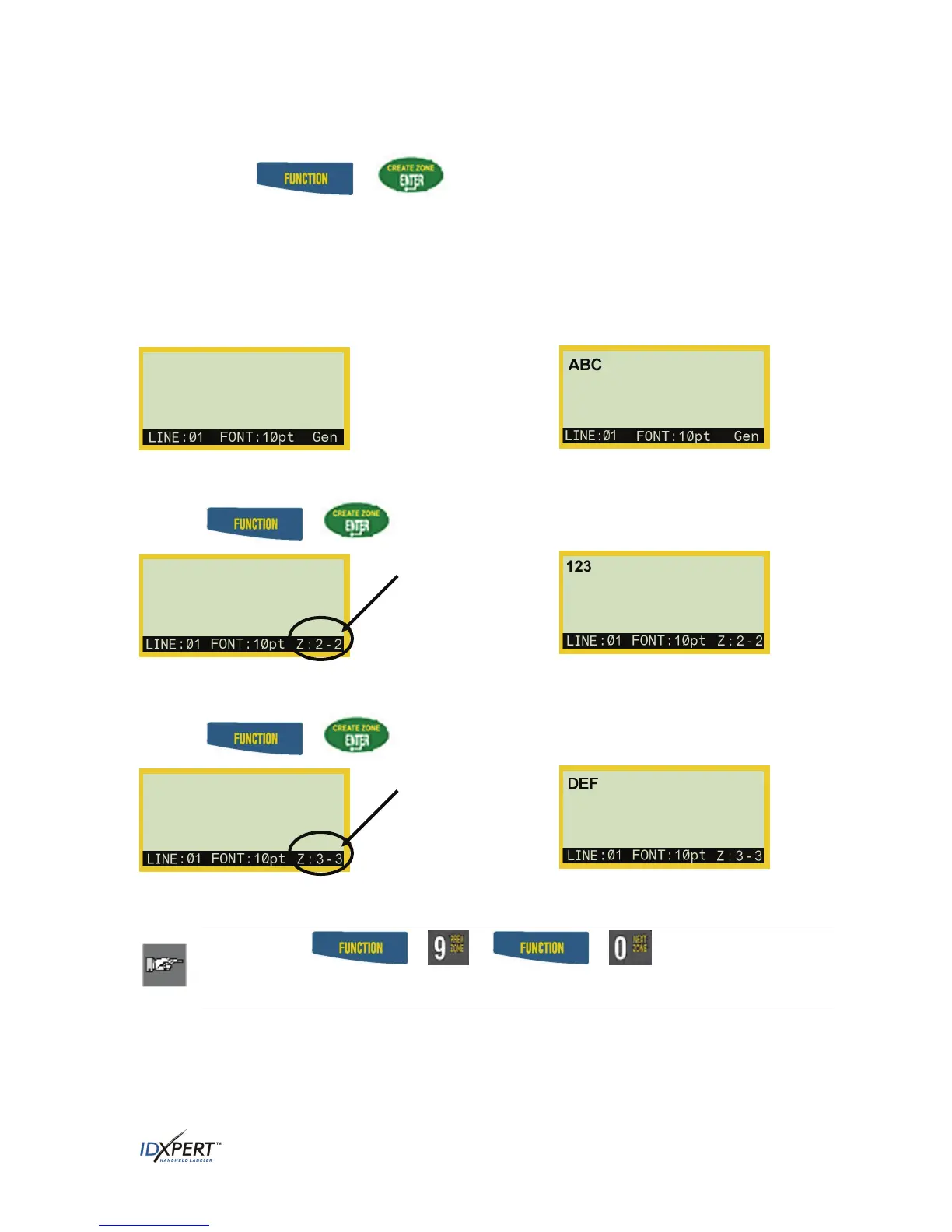
Press FUNCTION + (CREATE ZONE) to split a label into multiple zones:
Create up to three zones on general continuous material using the General ID menu. Create up to 12
zones on certain dedicated datacomm parts for Terminal Block, Patch Panel, Desi-Strip, 66-Block,
and 110-Block labels using the DataComm & T-Block menu. The number of zones allowed on these
dedicated parts varies with the part and user-defined application chosen.
To create a multi-zone label:
1. Insert a continuous label cartridge. 2. Enter characters for Zone 1.
3. Press
+
4. Enter characters for Zone 2.
Display screen
shows you are
in Zone 2 of 2.
5. Press
+
6. Enter characters for Zone 3.
Display shows
you are in
Zone 3 of 3.
Note: Pressing + or + toggles between zones,
whether navigating to a previous zone during text/character entry or editing
text/characters on a multi-zone label.
.
User Manual 39



 To Next Page