Justifying Legends
Use the Menu selections to justify your legends horizontally or vertically. Selections for each type
of justification are as follows:
Horizontal Vertical
123
123
123 123
123
123
Left Center Right Top Center Bottom
To justify your legend:
Press
MENU.
Step 1.
Press the softkey beneath
JUST.
Step 2.
Step 3.
Step 4.
Select justification.
• For horizontal justification, press
HORIZ, then LEFT, CENT, or RIGHT.
• For vertical justification, press
VERT, then TOP, CENT, or BOT.
Press
ENTER.
Rotating Legends
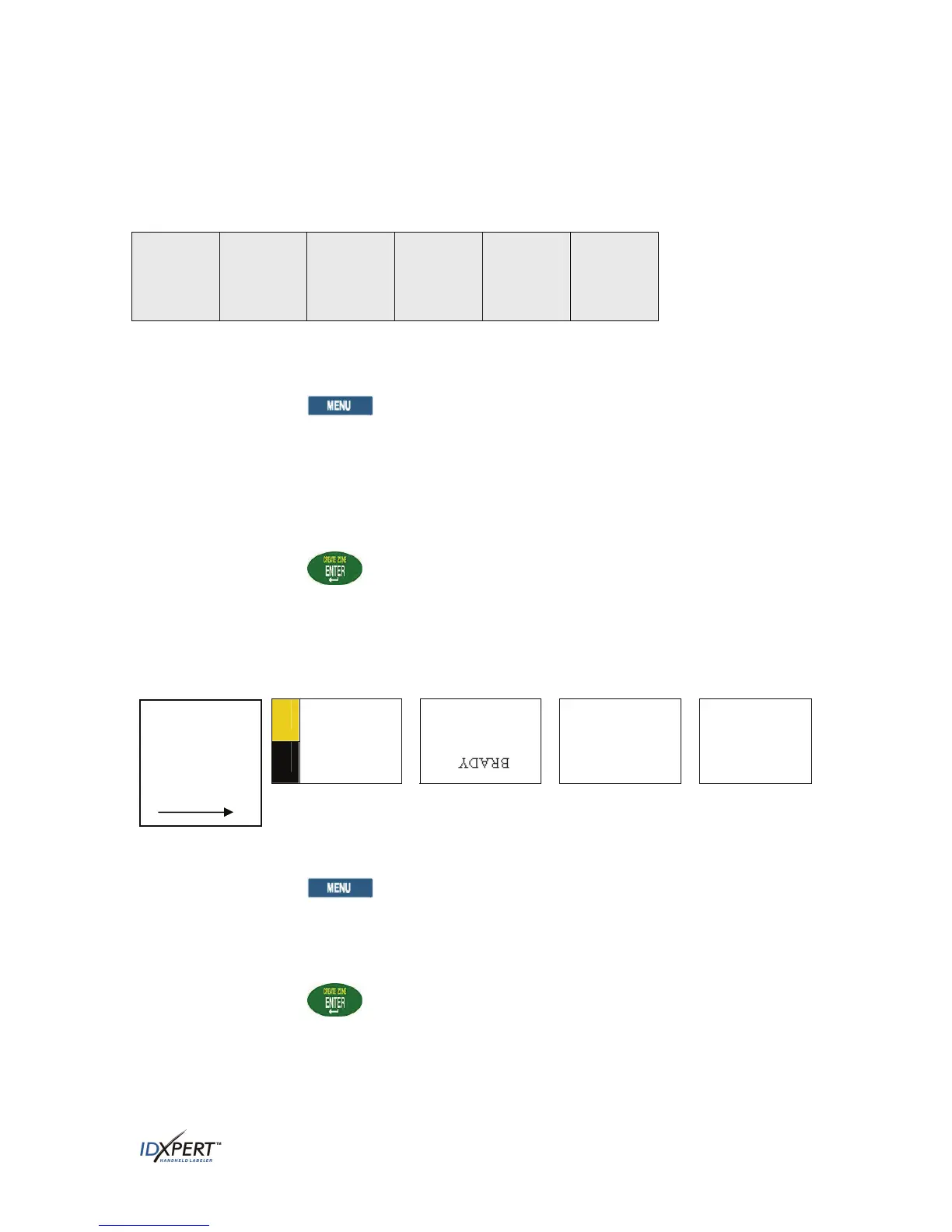
Use the Menu selections to rotate your legends 0, 90, 180, or 270 degrees.
EXAMPLES:
BRADY
BRADY
BRADY
0
o
90
o
180
o
270
o
Rotation
examples are
shown as the
label exits the
printer.
To rotate your legend:
Step 1. Press
MENU.
Press the softkey beneath
NEXT, and then ROT.
Step 2.
Step 3.
Step 4.
Press
0, 90, 180, or 270.
Press
ENTER.
User Manual 21



 To Next Page