General ID Menu Basics
This section provides basic instructions on using the General ID Menu as well as an overview
of the menu selections. Use the menu and related softkeys to perform many of the label formatting
commands.
Note: See Chapter 5—
Creating Labels Using the General ID Menu for more
information. Also see Appendix A —General ID Menu Tree.
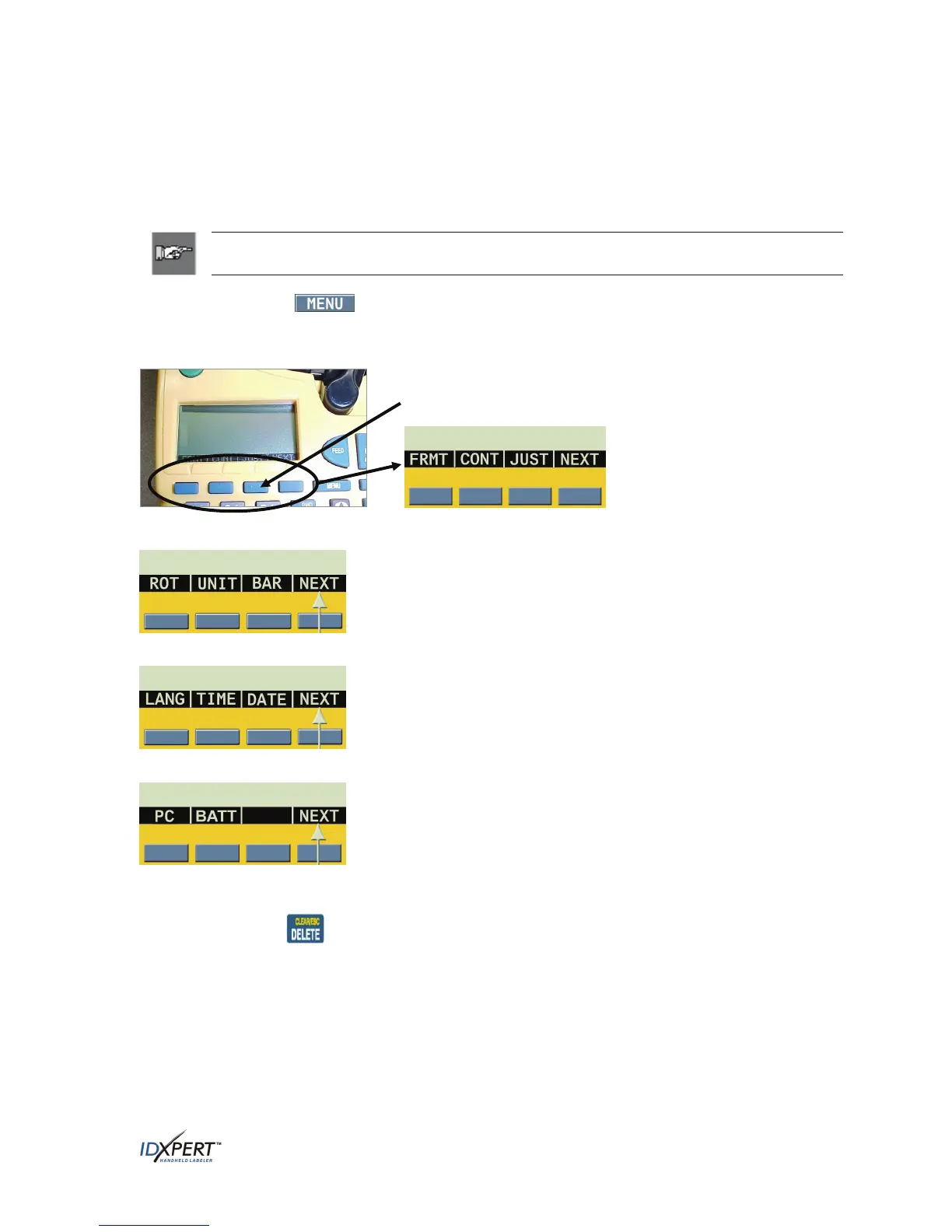
Step 1. Press MENU.
When the
MENU key is pressed, a series of menu options appears. The blue softkeys correspond to the
menu options on the screen.
Softkeys
Press
NEXT to advance to the next set of menu options:
Step 2.
Step 3. Press
NEXT again to advance to the next set of menu options:
Step 4. Press
NEXT again to advance to the last set of menu options:
At this point, pressing
NEXT again cycles back to the first set of menu options when the last set of
menu options is reached.
Pressing
CLEAR/ESC exits the menu mode and returns you to the General ID display screen.
After returning to the General ID display screen, pressing
FUNCTION + MENU returns you to the
start-up display screen.
User Manual 9



 To Next Page