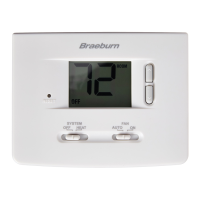
9 User Manual
Table of User Options
No. User Options Factory Setting Comments Pg.
Default Options
1 Filter Service OFF OFF Disables lter service monitor feature.
Monitor 30, 60, 90, Selects a number of days that must pass before the
120, 180, 365
thermostat will ash a Service Filter reminder
in the display screen.
2 UV Light Service OFF OFF Disables lter service monitor feature.
Monitor 180, 365 Selects a number of days before the thermostat will
ash a Service UV reminder in the display screen.
3 Humidier Pad OFF OFF Disables lter service monitor feature.
Service Monitor 180, 365 Selects a number of days before the thermostat will
ash a Service Humid reminder in the display screen.
4 Extended Hold Period LONG LONG Selects long (permanent) hold mode.
24HR Selects 24 hour (temporary) hold mode.
5 Temporary Override 0 ADJ 0, 1, 2,
or
3
Selects a temporary temperature adjustment limit of
Adjustment Limit ADJ 0 0 (disabled), 1˚, 2˚ or 3˚.
6 Program Override 4 TEMP 4, 3, 2 or 1 Selects a temporary program override time limit of
Time Limit TEMP 1, 2, 3 or 4 hours.
7 Thermostat Lock Code 000 0-9 Select a 3 digit lock code of 0-9 for each digit.
8 Audible Tone on BEEP on BEEP Enables an audible key press tone.
oF BEEP Disables an audible key press tone.
NOTE: Some user options may not be available, depending on how your thermostat was configured in the
Installer Settings (see Installer Manual). A detailed description of each User Option follows this table.
10
10
10
10
11
11
11
12


 To Next Page