Page 8
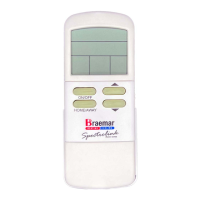
Display features
- When RESET is flashing, it will be accompanied
by a number in the time display, and flashing
LED's on the control panel on the front of the
heater. Take note of the number and press the
RESET button until RESET disappears.
RESET
- MAN indicates that MANUAL mode has been
selected. In manual mode the heater will run to
achieve your set temperature until the remote
control is turned off or the setting is adjusted.
MAN
- AUTO indicates that AUTOMATIC mode has been
selected. In automatic mode the heater will run to
achieve your pre-programmed set temperatures at
your pre-programmed times.
AUTO
- WAIT flashes in conjunction with ON from when a
call for heat signal has been sent to the heater
until the remote control detects that the heater is
on.
WAIT
- Four daily time periods:
- In AUTO mode they can be pre-programmed
with a start time and temperature each day.
- In MANUAL mode HOME and AWAY can be
used to set two different temperatures.
HOME
AWAY
WAKE
SLEEP
- Days of the week:
- Displays current day (once it has been set).
MON
TUE
WED
THU
FRI
SAT
SUN


 To Next Page