The Dash
PRO
Quick Start Guide
BRAGI
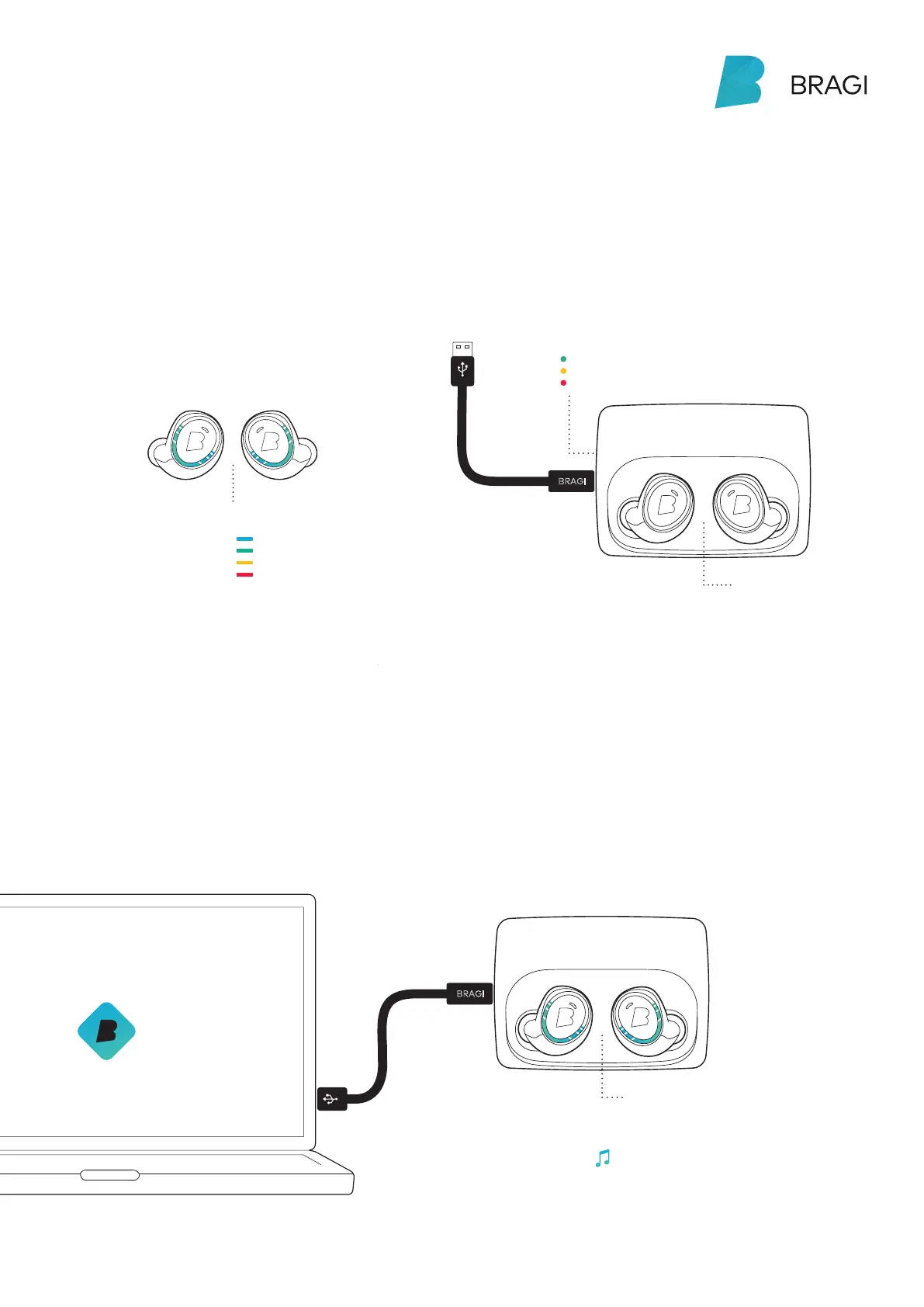
The Charger will power
The Dash up to 5 times
while on-the-go.
With The Dash in The Charger,
connect to your computer or
a power supply via USB.
high
Battery status
of The Charger
Battery status
of The Dash
medium
low
Before using The Dash, charge it for
at least 1 hour. This will also activate
your Dash.
Charge
Shake.
See the current battery
status by shaking your Dash.
high
full
medium
low
Only put a dry Dash into the Charger
!
Your Dash learns new skills when
updated to the newest Bragi OS.
Download from update.bragi.com
Make sure your Dash is
charged before updating.
Update
BRAGI
When connected to your computer you can also
upload songs into the My Music folder on The Dash.



 To Next Page