732 South Racetrack Road, Henderson, Nevada 89015
info@vinotemp.com
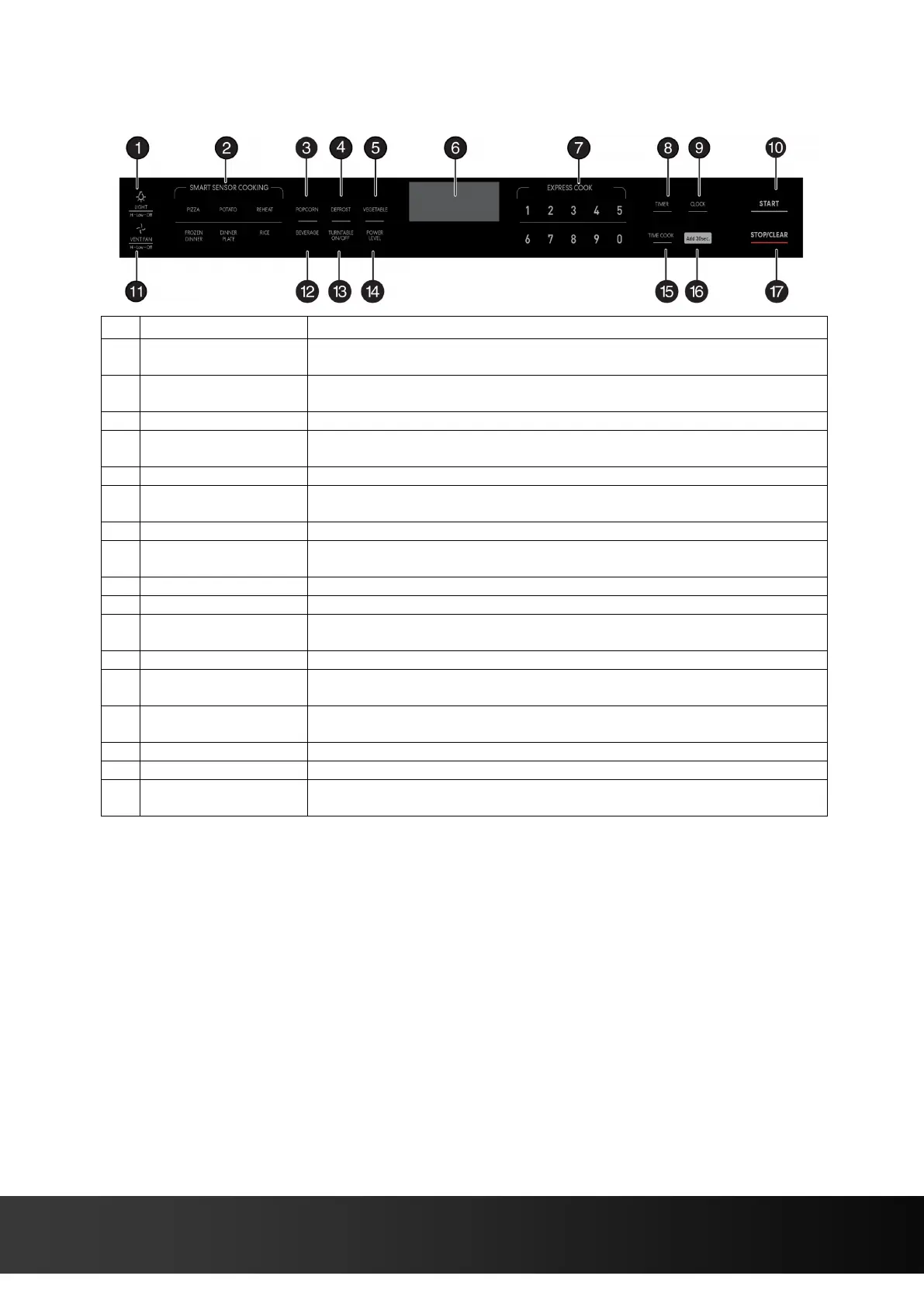
CONTROL PANEL
Press to turn on/off the light underneath your microwave. See “Using the
light” on page 17.
Detects the humidity released by your cooking food and adjusts the
cooking time based on the type and amount of food cooking.
Press to cook popcorn. See “Popcorn” on page 16.
Press to defrost frozen food. See “Defrosting in your microwave” on
pages 14-15.
Press to cook vegetables. See “Vegetable” on page 16.
In standby mode, displays the time. In cooking mode, displays cooking
time, weight, and other information.
Press to enter cook time, defrost time, clock time, and other information.
Press this button, then enter the time you want to count down. See
“Using the kitchen timer” on page 14.
Press to set or check the clock. See “Setting the clock” on page 14.
In standby mode, press this button to begin cooking.
Press to turn on/off your vent fan and remove odors from cooking. See
“Using the vent fan” on page 17.
Press to heat a beverage. See “Beverage” on page 17.
Press to turn your turntable on or off. See “Using the turntable” on page
17.
Press to change your microwave’s power level (1-10). See “Cooking in
your microwave” on page 13.
Press to enter a cooking time.
While cooking, press this button to add 30 seconds to your cooking time.
Press to stop the cooking process. Press again to cancel the cooking
operation.


 To Next Page