WWW.VINOTEMP.COM
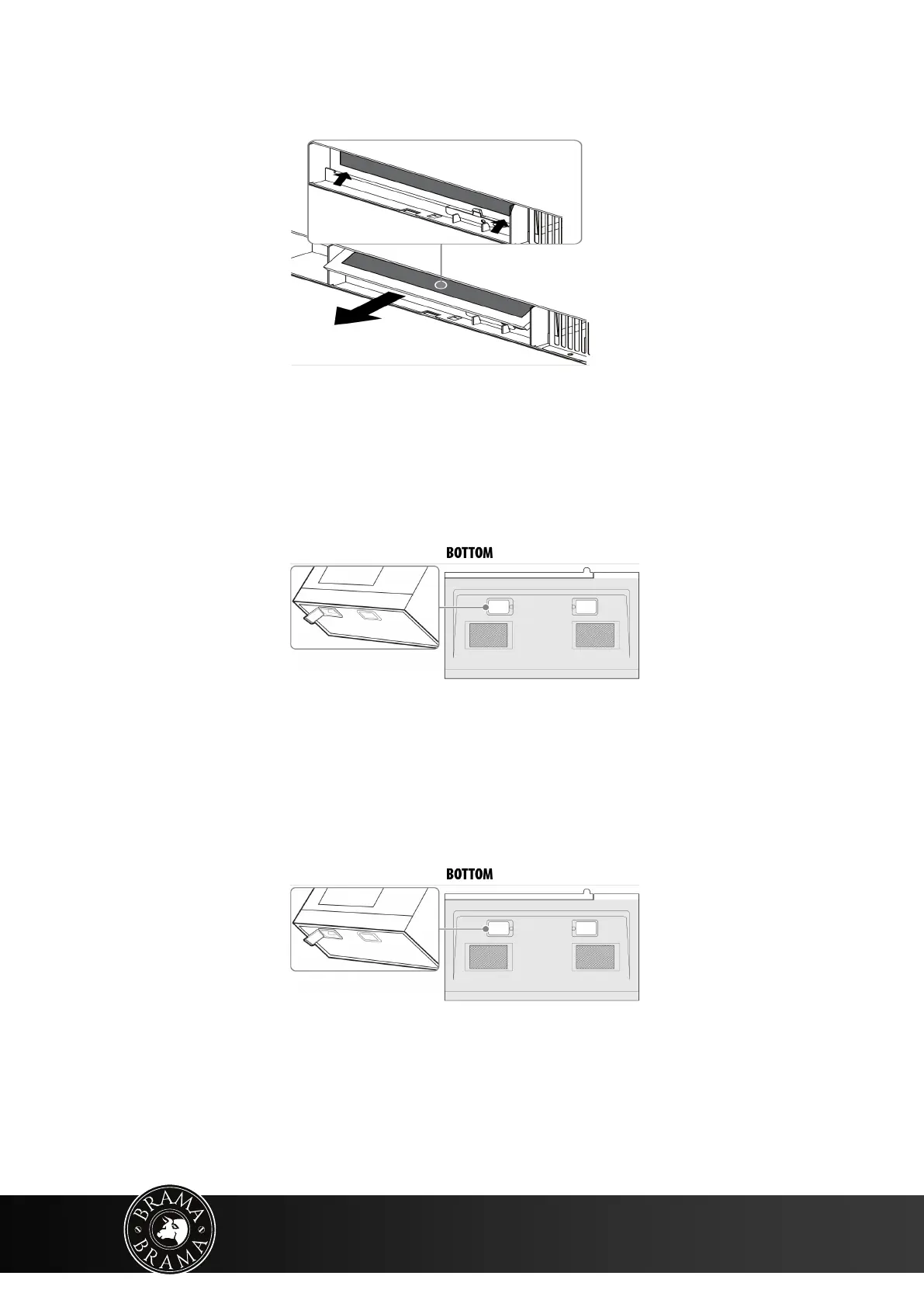
4. Remove the charcoal filter by pushing it inwards, then lift up and pull it out of the
microwave.
5. Insert the new charcoal filter, close the vent grill, and secure with the vent grill screws.
6. Plug the microwave back in or turn the power back on at the main circuit breaker.
Replacing the lights
Surface light (external)
1. Unplug the microwave oven or turn off power at the main circuit breaker.
2. Remove the light cover screws under the microwave.
3. Remove the old light bulbs and replace with new 1.2W LED lights.
4. Reinstall the light cover screws to secure the covers.
5. Plug the microwave back in or turn the power back on at the main circuit breaker.
Microwave light (internal)
1. Unplug the microwave oven or turn off power at the main circuit breaker.
2. Remove the vent grill screws.
3. Pull the vent grill away from the unit.


 To Next Page