10 Operating Your Cleaner
Operating Your DTH Cleaner
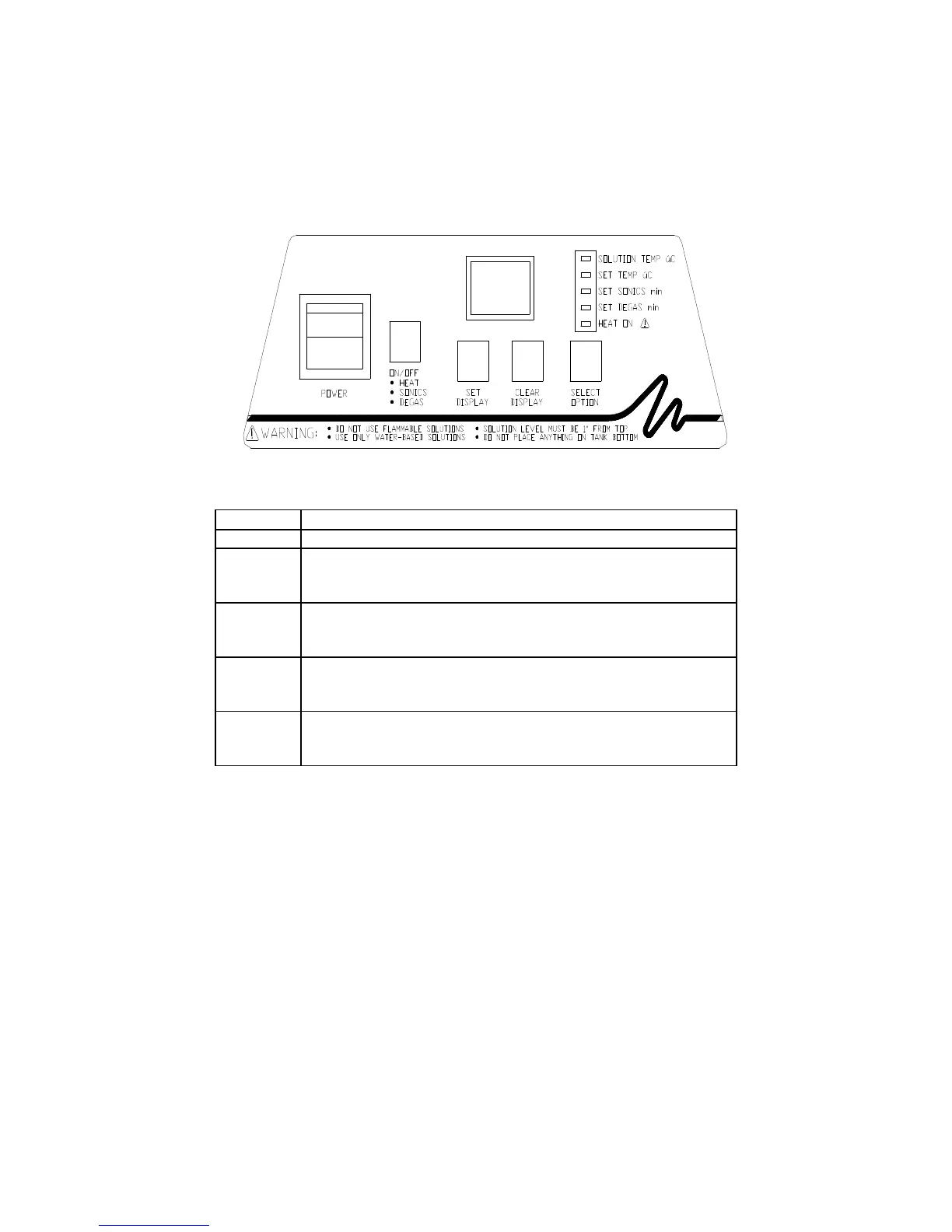
Explanation of Controls
Control Function
POWER Press to activate/deactivate power to the cleaner.
ON/OFF After you press SELECT OPTION and set the LED Display
for the selected option, press to activate HEAT (SET TEMP),
SONICS (SET SONICS) and/or DEGAS (SET DEGAS).
LED
Display
Indicates the tank temperature, set temperature, ultrasonics
time or degas time setting, depending on your SELECT
OPTION choice.
SET/
CLEAR
DISPLAY
Used in conjunction with SELECT OPTION to set or clear
the LED display. Press CLEAR DISPLAY to clear the LED
display to 00. Press SET DISPLAY to reach your selection.
SELECT
OPTION
When pressed, toggles through the Function Indicators. This
allows you to check or set the tank temperature and set
ultrasonic cleaning or degas time.
Continued...



 To Next Page