EasyManua.ls Logo

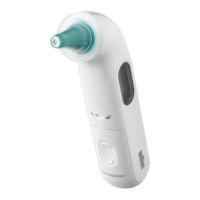
Braun No touch + forehead - User Manual

Braun No touch + forehead
17 pages
Print Icon
To Next Page IconTo Next Page
Loading...
English
1
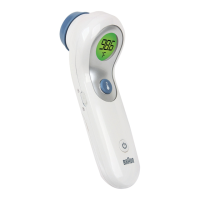
No touch + forehead
thermometer
NTF 3000
Question and Answer IconNeed help?

Do you have a question about the Braun No touch + forehead and is the answer not in the manual?

Summary

Warnings and Precautions

General Safety Instructions

Safety guidelines for thermometer use, storage, and handling to prevent damage or injury.

Product Description

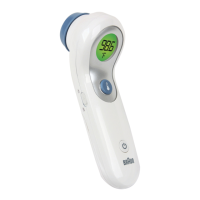
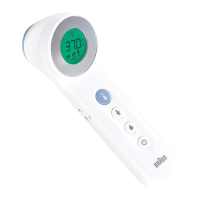
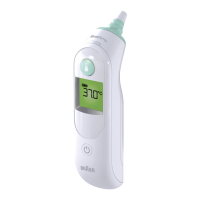
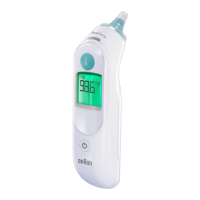
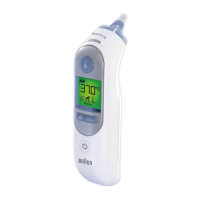
How to Use Your Braun No Touch + Forehead

Remove Protective Cap

Step 1: Remove the protective cap before use.

Take Temperature

Step 4: Press the temperature button to take a reading.

Power On and Ready State

Step 2: Press power button. Device indicates readiness with dashes on screen.

Read and Repeat Temperature

Step 5: Read the displayed temperature and repeat if necessary.

Positioning for Measurement

Step 3: Position device up to 2 inches from forehead, use yellow light guide.

Turn Off Device

Step 6: Press power button to turn off, or device auto-shuts off.

Care and Maintenance

Cleaning the Thermometer

Clean casing and probe with alcohol swab; avoid liquids and abrasive cleaners.

Errors and Troubleshooting

Low Battery Indicator

Display flashes low battery symbol when 20% life remains; steady icon means replacement needed.

Limited Three Year Warranty

Warranty Coverage

Covers defects in material/workmanship; excludes commercial, abusive, or unauthorized repair damage.

Summary

Warnings and Precautions

General Safety Instructions

Safety guidelines for thermometer use, storage, and handling to prevent damage or injury.

Product Description

How to Use Your Braun No Touch + Forehead

Remove Protective Cap

Step 1: Remove the protective cap before use.

Take Temperature

Step 4: Press the temperature button to take a reading.

Power On and Ready State

Step 2: Press power button. Device indicates readiness with dashes on screen.

Read and Repeat Temperature

Step 5: Read the displayed temperature and repeat if necessary.

Positioning for Measurement

Step 3: Position device up to 2 inches from forehead, use yellow light guide.

Turn Off Device

Step 6: Press power button to turn off, or device auto-shuts off.

Care and Maintenance

Cleaning the Thermometer

Clean casing and probe with alcohol swab; avoid liquids and abrasive cleaners.

Errors and Troubleshooting

Low Battery Indicator

Display flashes low battery symbol when 20% life remains; steady icon means replacement needed.

Limited Three Year Warranty

Warranty Coverage

Covers defects in material/workmanship; excludes commercial, abusive, or unauthorized repair damage.

Braun No touch + forehead Specifications

General IconGeneral
Measurement MethodInfrared
Backlit DisplayYes
Silent ModeYes
Color-coded DisplayYes
Measurement SiteForehead
Display TypeLCD
MemoryYes
Power SourceBattery
Measurement AreaForehead
Measurement DistanceUp to 5 cm
Measurement Time2 seconds
Accuracy±0.2°C (±0.4°F)
Last Reading MemoryYes
Auto Power OffYes
Fever IndicatorYes
WaterproofNo
Temperature Range34.4 - 42.2 °C (93.9 - 107.9 °F)
Battery2 x AA

Related product manuals