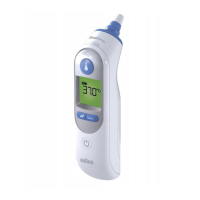
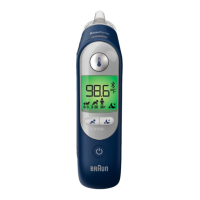
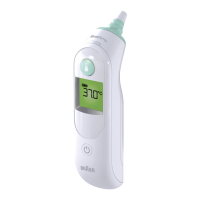
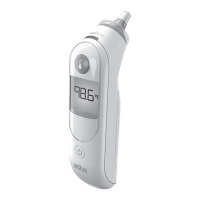
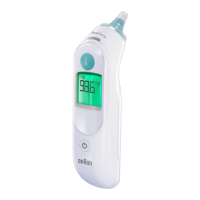
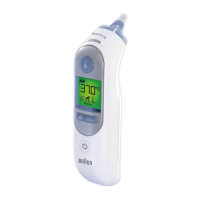
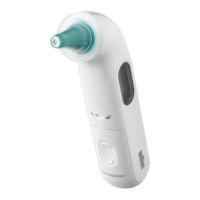
The Braun ThermoScan® 7+ is an ear thermometer designed for intermittent measurement of body temperature in home users, ranging from full-term newborns to geriatric adults. This device is intended for household use and not for professional clinical environments. It features AgeSmart™ technology, which helps interpret temperature readings based on age, but it is not intended for pre-term or small-for-gestational age babies.
Function Description:
The ThermoScan® 7+ measures body temperature through the ear using a disposable lens filter. It incorporates ExacTemp® light technology to ensure accurate positioning during measurement. The device is powered by two 1.5V AA (LR6) batteries and comes with a protective case for storage.
Usage Features:
To use the thermometer, first remove it from its protective case and press the Power button. The display will show all segments during an internal self-check, followed by the last temperature taken for 5 seconds. The lens filter indicator will blink, signaling the need for a new, clean lens filter. To ensure accurate measurements, always attach a new lens filter by pushing the thermometer probe straight into a new lens filter from the box and then pulling it out. The thermometer will not function without a lens filter.
The AgeSmart™ feature is a key component of the ThermoScan® 7+. After attaching a lens filter, select the appropriate age setting using the AgeSmart™ button. The age groups available are 0-3 Months, 3-36 Months, and 36 Months-adult. It is crucial to select an age group before taking a measurement. Once the age group is selected, the display will show the selected age icon and indicate that it is ready for measurement.
To take a temperature, gently insert the probe tip into the ear canal, ensuring it is positioned securely. Press and release the Start button. The ExacTemp® light will pulse during measurement, indicating proper positioning. A long beep will sound, and the ExacTemp® light will remain solid for 3 seconds when a successful measurement is achieved. The temperature reading will then be displayed, accompanied by a color-coded backlight: green for normal temperature, yellow for elevated temperature, and red for high temperature (fever). The color-coded display helps users understand the temperature reading in relation to the selected age group.
The device also includes a Night Mode feature, which can be activated by pressing the Night Mode button. In Night Mode, the display light is dimmed, and the sound is muted, making it suitable for use in dark environments without disturbing others. The Night Mode button also activates a small flashlight to help position the probe in the ear.
The thermometer stores the last temperature reading, which is displayed for 5 seconds upon powering on. It also allows users to set a default AgeSmart™ age group. To do this, hold both the power and AgeSmart™ buttons for 4 seconds when the device is off. The backlight will turn yellow, and all age icons will flash. Press the AgeSmart™ button to cycle through the age groups until the desired default is selected. After 3 seconds of no button press, the selected icon will remain, a full beep will sound, and the device will turn off, saving the default setting.
Users can switch between Celsius (°C) and Fahrenheit (°F) temperature scales. To do this, turn off the thermometer. Press and hold the Power button for approximately 3 seconds until the display shows the sequence: °C / SET / °F / SET. Release the Power button when the desired scale is shown. A short beep will confirm the new setting, and the thermometer will turn off automatically.
Maintenance Features:
The probe tip is the most delicate part of the thermometer and must be kept clean and intact for accurate readings. If the thermometer is accidentally used without a lens filter, the probe tip should be cleaned gently with a cotton swab or soft cloth moistened with alcohol. Ensure the alcohol has completely dried before attaching a new lens filter and taking a measurement. If the probe tip is damaged, contact the local service center.
The thermometer's display and exterior can be cleaned with a soft, dry cloth. Abrasive cleaners should not be used, and the thermometer should never be submerged in water or any other liquid. Store the thermometer and lens filters in a dry place, away from dust, contamination, and direct sunlight. Additional lens filters (LF 40) are available for purchase.
The thermometer is initially calibrated at the time of manufacture and does not require periodic re-adjustment if used according to instructions. If there are concerns about accuracy, contact an authorized service center. The manufacturing date can be found in the LOT number located in the battery compartment.
The device indicates when batteries are low with a battery symbol on the display. To replace batteries, open the battery compartment, remove the old batteries, and insert new ones, ensuring correct polarity. Snap the battery door back into place. Empty batteries should be disposed of at appropriate collection sites according to national or local regulations to protect the environment.
The device also provides error messages for various situations, such as when no lens filter is attached, the probe is not positioned securely, an accurate measurement was not possible, or the ambient temperature is outside the allowed operating range. These messages help users troubleshoot common issues and ensure correct usage.


 To Next Page


 General