ENGLISH | 3
POWER & BLUETOOTH PAIRING
CHARGING YOUR BRAVEN
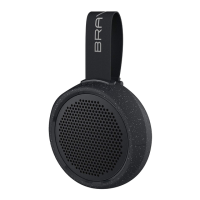
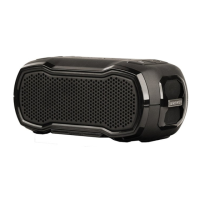
1. Press the Power button for 2-3 seconds to turn your BRAVEN READY SOLO™ on or off.
2. Activate / enable Bluetooth
®
on your device’s settings.
3. Speaker automatically enters pairing mode upon powering on. To pair a second
device, press and hold the Bluetooth button. Go to your phone or device’s
Bluetooth
®
settings and select “BRAVEN READY SOLO” from the list.
4. Enter “0000” if asked for a pass code.
Your BRAVEN will remember the last 8 devices it has paired with.
NOTE: If your BRAVEN does not have an active Bluetooth
®
connection and is left on, it automatically powers off
after 30 minutes. To restart your BRAVEN you will need to press and hold the power button for 2-3 seconds.
• Before using your BRAVEN for the first time, charge the unit until the battery indicator light turns off.
• To charge your BRAVEN, plug the included Micro-USB cable into a wall power adapter (not included) or into a
powered USB port on a computer. Plug the Micro-USB connector end of the cable into the BRAVEN charging port.
• Once fully charged, your BRAVEN READY SOLO
™
has 12 hours of playtime at medium volume.


 To Next Page