ENGLISH | 5
USING TRUEWIRELESS STEREO
PAIRING
RESETTING YOUR BRAVEN
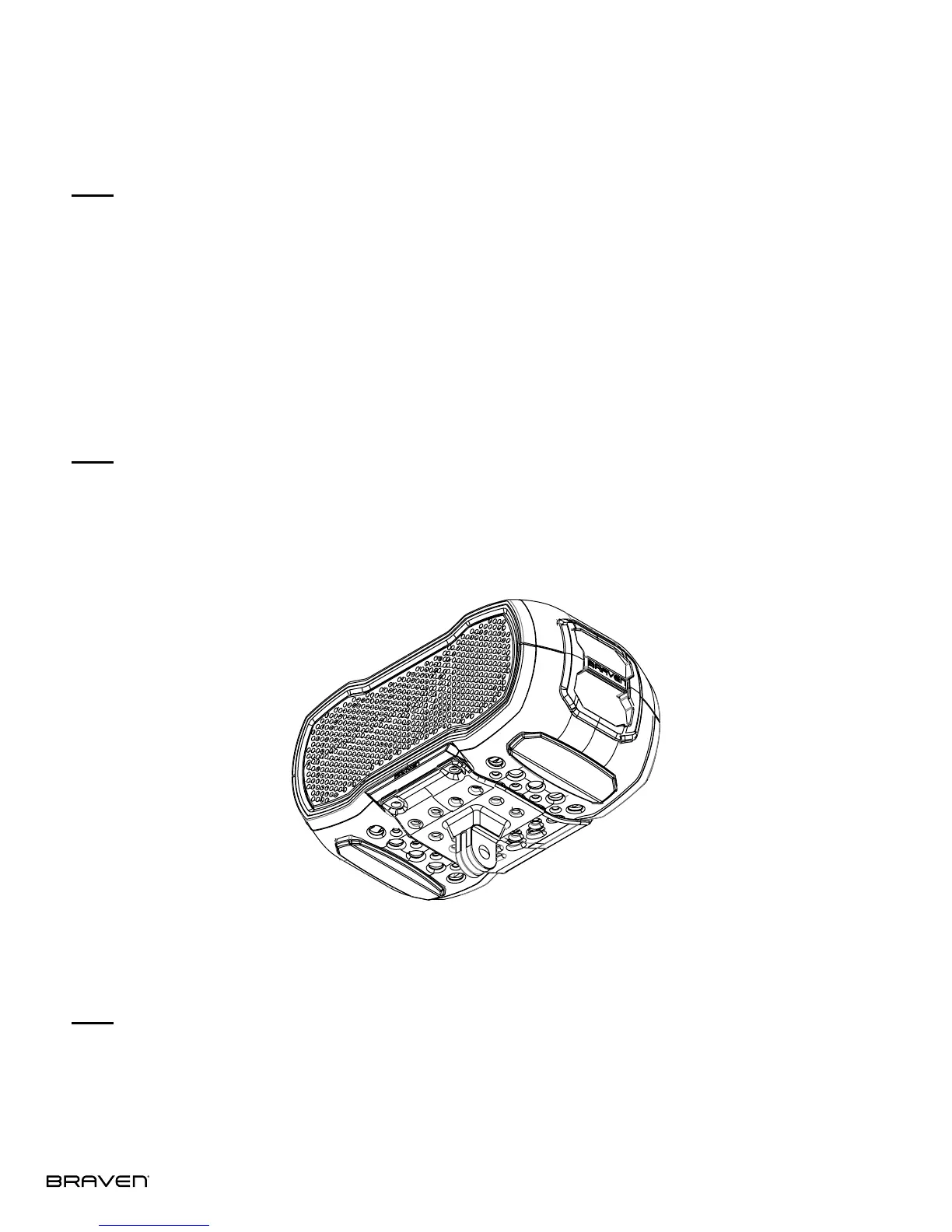
USING THE ACTION MOUNT
TrueWireless allows you to wirelessly pair two BRAVEN READY SOLO
™
speakers in right & left channel audio.
To activate TrueWireless, long press the “battery check button” on the back of both speakers at the same time
until a pairing chime emits. Within 30 seconds, a beep will indicate that both speaker have successfully paired.
To reset your BRAVEN READY SOLO
™
to factory settings, press the Reset button located on the back of your speaker.
The included Action Mount allows you to attach your BRAVEN READY SOLO to most GoPro™ mounting systems. To
attach the Action Mount to the READY SOLO, align the mount with the holes on the bottom of your BRAVEN. Secure
the mount using the included screws and hex wrench.


 To Next Page