16.
BUTTER
The Butter program does not have a delay feature.
For more detailed ingredient information and butter instructions refer to the Corner
Bakery Cookbook.
Note: Use plastic lid for Butter program only.
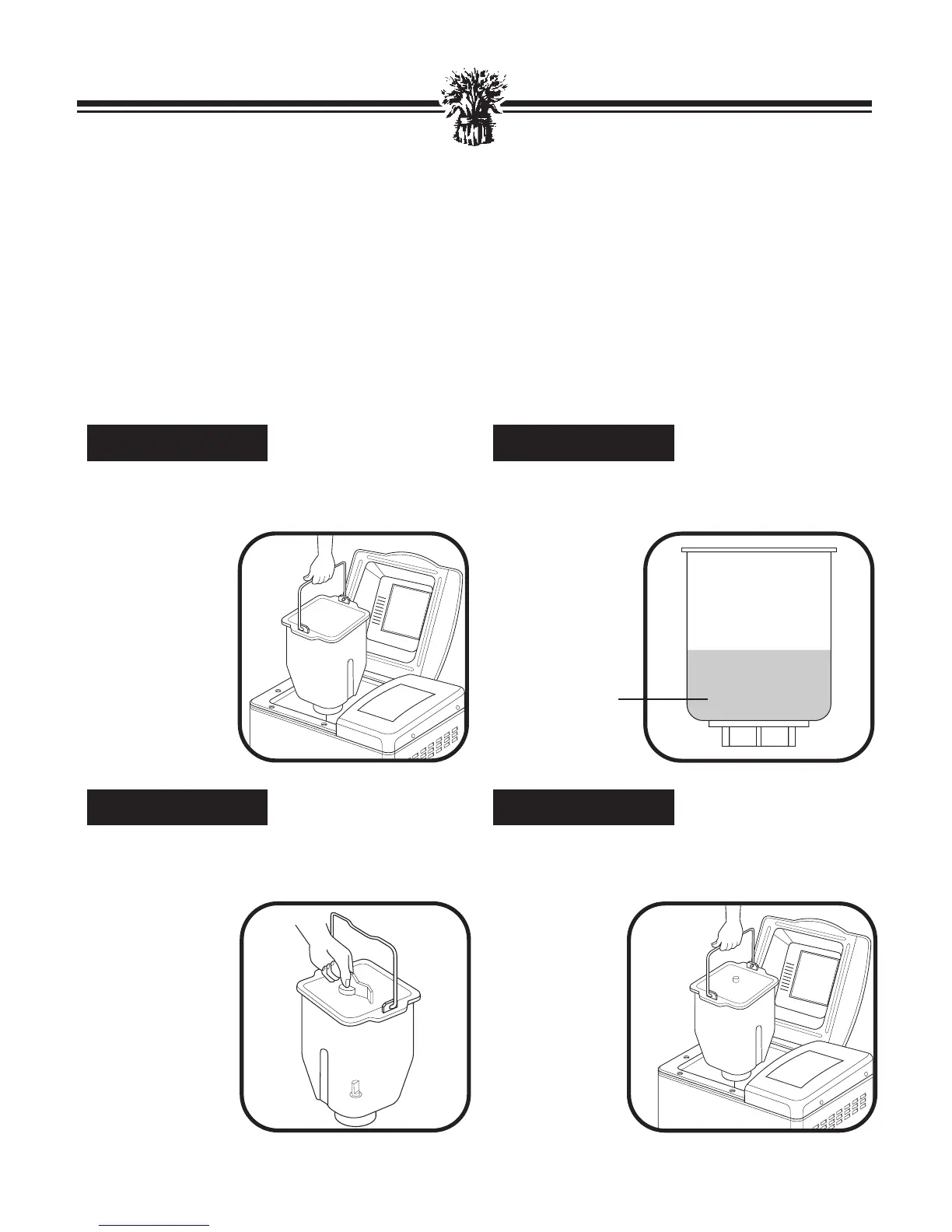
Open the Lid and remove the Bread Pan by
pulling straight up, using the Pan Handle.
Attach the Kneading Blade onto the Shaft,
flat side down.
Pour heavy whipping cream in Bread Pan.
Place Butter Lid on Bread Pan. Use Butter Lid
for Butter
program only.
Insert Bread Pan until it fits securely into
bottom of bread maker with the ▼ FRONT ▼
marking facing
the front of
the bread
maker. This
will provide
more even air-
flow.
STEP 4
STEP 3
STEP 2
STEP 1
HEAVY
WHIPPING
CREAM



 To Next Page