MBS Series User Instructions 9
7. Place the appropriate amount of weight on the weighing platter and press Tare.
8. The calibration weight will continue to flash briefly and then become stable.
9. Once the weight is stable, remove the weight from the balance. The scale has
now been calibrated and is in regular weigh mode.
10. Press the Tare key if the scale does not return to zero.
7.0 Communications & Printing
The MBS balances can be connected to a PC or appropriate printer using a null
modem cable (not supplied). The balance will transmit the gross or net weight and unit
or the number of pieces if you are using the piece counting function.
Connecting to PC
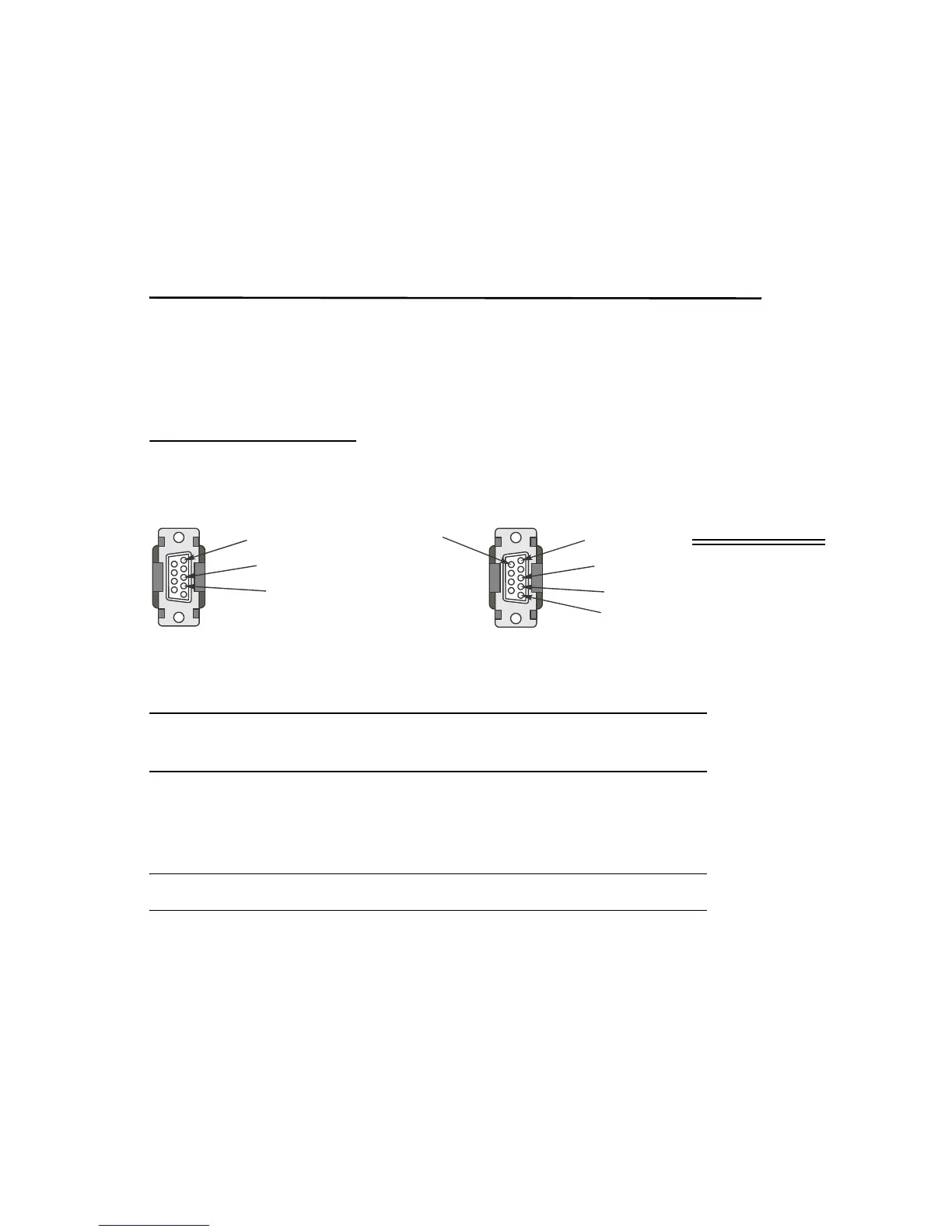
1. Connect the appropriate cable to the 9 pin D connector on the balance.
2. Connect the other end to an available COM port on your PC.
When connecting to a PC or other device, you must cross the transmit and receive
lines.
3. Start HyperTerminal or similar utility.
The table below shows a list of available commands and their responses.
All commands are capital letters. There is no carriage return after the command.



 To Next Page