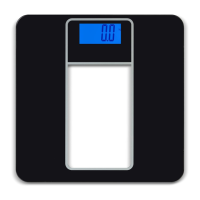
PS25 Postal Scale User Instructions 1
Table of Contents
Chapter 1 General Information and Warnings ........................................................................................ 3
About this Manual ..............................................................................................................3
Special Messages ....................................................................................................... 3
Package and Accesories ................................................................................................... 3
Warnings ............................................................................................................................ 3
Low Battery Warning, Battery Disposal and Replacement ................................................ 4
Low Battery Warning ................................................................................................... 4
Maintenance ...................................................................................................................... 4
Specifications ..................................................................................................................... 5
Chapter 2 Operation .................................................................................................................................. 6
Initial Startup ...................................................................................................................... 6
Turn on the Scale and Select Unit of Measurement .......................................................... 6
Example Screens of 0 - 2lb Range .............................................................................. 7
Example Screens of 2lb to 25lb:5.0oz Range ............................................................. 8
Tare Function ..................................................................................................................... 8
Overload Display ................................................................................................................ 9
Backlight LCD Display ....................................................................................................... 9
Connection with a PC ........................................................................................................ 9
Install / Update the USB Driver ................................................................................... 9



 To Next Page