USER’S MANUAL 17
MAIN COMPONENTS
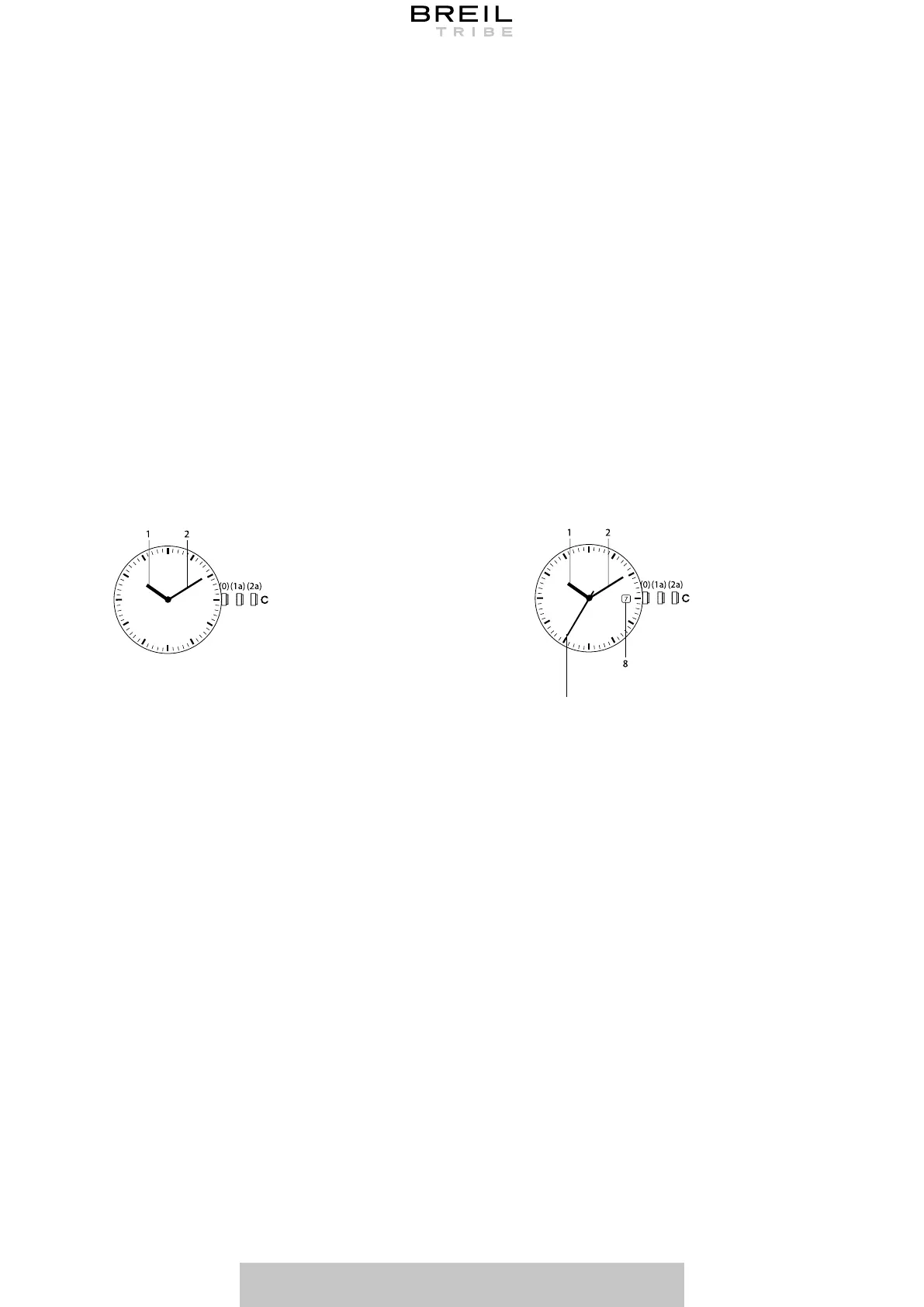
1 Hour hand
2 Minute hand
3 Second hand*
4 24-hour hand*
5 Chronograph minute hand*
6 Chronograph second hand*
7 Chronograph split second hand*
8 Calendar date*
9 12-hour hand*
10 Hour - Minute alarm*
11 Chronograph hour hand
12 Day of the week hand*
13 Dual time
* Function only available on some models. The position of the counters and the calendar date
may vary according to the watch model.
ONLY TIME MODELS
2-HANDS 3-HANDS
MIYOTA 2025
TMI VJ20
TMI Y121
EPSON Y120
MIYOTA 2015
MIYOTA 2035
MIYOTA 2115
MIYOTA 2315
TMI VJ21
TMI VJ22
TMI VJ32
TMI VJ42
TMI VJ45
TMI VJ52
3
Before setting the date (8), make sure you have set the time.
1. Pull the crown (C) out to its first position (1a).
2. Rotate the crown clockwise to view the desired date.
3. Having set the date, push the crown (C) back to its normal position (0).
Note: do not set the date between 8:00 PM and 04:00 AM as the date change may not be
made correctly.
*Function available on some models only.
SETTING THE DATE*
1. Pull the crown (C) out completely. Where present, the second hand (3) will stop
immediately.
2. Turn the crown clockwise to adjust the hour (1) and minute (2) hands at the correct time.
3. Restart the watch by pushing the crown back to position (0).
SETTING THE TIME



 To Next Page