USER’S MANUAL 20
CHRONOGRAPH MODELS
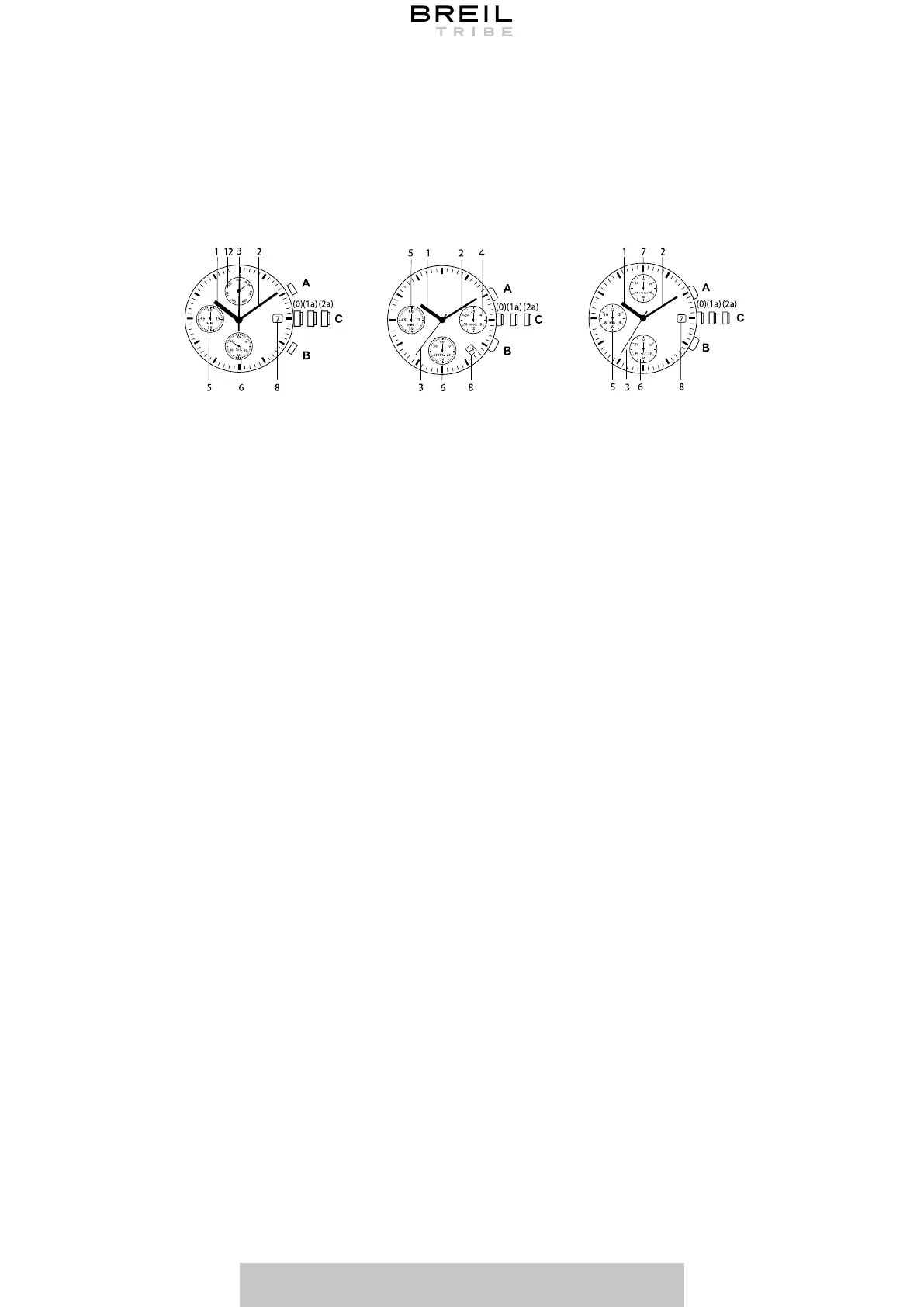
1. Pull the crown (C) out completely. The second hand will stop immediately.
2. Turn the crown to move the hour (1) and minute (2) hands to the desired positions. If
present the 24-hour hand (4 - if present) moves along with the hour and minute hands:
always check that the time set is correct.
3. When the time signal is given, return crown to its normal position (0).
Before setting the date (8), make sure you have set the time.
1. Pull crown (C) out to its first position (1a).
2. Turn crown clockwise to view the desired date.
3. After setting the date, return the crown to its normal position (0).
Note: Do not set the date between 8:00 PM and 04:00 AM as the date change may not be
made correctly.
* Function only available on some models.
SETTING THE DATE
SETTING THE DATE*
SUNON PE903SUNON PE603 SUNON PE902
TMI VD53
TMI VD55
TIME MEASUREMENT
CRONOGRAFO
The chronograph can keep up to 30 or 60 minutes according to the model Before using the
chronograph, check that its hands are at position 0.
Press the button in the following order:
Start: Press A
Stop: Press A
Reset: Press B
• For the Sunon P903 movement, the cronograph can measure and display time in 1/10 of
a second up to a maximum of 60 seconds. The chronograph will stop automatically after
running continuously for 60 seconds.



 To Next Page