7 / 20
6 Parts overview Base station
WI-FI
SENSOR RESETREFRESH
MAX/MINHISTORYCHA NNEL
BARO
UNIT
1
2
3
4
8
7
6
5
9
24
25
23
22
21
20
19
17
16
1510
18
13
12 1411
18
26
A
B
C
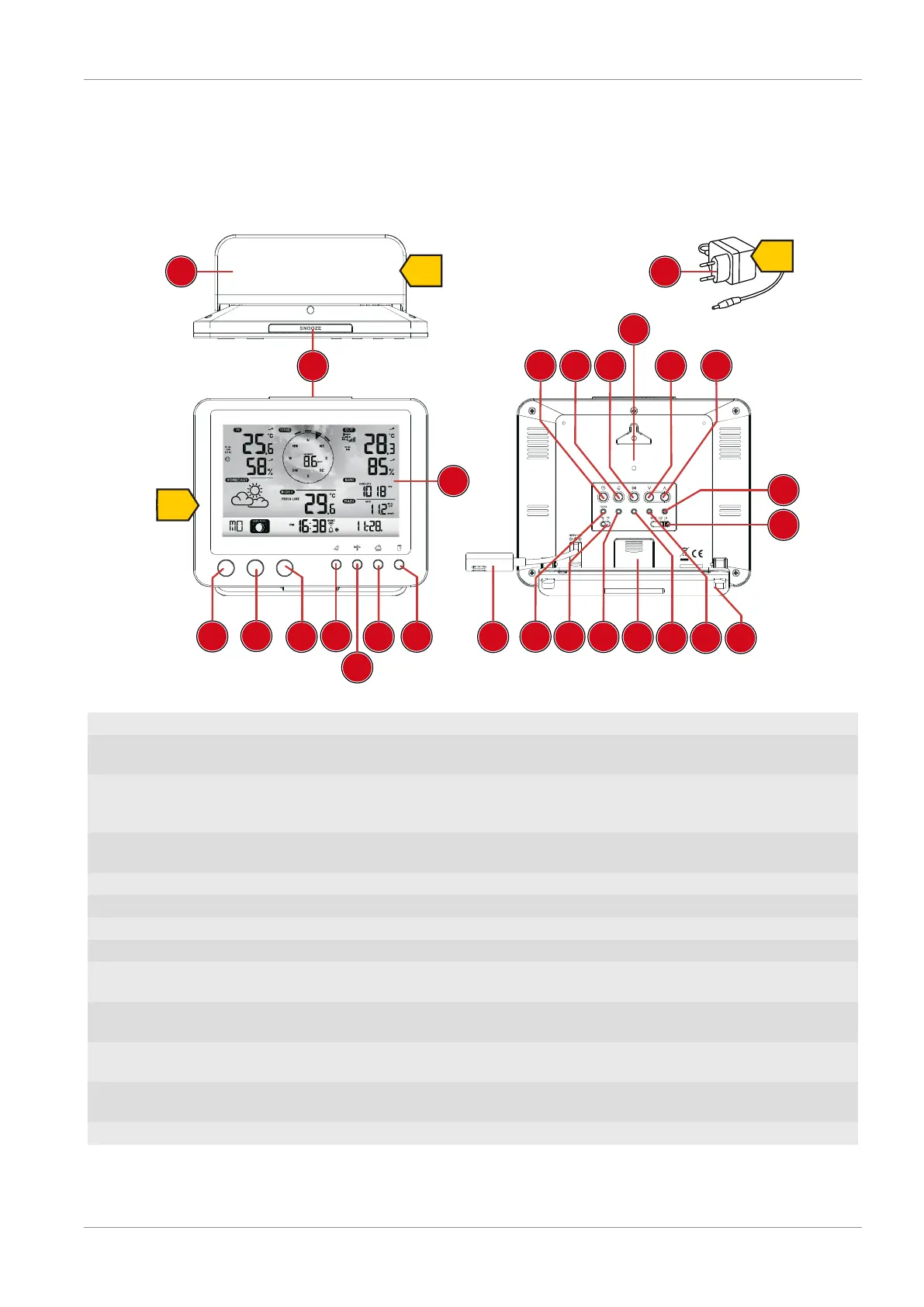
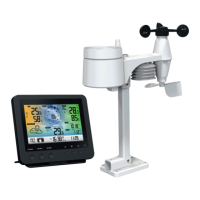
Illustration1: All parts of the base station
1 SNOOZE button (snooze function) 2 Colour display
3 RAIN button (display of various precipitation
values)
4 BARO button (display of different atmospheric
pressure values)
5 INDEX button (display change between 'feels
like' temperature, dew point, heat index and
wind chill index)
6 WIND button (display change between aver-
age and current gust)
7 MAX/MIN button (switch between highest, low-
est or current value display)
8 HISTORY button (retrieve measurements for
the past 24 hours)
9 CHANNEL button (channel selection) 10 CLOCK button (manual time setting)
11 ALARM button (Alarm setting) 12 ALERT button (e.g. set temperature alarm)
13 Wall mount 14 DOWN button (Value setting downwards)
15 UP button (Value setting upwards) 16 RESET button (reset all settings)
17 HI/LO/OFF slide control (setting or turning off
backlight)
18 Stand, removable
19 REFRESH button (refreshing data manually) 20 SENSOR / WI-FI button (start manual sensor
search or activate / deactivate WI-FI)
21 Battery compartment (cover) 22 BARO UNIT button (change of atmospheric
pressure measurement unit)
23 °C/°F button (display change between °C or
°F)
24 12/24 button (display change between 12 and
24 hours mode)
25 Power supply socket 26 Power adapter







 To Next Page