24 / 60
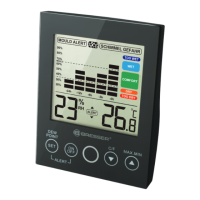
7 Humidity value (in %)
(display mode select-
able)
8 Dew point symbol (will
be displayed when dew
point level is reached)
9 MIN symbol (will be dis-
played when lowest
value is reached)
10 ALERT symbol (will be
displayed on alarm set-
ting)
11 MAX symbol (will be
displayed when highest
value is reached)
12 Temperature value (dis-
play mode selectable)
13 Temperature unit (°C or
°F selectable)
14 Indoor climate indicator
7 Setting up power supply
1. Remove the stand clip.
2. Remove the battery compartment cover.
3. Insert the batteries into the battery compartment. En-
sure that the battery polarity (+/-) is correct.
4. Replace the battery compartment cover.
5. Re-attach the stand clip.
8 Automatic measurement display
Measurements for the indoor area will be displayed on the
device once power supply was enabled.
9 Mould alert
1. In normal display mode, touch the C/F touch button for
approx. 3 seconds to switch to mould alert settings
mode. MOULD ALERT and humidity display will flash.







 To Next Page