26 / 60
11 Changing the measurement
displays
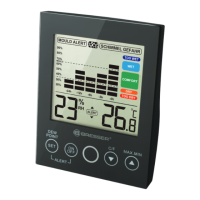
• Touch the SET/DEW POINT touch button to switch
between current temperature display and dew point
temperature display. During dew point temperature dis-
play, DEW POINT will be displayed next to the humidity
value.
• Touch the C/F touch button to switch between temper-
ature display in °C and °F.
• Touch the MAX.MIN touch button several times to dis-
play one after another the maximum, minimum and cur-
rent temperature and humidity values. MAX, MIN or
nothing will be displayed.
12 Disposal
Dispose of the packaging materials properly, accord-
ing to their type, such as paper or cardboard. Contact
your local waste-disposal service or environmental au-
thority for information on the proper disposal.
Do not dispose of electronic devices in the household
garbage!
According to the European Directive 2012/19/EU on
Waste Electrical and Electronic Equipment and its
transposition into national law, used electrical equip-
ment must be collected separately and recycled in an
environmentally sound manner.







 To Next Page