8
1 2 3 4
1 2 3 4
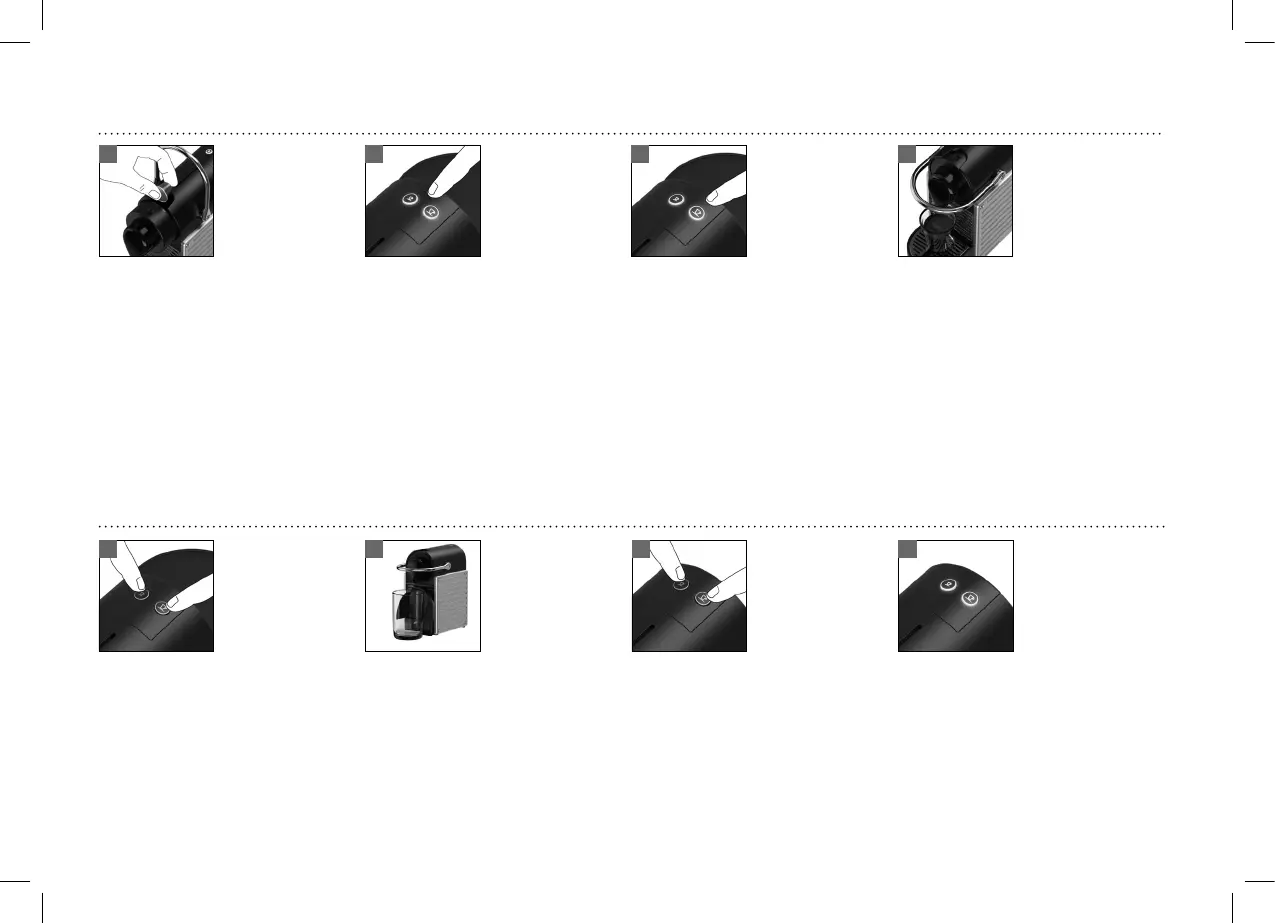
EMPTYING THE SYSTEM BEFORE A PERIOD OF NONUSE, FOR FROST PROTECTION OR BEFORE A REPAIR
To enter the emptying mode, press both
the Espresso and Lungo button to turn
the machine o.
Machine switches o automatically.Press both the Espresso and Lungo button for 3
seconds. Both LEDs blink alternatively. Wait until
no more water comes out.
Remove the water tank. Close the Lever. Place a
container under the coee outlet.
PROGRAMMING THE WATER VOLUME
Press and hold the Espresso or Lungo button. Release the button once the desired volume is
served.
Water volume level is now stored.Fill the water tank and insert the capsule.
UM_PIXIE_BREVILLE.indb 8 13.11.18 10:13




 To Next Page