8
using your Breville
®
PrimaLatte™
Movethehandletotherightasfarasitwillgountilitlinesupwiththelockedsymbol
( )ontheunit.Toremovethelterholder,movethehandletotheleftuntilitislinedupwiththeunlocked
symbol ( ).
Emptying the lter holder
! Caution: The lter holder will be HOT—take care when handling it!
Toemptytheusedcoffeefromthelterholder,positionthelterlockovertherimofthelterandholditin
placewithyourthumb(g.N).Thiswillholdthelterinplacesoyoucaninvertandtapthelterholderto
remove the used coffee.
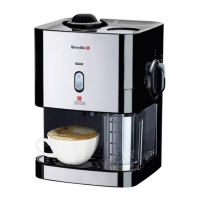
MAKING CAPPUCCINO
Cappuccinoismadewithabout⅓ Espresso, ⅓ steamed milk and ⅓ frothed milk.
1. Fitaltertothelterholder.ForalargeCappuccinotthedoubleshotlterotherwise,usethesingle
shotorpodlter.
2. Addthegroundcoffeeandtampitdown.Ifyouareusingpods,placeapodintothepodlter.
3. Fitthelterholdertothebrewinghead.
4. Place a suitable cup under the brewing head.
5. Addmilktothemilktankthenpositionthefrothtubeoverthecupusingthelever.Adjusttheamountof
froth required using the froth control. For more froth, turn the knob in the + (plus) direction. For less, turn
it in the − (minus)direction.Notethatyoucanmakeadjustmentsduringthebrewingcycle.
6. Press the Cappuccino button. For a small cappuccino press it once. The small cup icon ( ) will light.
ForalargeCappuccino,pressthebuttontwicethelargecupicon( )willlight.YourCappuccinowill
bebrewedandwhenthebrewingcyclehasnished,thethreebuttonswilllightup.
7. Youcanstopthebrewingprocessatanytimebypressinganybutton.
MAKING ESPRESSO
1. Fitaltertothelterholder(singleshot,doubleshotorpod).
2. Addthegroundcoffeeandtampitdownor,ifusingpods,placeapodintothepodlter.
3. Fitthelterholdertothebrewinghead.
4. Placeasuitablecupunderthebrewinghead.Usetheheightadjustmenttrayifnecessary.
5. Press the Espresso button. If you are making a single shot, press it once. The small cup icon ( ) will
light. For a double shot, press the button twice. The large cup icon
( )willlight.Yourespressowillbebrewedandwhenthebrewingcyclehasnished,thethree
buttons will light up.
6. Youcanstopthebrewingprocessatanytimebypressinganybutton.



 To Next Page