Document #100578 RevJ 14 Printed in USA © 2017
Drawer Warmer
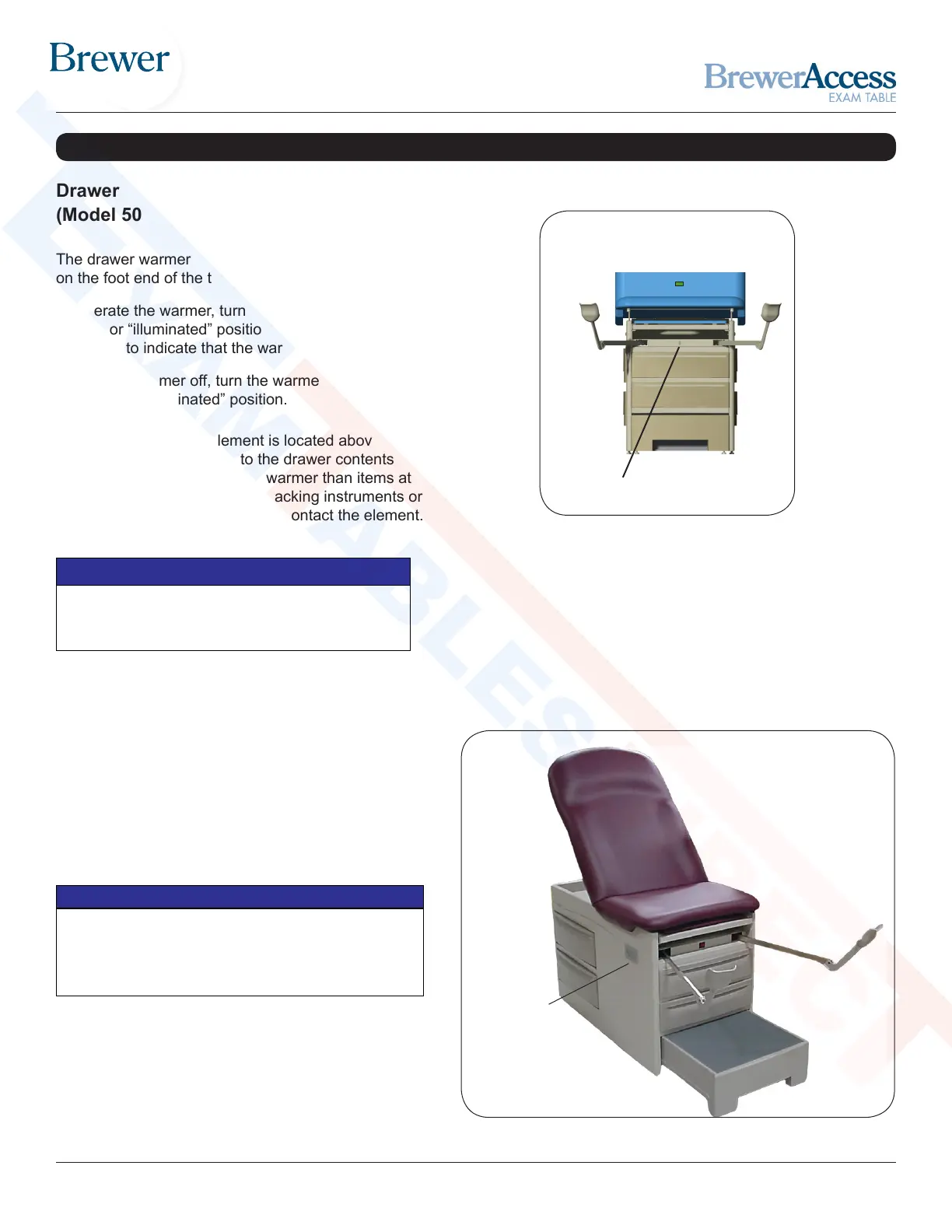
On/Off Switch
Drawer Warmer
(Model 5001 Only)
The drawer warmer warms the contents of the top drawer
on the foot end of the table.
To operate the warmer, turn the warmer power switch to
the ON or “illuminated” position (Figure 15). The switch will
illuminate to indicate that the warmer is operating.
To turn the warmer off, turn the warmer power switch to the
OFF or “non-illuminated” position.
Figure 15. Drawer Warmer Switch
Proper Loading of the Front Drawer
Do not stack instruments in the front drawer. Place
instruments in one layer in the bottom of the drawer.
NOTICE
NOTE: The warmer element is located above the drawer
and applies radiant heat to the drawer contents. Items
closer to the element will be warmer than items at the
bottom of the drawer. Avoid stacking instruments or
allowing instruments to tip and contact the element.
Maximum Outlet Rating
Plugging a device into the outlet on the side of the table
with rating higher than 2 amps may cause the fuse at the
back of the table to blow.
NOTICE
Figure 16. Table Outlet
Electrical Outlet
(Model 5001 Only)
Model 5001 is equipped with an electrical outlet
located on the right hand side of the table (Figure 16).
The maximum total load that can be plugged into the
outlet is 2 amps.
Outlet
(Model 5001)
TABLE ADJUSTMENTS (CONTINUED)
Shop tables & accessories at


 To Next Page