ALTAIR 8800 micro Users Manual
© Briel Computers 2010 page 25
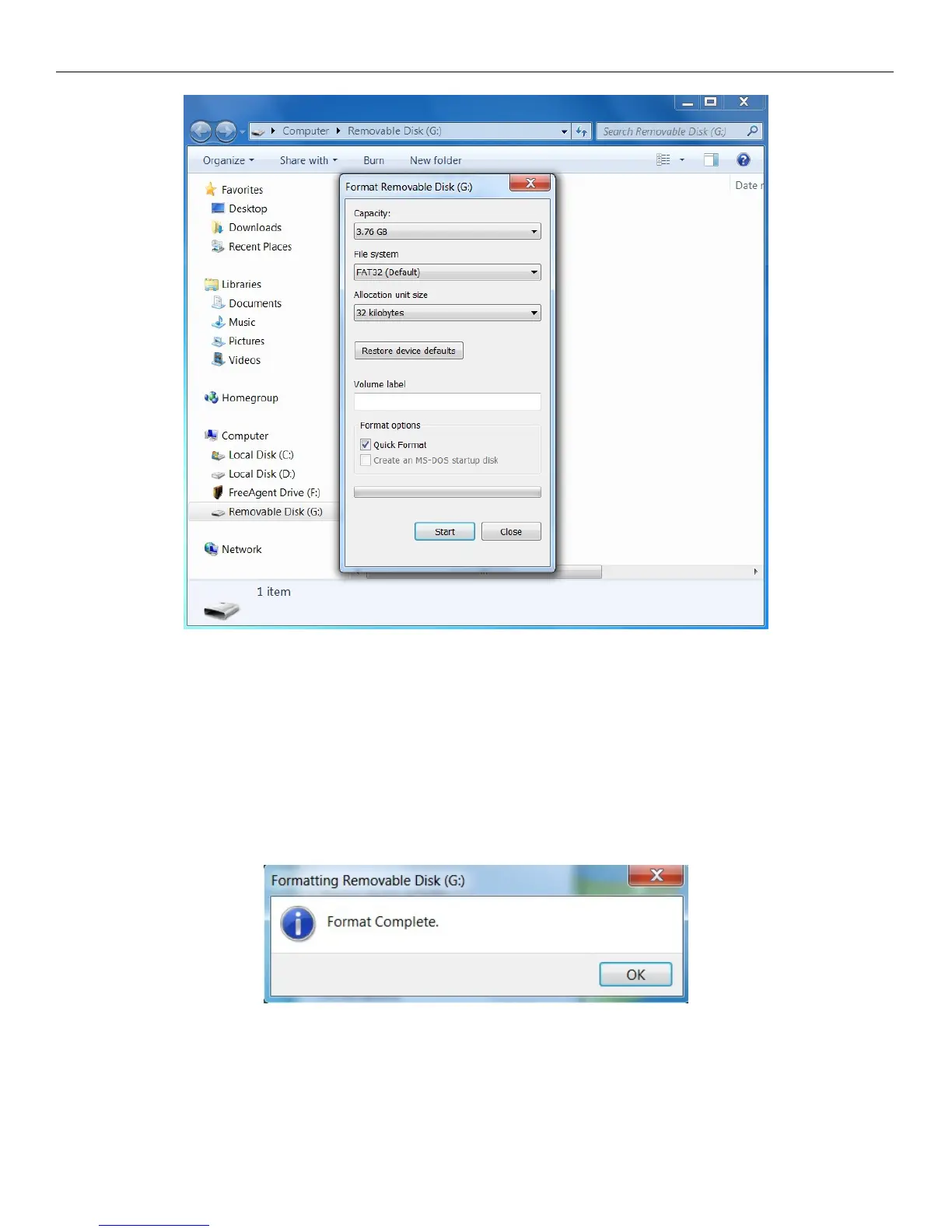
When you select Format, you get a pop up box that will look like the picture above. First thing to look at is the
Capacity. In our case, we are using a 4GB SD card. This is probably overkill, but it was a card we have laying
around. The file system is FAT32 because FAT has a 2GB limit. We are also choosing the smallest Allocation
unit size of 32KB to help ensure the card is readable with the Altair 8800 micro system.
You can also see that Quick Format is selected. This is ok as long as the card will do a Quick Format. If Quick
Format fails, unselect this box and do a full format of the card. Click on the Start button and format the card.
You should do this because you may have a card that was formatted with a camera or other device and is not
readable in the Altair micro.
If you get this message you are finished formatting the SD card and can now put BASIC onto your SD card.



 To Next Page