ALTAIR 8800 micro Users Manual
© Briel Computers 2010 page 27
Chapter 5: Programming with the front panel
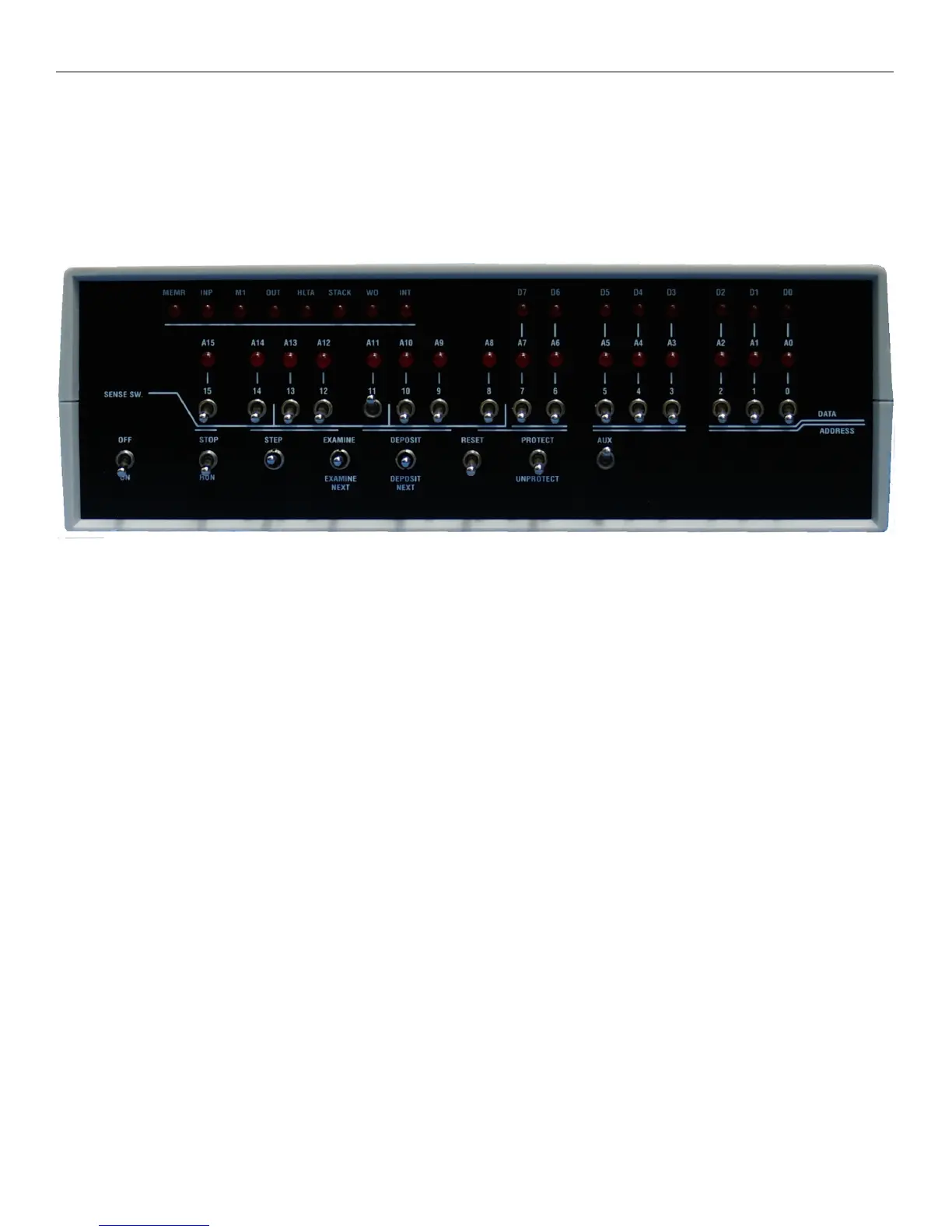
The front panel on the Altair 8800 micro is very similar to the real Altair 8800. It has 16 data/address switches,
8 of which are called the “SENSE SWITCHES”. There are momentary switches to STEP, DEPOSIT and
EXAMINE memory. Due to the size issue with the case, we decided to eliminate 4 LED’s from the display as
well as 1 AUX switch.
As discussed in the next chapter, you can load BASIC at power up just by having SW11 and AUX up on power
up. But what if you don’t want to program in BASIC, you want to enter data just like it was 1976 again. You
have a choice, you can load BASIC but not use it, or put the AUX switch down on power up and the system
will not prompt for a BASIC file name. If the RUN/STOP switch is up in the STOP mode, you are ready to
read/write to/from memory.
Let’s give it a try. Turn off your Altair and put all switches down except OFF and RUN/STOP. Turn on your
Altair. If you have a monitor connected to the Altair you will notice that it does not ask for a file name. The
LED’s on your panel should be all off on the address row and your status LED’s and DATA LED’s will be lit.
If there is no DATA LED’s lit (D0-D7) that means at address 0 the value 0 is stored. Let’s put the value $80 at
location $0001 in memory.
Step 1: Lift address switch 0
Step 2: Lift and release EXAMINE switch (A0 LED will now be lit)
Note: At this point there may be data at that address; we are going to write over it
Step 3: Push down switch 0 and lift up switch 7
Note: Switch 7-0 are now being used as your data input value by lifting switch 7 only that is the value $80
Step 4: Lift and release DEPOSIT switch
Your address LED’s should display A0 lit and D7 lit, this indicates that at memory location 1, the value
10000000 or $80 is now stored at that location.



 To Next Page