16
4 System Operation
4.1 Initial System Power Up
Once the system is fully installed and connected, power should be applied to test correct
operation. On power up, the system will go through its self-test by displaying 8 coloured
indicators on the monitor screen in red and by sounding an audible alert (through both the
monitor’s speaker and any external alarm connected to the Ext-Alarm Trigger). 5 seconds
after power-on, the audible alert test will cease. The 8 red indicators will disappear around 4
seconds later leaving the system in standby and the image from Camera 1 only on the screen.
The machine operator must verify that all self-test functions described here are completed
successfully at each power-on of the system. Any malfunction of the system should be
reported to the appropriate responsible person.
Note: Depending on equipment selection, the power-ON and boot time of the display monitor
may eclipse the initial part of the self-test function.
4.2 Standby mode, Camera selection and triggering
When the system is in standby mode, the machine operator will not be alerted to any radar
detections and the display monitor will continue to show images from the connected camera(s)
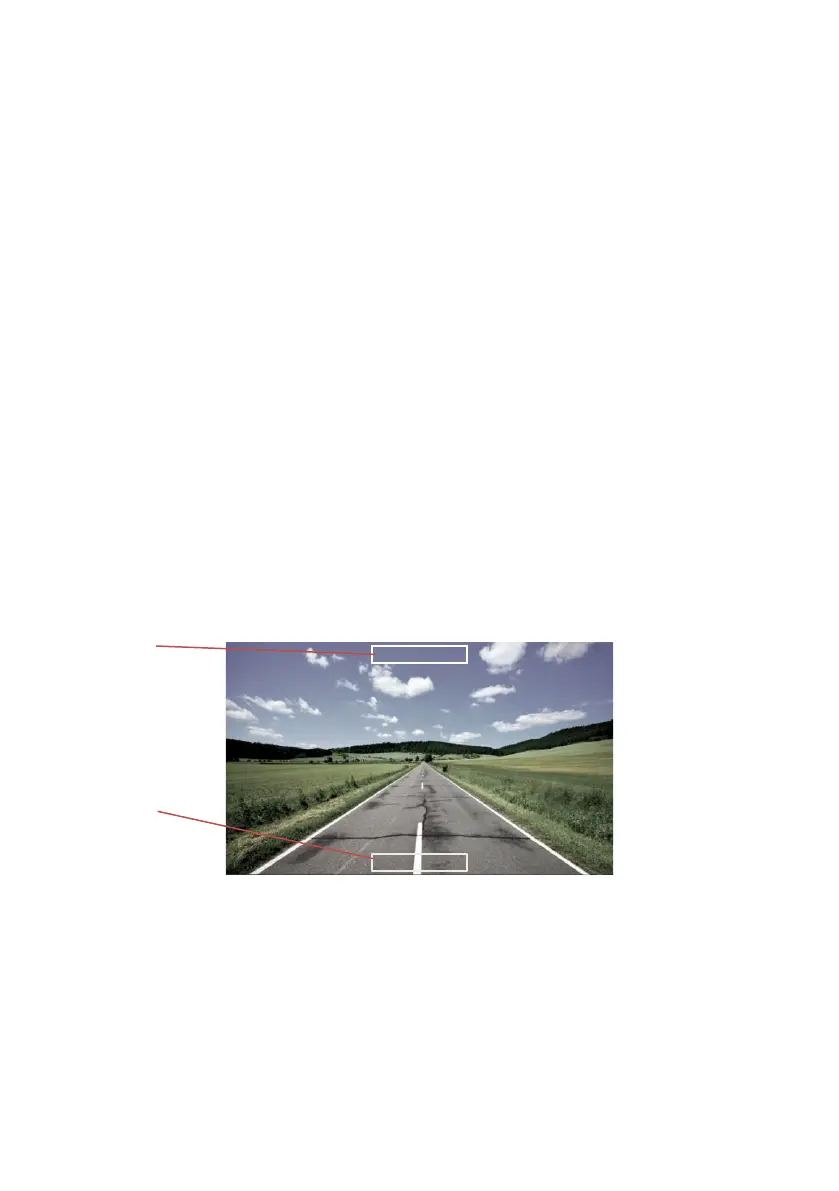
Each radar sensor is individually triggerable enabling the user to activate either one
independently or both at the same time. When either or both sensor(s) are triggered, their
respective detection indicator(s) will be shown on the screen, overlaid on top of the currently
selected camera image. When there are no objects detected by an activated sensor, (or the
detected objects fall into a pre-configured blind zone) the corresponding on-screen indicator
will be shown un-filled with a white outline only. This is illustrated in the image below.
Camera views may be changed from CA1 to CA2 at any time by activating the Trigger 3 Input
(e.g. reverse gear is selected to apply power to the activation input).


 To Next Page