18
After initial power on and system testing, the installer must check the system is operating
correctly in an open area with no obstructions.
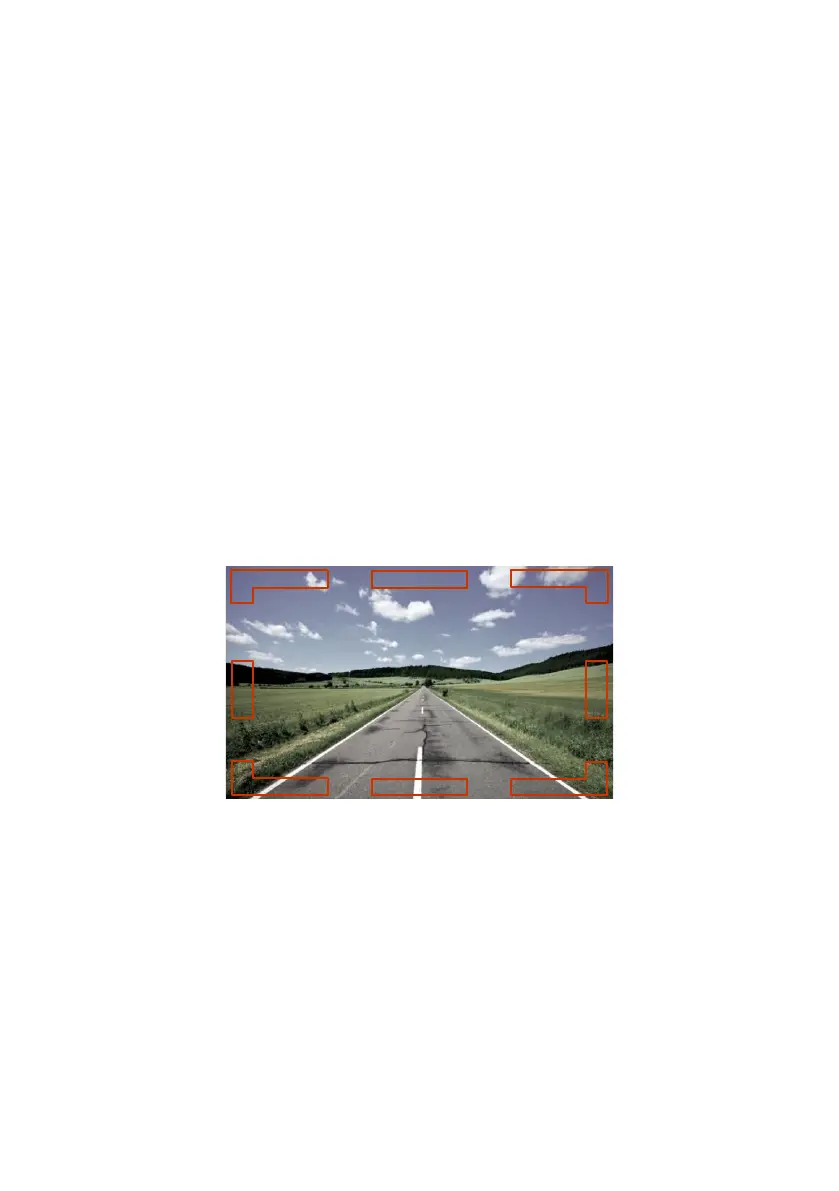
If any coloured detection indicators remain on-screen, check for any obstruction in the
detection area, which may be detected by the sensor and remove it. If this is not possible as
the object is part of the vehicle, move the sensor so it is not detecting such object(s) or re-
configure the system to apply a blind zone in the area of that object. See sections 3.5.3 and
5.3.8 for further details.
If the system is working as described, follow the section 6.
Add the results from the test procedure in section 6, as well as the configuration data and this
installation and operation guide to the vehicle documentation accessible for the relevant
people.
4.5 Error States
4.5.1 Radar Sensor Error
In the event of a total sensor error all 8 indicators will simultaneously flash red on the monitor
screen at a rate of around 1 cycle per second. The audible alert will sound every 6 seconds
(through both the monitor’s speaker and any external alarm connected to the Ext-Alarm
Trigger).
When one sensor is in an error state and the second sensor is functioning correctly then the
on-screen indicator for the working sensor will show normal operation whilst the remaining 7
indicators will flash red.


 To Next Page