8
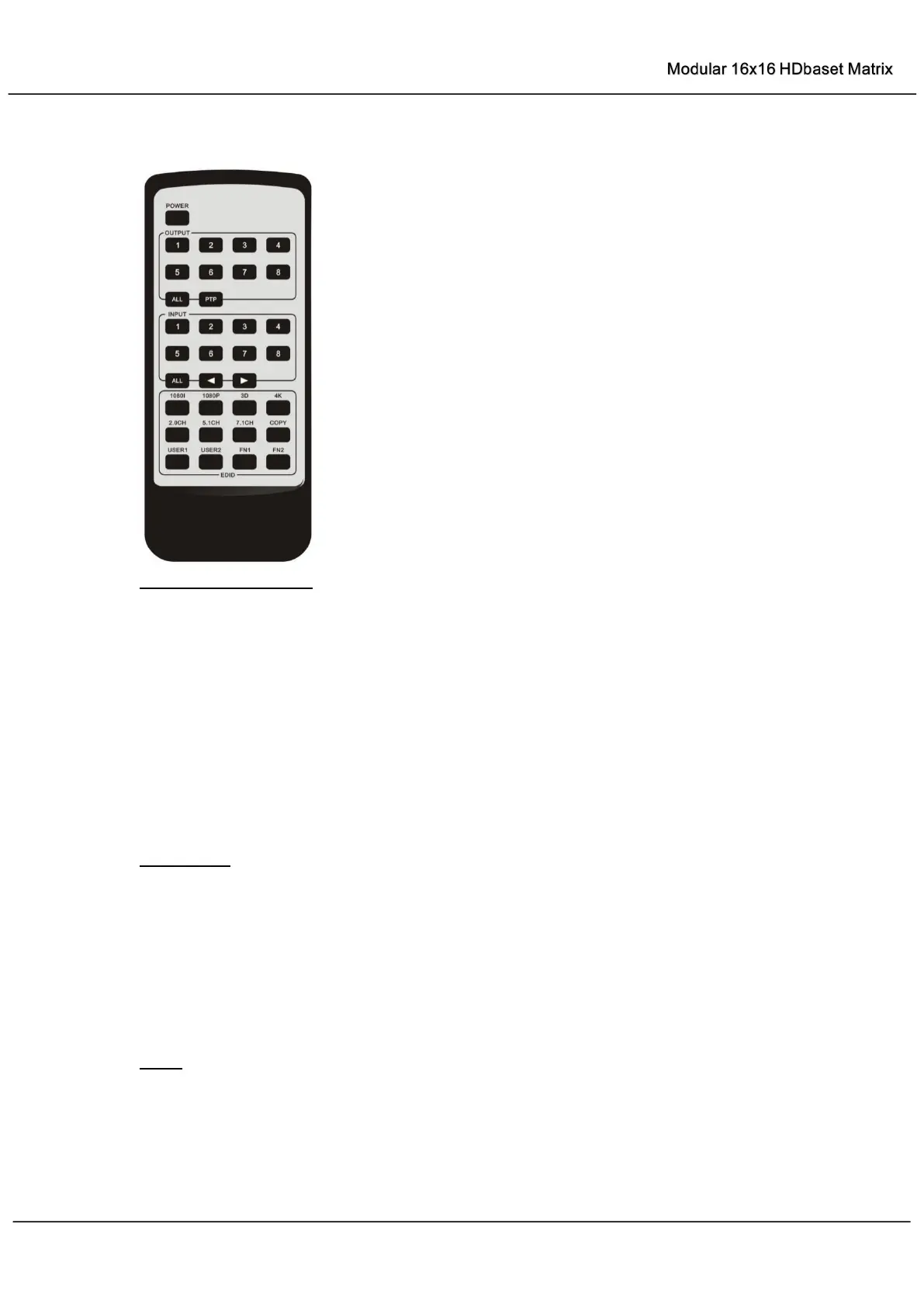
Remote Control Description
Output and Input select
A. OUTPUT-X select INPUT-Y:
1. Press OUTPUT-X (X means 1 to 8 of outputs) Press INPUT-Y ( Y means 1 to 8 of
inputs )
2. Press OUTPUT-X (X means 1 to 8 of outputs)
press the left and right arrow buttons
to select the input.
B. All outputs select INPUT-Y: Press ALL button in zone OUTPUT
Press INPUT-Y button
( Y means 1 to 8 of inputs ), then INPUT-Y switched to ALL OUTPUTS
C. Mirror all inputs and outputs (Ex. Input 1 to output 1, input 2 to output 2, etc): Press PTP
button in Zone OUTPUT
EDID Set Up
A. Fixed EDID to INPUT-Y/ALL
Press 1080I/1080P/3D/4K Press 2.0CH/5.1CH/7.1CH INPUT-Y/ALL button in Zone
INPUT
B. Copy EDID of OUTPUT-X to INPUT-Y/ALL
Press COPY button
Press OUTPUT-X button
Press INPUT-Y/ALL button
C. User defined EDID to INPUT-Y/ALL
Press USER1/USER2 button
Press INPUT-Y/ALL
NOTE: Pressing button sequence should be finished in 5 seconds, otherwise, operation
discarded.



 To Next Page