14
Set Network Reboot and Apply New Config!!!
GUI Control
PC System:
Microsoft Windows Operation System
Installation
16x16 HDMI Matrix controller is a green software. You just need to copy “16x16 HDMI Matrix
Controller vx.x.exe” to the PC which is used to control the Matrix by RS232 COM or TCP to
complete installation.
Preparation
1. Connect PC and Matrix by RS232 cable or UTP cable
2. Power up Matrix (It will take about 5 seconds to be ready with “Di” beep sound )
3. Double click “8x8 HDMI Matrix Controller vx.x.exe” icon to run it
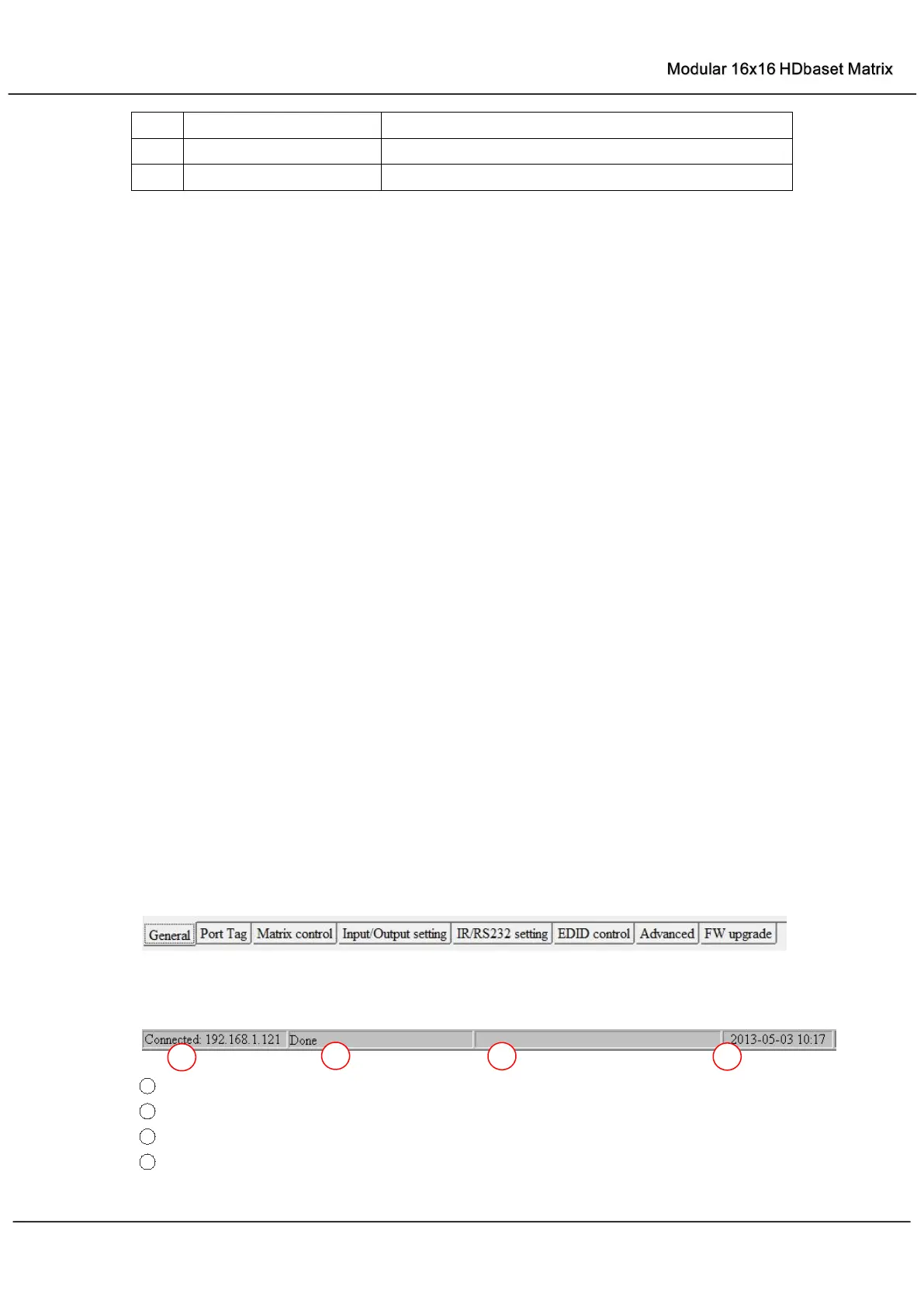
Common information
Click to select tab page
1 COM port or TCP connect status
2
Control command process status
3
Prompt message display area
4
Date and Time display



 To Next Page